Hidden lines problem
-
Gai I see what I missed. All of the "hidden geometry" that needs to be made invisible must still be selected and placed on the new HIDN layer manually. Of course that makes sense now. I mistakenly thought the ruby script was picking up the info (geometry) from Sketchup. The script TIG made for me works perfectly. This helps alot.
Thanks TIG and Gai
Kevin
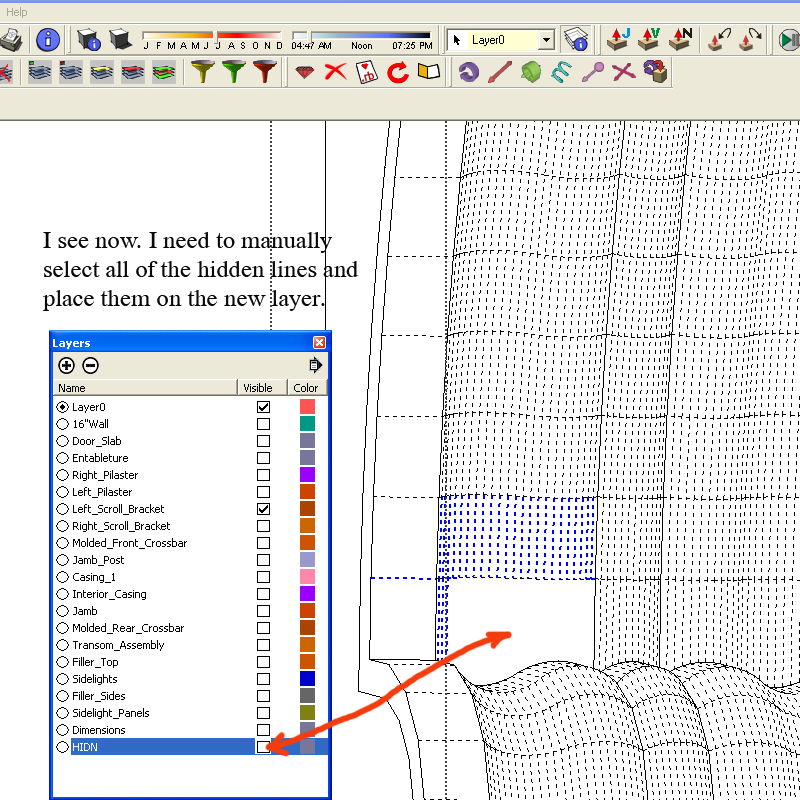
-
You should NOT need to manually pick hidden geometry ! The whole object of the script was to move everything over onto that layer automatically...
It does - BUT only 'loose geometry' is processed as it does 'entities'. If you want to do Groups and Component definitions the codes a bit different... 'active_entities' - so it processes their entities within an 'Edit' session, when it's run.model=Sketchup.active_model;hidn=model.layers.add("HIDN");model.active_entities.each{|e|e.layer=hidn if e.hidden?}I've posted a short script version in the Ruby forum - here it is: http://www.sketchucation.com/forums/scf/viewtopic.php?p=47500#p47500
Then all you have to do is put it into your Plugins folder and pick the menu item under Plugins called 'Hidden to Layer'...
-
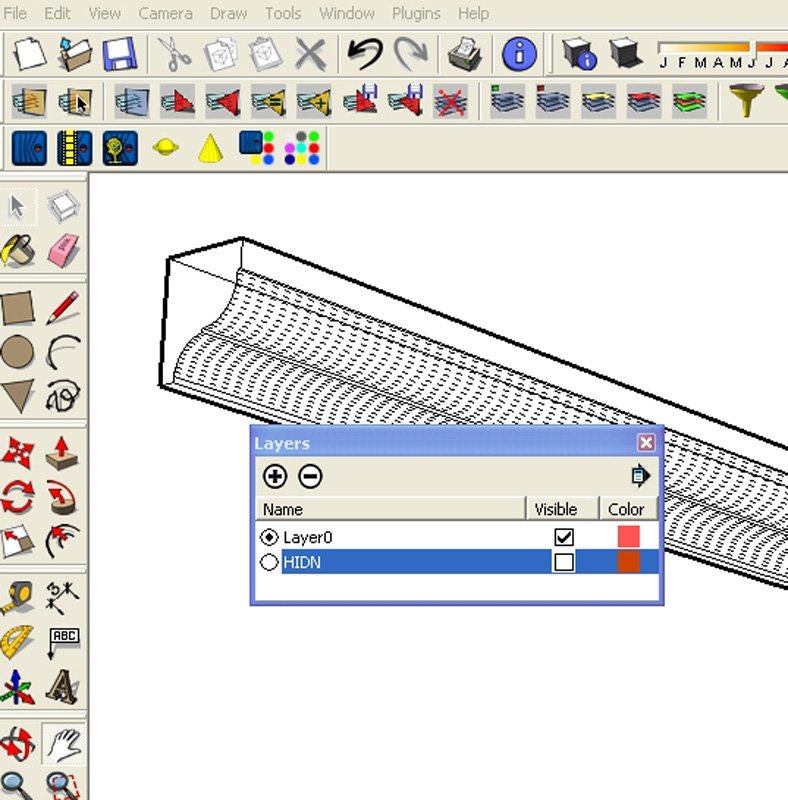
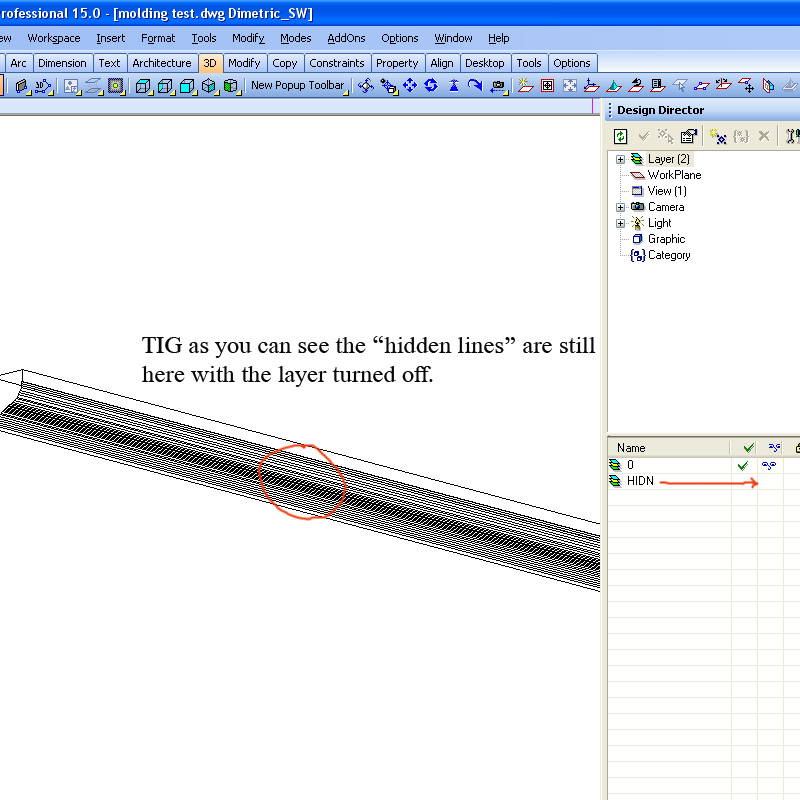
TIG somehow it still isn't working for me. Pictures below show simple extruded molding profile with the HIDN unchecked, but the hidden lines are still there. The second picture is a dwg file opened in Turbocad with the same result. What might I have done wrong? The molding is not a group.
Thanks Kevin
-
Can you post a bit of the file. Just that moulding'll do so I can look at it... Works for me with geomentry, groups and definitions...
-
TIG here is a skp. file with a piece or the molding along with a dwg created from skp. The script created a layer named HIDN ok, but I had to select the hidden lines manually to place on that layer.
Thanks Kevin
-
The 3D export function to DWG exports the SU faces as 3D polyface entities, with every face as a separate entity. If you check "Edges" in the Export Options every edge in the model is added as an extra line in the export. It does apparently not support smoothing.
I don't know about TurboCad, but in AutoCad wireframe and hidden-line views the edges of polyface entities are always visible and unseparable from the faces themselves. For smoothing to work, the export would have to consist of a triangulated 3D face mesh
If you are exporting views for annotation and plotting, you can export 2D DWGs - no hidden lines pop up with them.
Anssi
-
Your edges weren't just hidden but softened and smoothed. I've re-done the script to do that too, BUT the problem is that when you Export to DWG all hidden/softened/smoothed edges also export as Layer0 edges - I assume to keep the faces they have they need to be on a layer... It seems you can hide such edges in various view styles in CAD, BUT only the hidden things seem to move en mass...
I'll do some more investigating and post an updated script shortly...
-
Annsi, your observations are what I had noticed concerning the 3ds export and triangulated faces are fairly useless for views for annotations and plotting. I was trying to avoid so many exports/imports using the 2d dwg's. Ideally, if the hidden lines could be controlled (turned on and off) for export using a dwg/dxf, using outside Cad programs for the layout and plotting would be nice. I have not found this part of the process to be that great using Skp.
-
@tig said:
Your edges weren't just hidden but softened and smoothed. I've re-done the script to do that too, BUT the problem is that when you Export to DWG all hidden/softened/smoothed edges also export as Layer0 edges - I assume to keep the faces they have they need to be on a layer... It seems you can hide such edges in various view styles in CAD, BUT only the hidden things seem to move en mass...
I'll do some more investigating and post an updated script shortly...
Thanks TIG
Kevin
-
http://www.sketchucation.com/forums/scf/viewtopic.php?p=47503#p47503 is the v1.1 file...
This also moves hidden + soft + smoothed edges onto layer HIDN and switches the layer off.However, it's proved a little useless since the exporter to DWG/DXF makes any edges to faces on the same layer = Layer0 if that's what the face or other edges are on... SO whilst you get the 'hidden' edges etc on their own layer you also get duplicates on Layer0 !!!
-
So - just to recap - there is no way of successfully exporting a dwg that has removed the hidden lines - unless you do it manually in SU before ?
-
If the hidden lines are Coplanar and are not therefore required for face retention you can remove them using a tool like tt's CleanUp.
Then they don't export as they don't exist.
BUT if a hidden line is needed by the faces then moving them onto their own layer [ON/OFF] in the SKP lets you see them in the CAD version on a separate ON/OFF layer... BUT if they are needed by faces they'll be replicated in the faces' layer too ?So if your SKP contains unneeded hidden lines you can remove them in the SKP and export to CAD.
BUT if your SKP's faces need those hidden lines, then even moving them onto their own OFF layer in the SKP will not prevent them from getting duplicated on the face's layer in the CAD version !
Just because a line is hidden it doesn't mean it is not needed !If you give a clear outline of your workflow, intentions, hopes and aspirations we might advise further...




Advertisement