For AutoCAD Lovers
-
A small SketchUp plugin for users who enjoy the clean and readable AutoCAD-style display, while staying entirely inside SketchUp.
AutoCAD View — FGId adds three display modes:
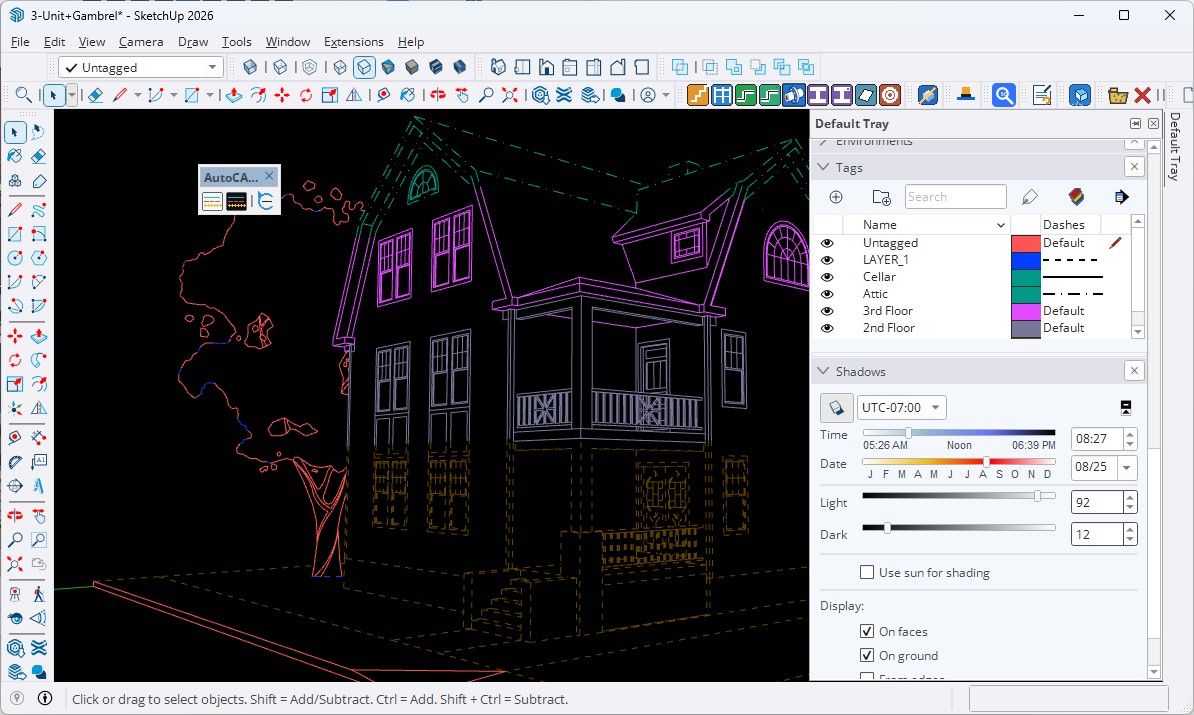
AutoCAD Dark — black background and faces, with edges colored according to their SketchUp Tags.
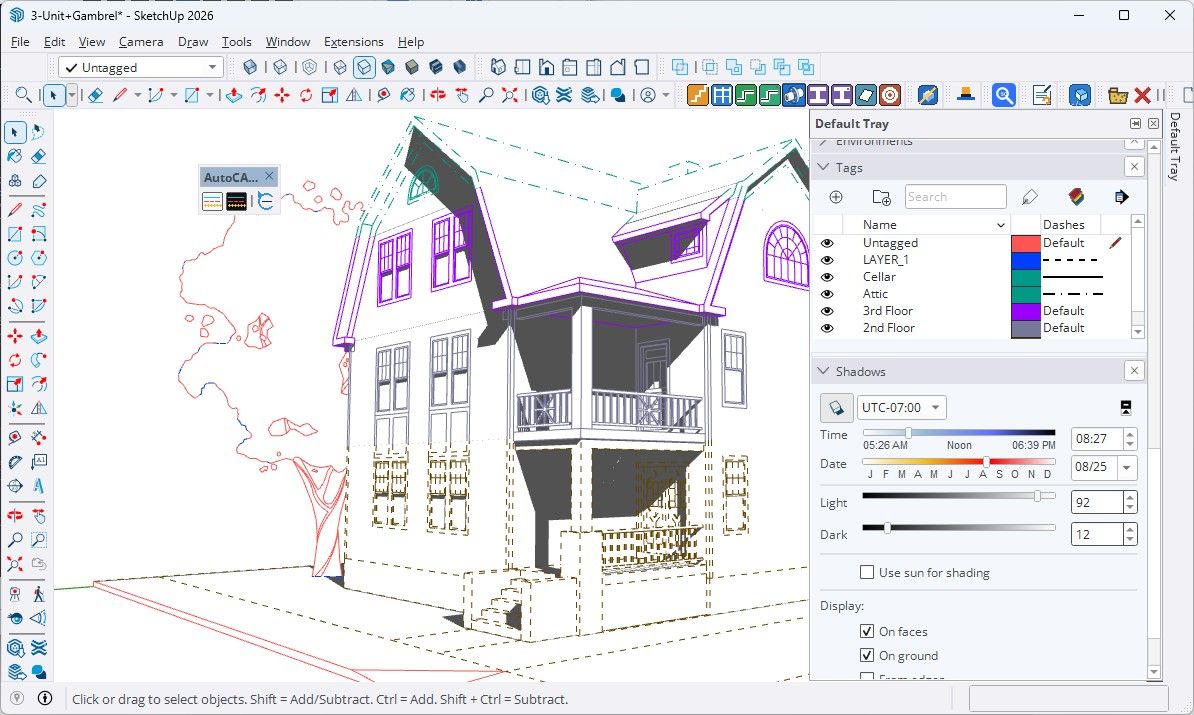
AutoCAD Light — the same CAD-style display on a white background.
Default SketchUp View — instantly restores your original SketchUp display.
Tag colors are used for edges, with automatic contrast correction to avoid white-on-white or dark-on-dark lines.
Tag line styles are preserved: solid, dashed, dotted, dash-dot, etc.The goal is not to turn SketchUp into AutoCAD, but simply to provide a quick and readable CAD-like visualization for models organized with Tags.
Default SketchUp View
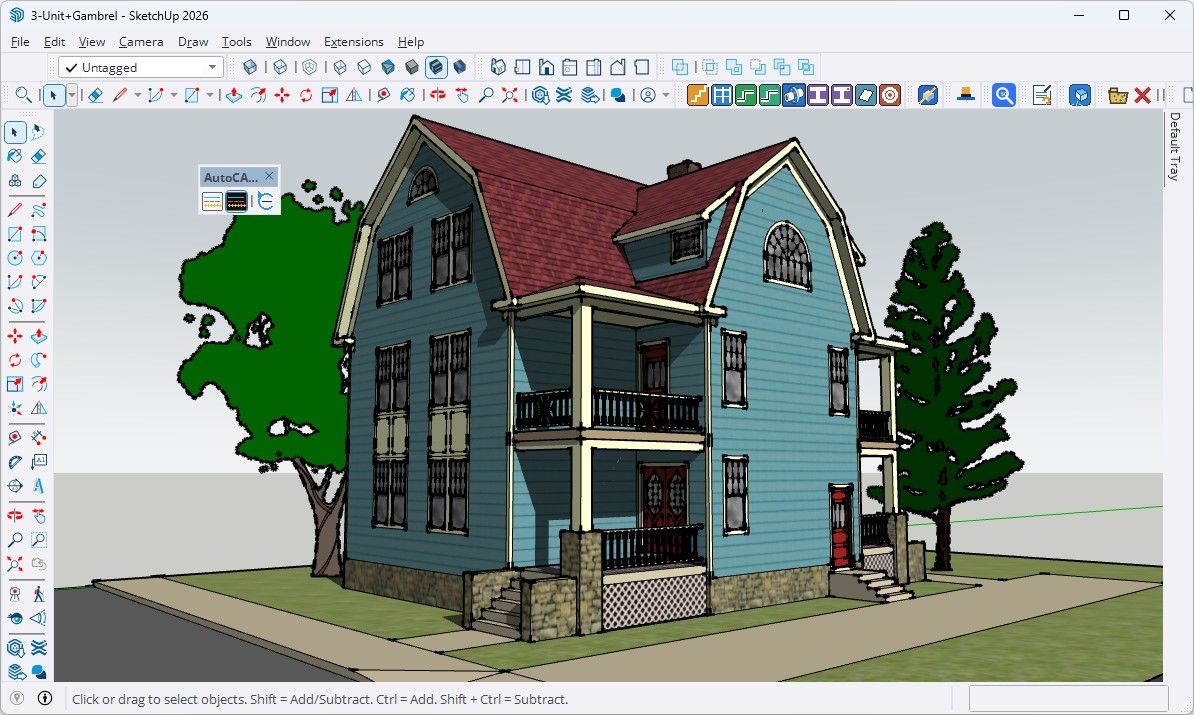
AutoCAD Dark
AutoCAD Light
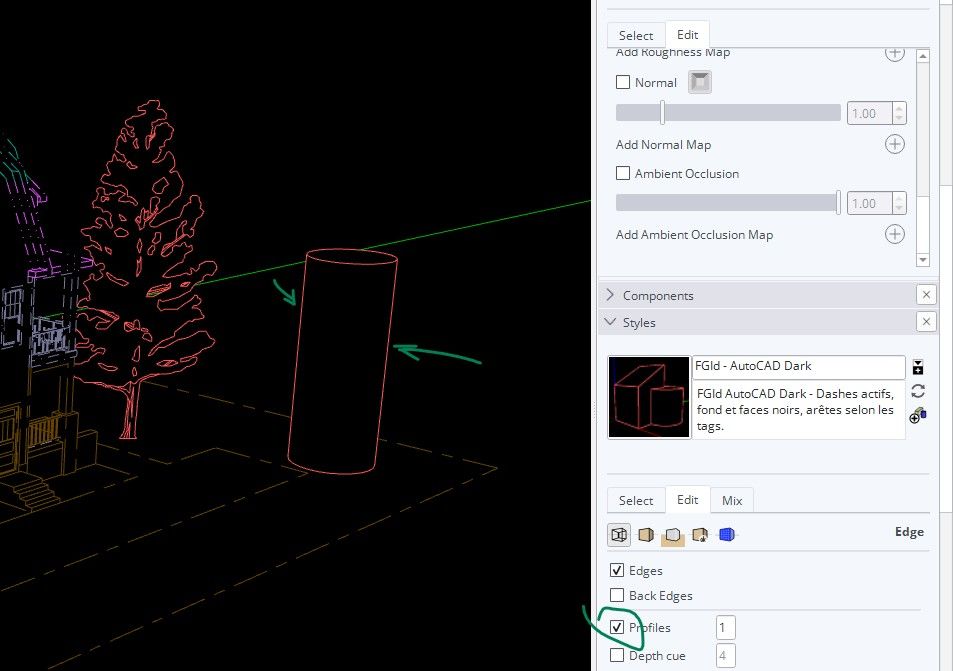
EDIT 1 :
Update v0.2.4: Profile edges are now enabled by default with a width of 1 for a cleaner CAD-style display.
Download
AutoCAD View — FGId v0.2.4
Download the RBZ plugin
Install it using Extension Manager → Install Extension, then use the AutoCAD View toolbar to quickly switch between the AutoCAD views and your original SketchUp display
juan974 (Réunion island)
website : http://sketchucation.com/click.php?url=http://www.tarn.us -
Nice idea.
If you ever want to upload direct to our ExtensionStore let me know and we can grant access to our Dev Portal
Download the free D'oh Book for SketchUp 📖
-
Nice idea.
If you ever want to upload direct to our ExtensionStore let me know and we can grant access to our Dev Portal
Thanks Rich!
I’m definitely interested, especially as I have a few other plugins currently in development and getting ready for release.
I’d be happy to get access to the Dev Portal.juan974 (Réunion island)
website : http://sketchucation.com/click.php?url=http://www.tarn.us -
I’m definitely interested, especially as I have a few other plugins currently in development and getting ready for release.
I’d be happy to get access to the Dev Portal.Ok, can you logout of your account then visit our hoempage, sketchucation.com, login there.
After login you should see a Dev Tools button in the top right of the page.
If you have any questions you can email us at support@sketchucation.com



Hello! It looks like you're interested in this conversation, but you don't have an account yet.
Getting fed up of having to scroll through the same posts each visit? When you register for an account, you'll always come back to exactly where you were before, and choose to be notified of new replies (either via email, or push notification). You'll also be able to save bookmarks and upvote posts to show your appreciation to other community members.
With your input, this post could be even better 💗
Register Login


Advertisement