Dynamic Component of a bi-fold door
-
I am trying to construct a bi-fold door will open 90 degrees and with the connecting door panel also rotating 90 degrees so that it will fold flat. Any help on how to do this will be greatly appreciated.
-
have a look at the attached example. It is essentially all driven by the attribute dorrot, which is animated between 0 and 90. this provides the rotation for each of the components, and the distance along the red axis is provided by the 100*cos(doorrot), 100 being the length of the door.
-
Remus,
Thank you so much. This is what I was trying to do.Lou Muller
LMCAD.COM -
Glad i could help

-
Hi Remus,
I'm hoping you can help me as this DC stuff is causing my brain to overload. I want to create a folding wall similar to your sliding door DC but with about 10 sections. I've had a play around with your example about but I just can't get the 3rd (or 4th etc) section of door to fold properly.
Could you please point me in the right direction.
Thanks
Huw -
AVguy,
I am just learning dynamic components, so thought i would take a stab at it. It was good practice for me. Took me a while but i got it.
Mike Pomeroy
-
Hi Mike,
Thanks for the reply. It was busting my head trying to work out the cos and tan. I had a brain wave over the weekend though and managed to do it with nested components. This also had the advantage of scaleability. Some weirdness with scale going on when setting up the individual components but a whole lot easier to setup and understand IMHO.
Cheers
Huw
-
Next step is to work out a way of making it add doors automaticlly as the length of the opening changes.
-
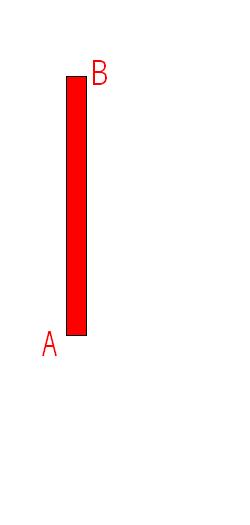
Sorry to bring this back from a long slumber....but is there a way that the rotational axis is different for the two bi-fold panels. I am trying to make it work as a true bi-fold door. So the panel attached to the door frame is rotating on one corner lets call it "A" and the other panel is rotating at the opposite and flipped corner "B". See attached image. I have been trying to reuse the original model attached to the thread, but have had no luck getting it to rotate properly. I need it to have the same rotating parameters as the original does; i.e. opening 90, closing at 0.
-
Hi Amo,
I found that you need to change the origin of the 2nd door component so that it rotates around the correct corner.
Hope that makes sense.
-
AVguy could you show me how you got it to work. Every time I try to change the axis and have it rotate it either separates when it rotates or it overlaps when it rotates.
-
Hi Amo,
have a look at the attached file. What I've done is nest components within components within components. It's a bit messy in that you end up with a whole lot of similar components but it seems to work really well. The end result is scale-able and rotate-able.
Note the way the orgin of each nested component moves and the rotation instead of being 90 deg is x 2 to make it 180 deg (effectively facing it the opposite direction)
Hope helps
-
Thanks, that is exactly what I needed for a bifold. That is a very tricky thing to come up with. I don't think I would of thought of doing it that way.
-
Hi...sorry to wake up this age old topic...but can someone guide me in how to prepare a multi sliding folding door...i am able to do for a single component...but the moment it becomes more than one..it becomes complicated...I downloaded the skp examples done and submitted in this thread, but could not make head or tail of the formulae applied.
Kindly help..if possible a video tutorial on youtube...I know i may be asking too much...but there is no tut any where!!...
Regards,
Shomit -
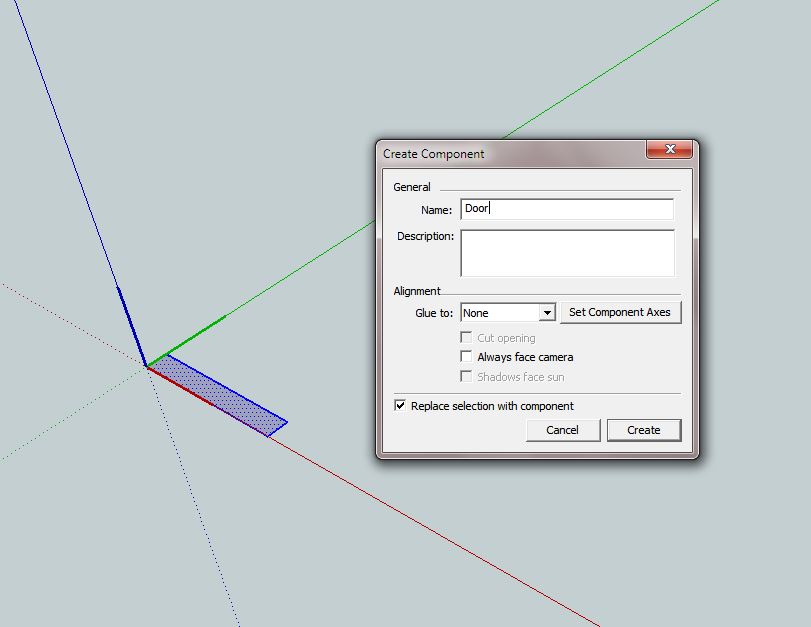
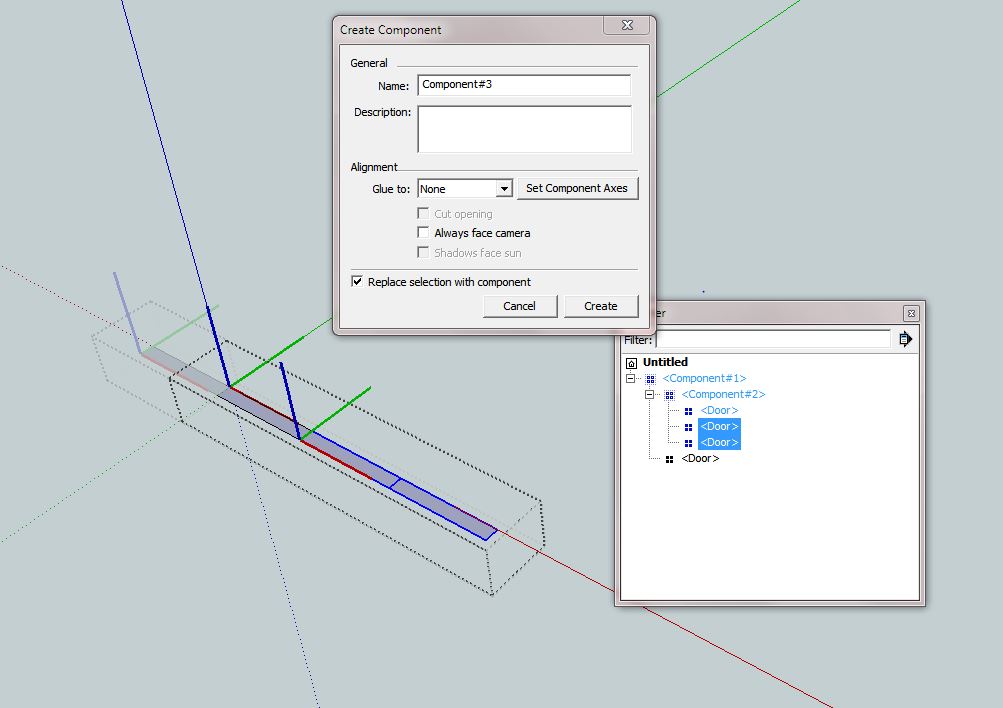
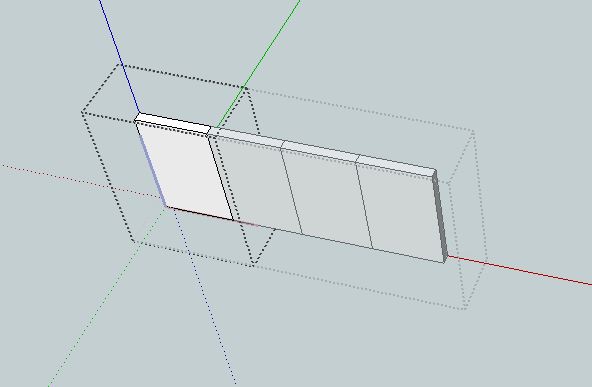
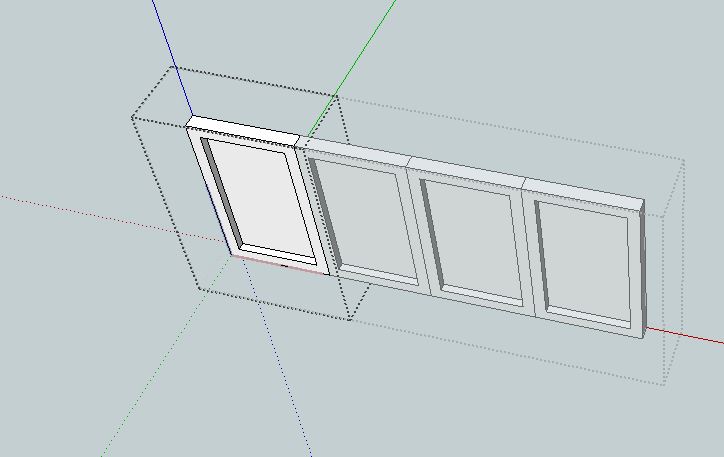
Start simple, create a rectangle, make it a component, "door" later you can replace it with any other component
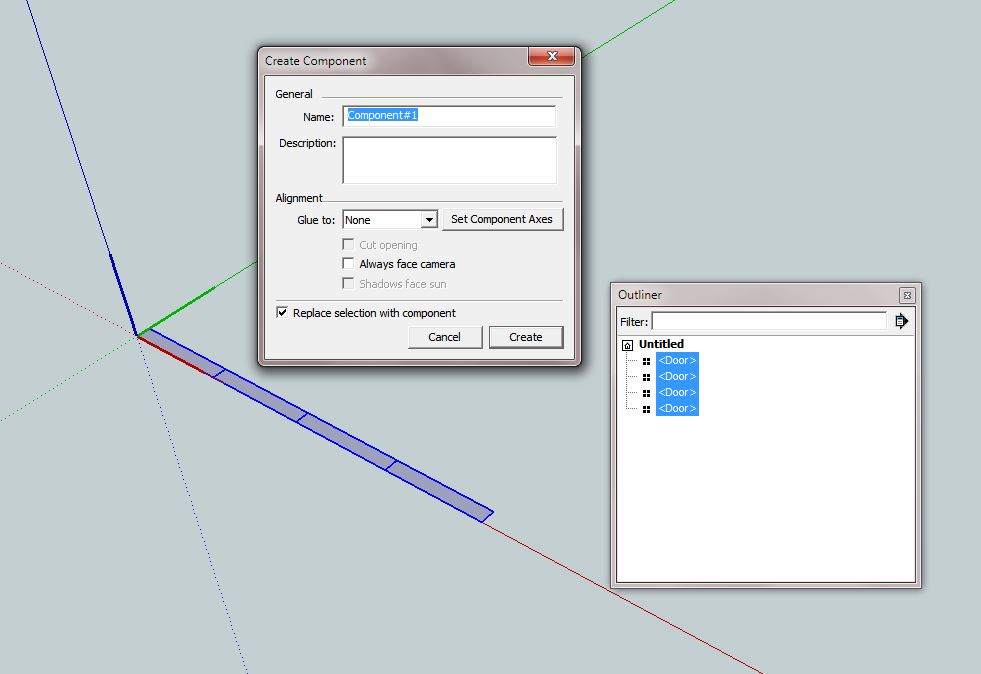
copy the door to make number required
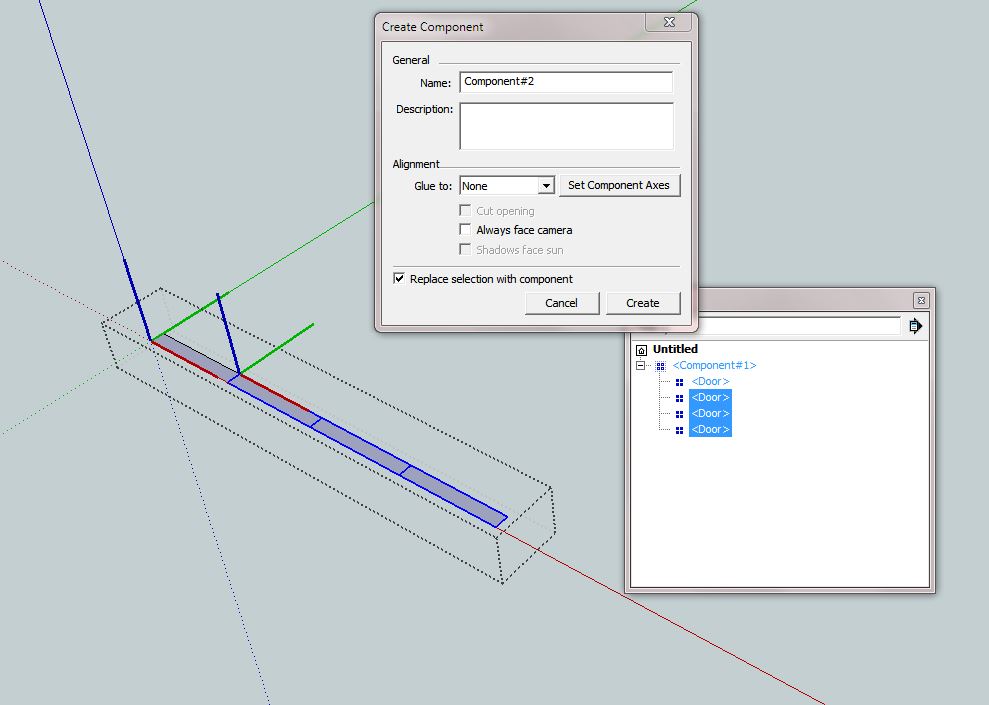
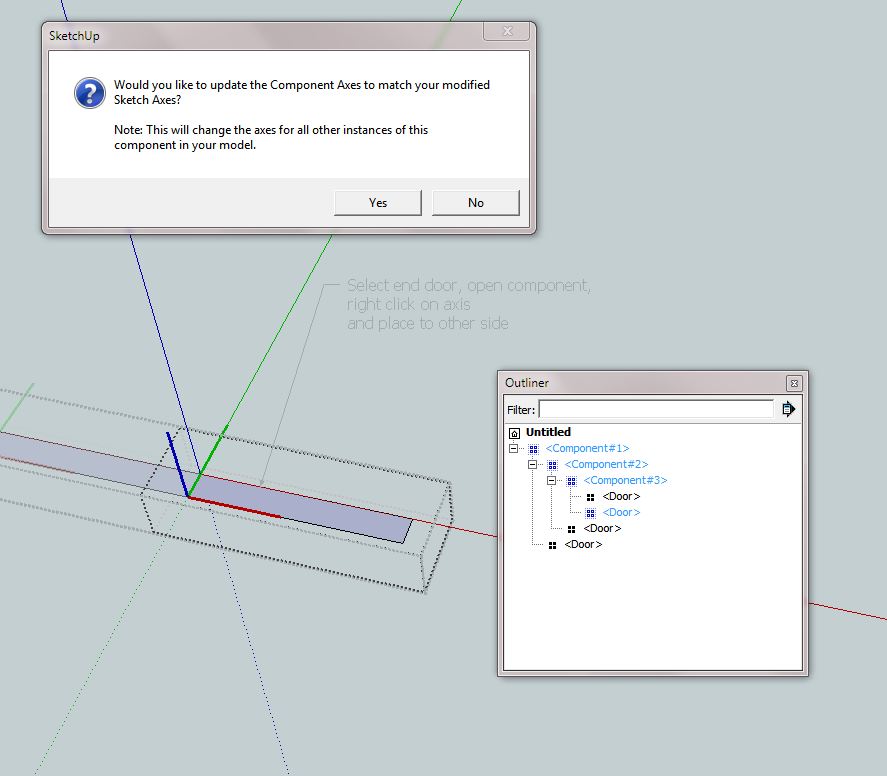
make all a component, then enter the component, make next set of doors a component but change the axis so that it is opposite to the parent
do so until you reach last door, then in this case check to see if opposite if not then right click the axis when inside this door component and change
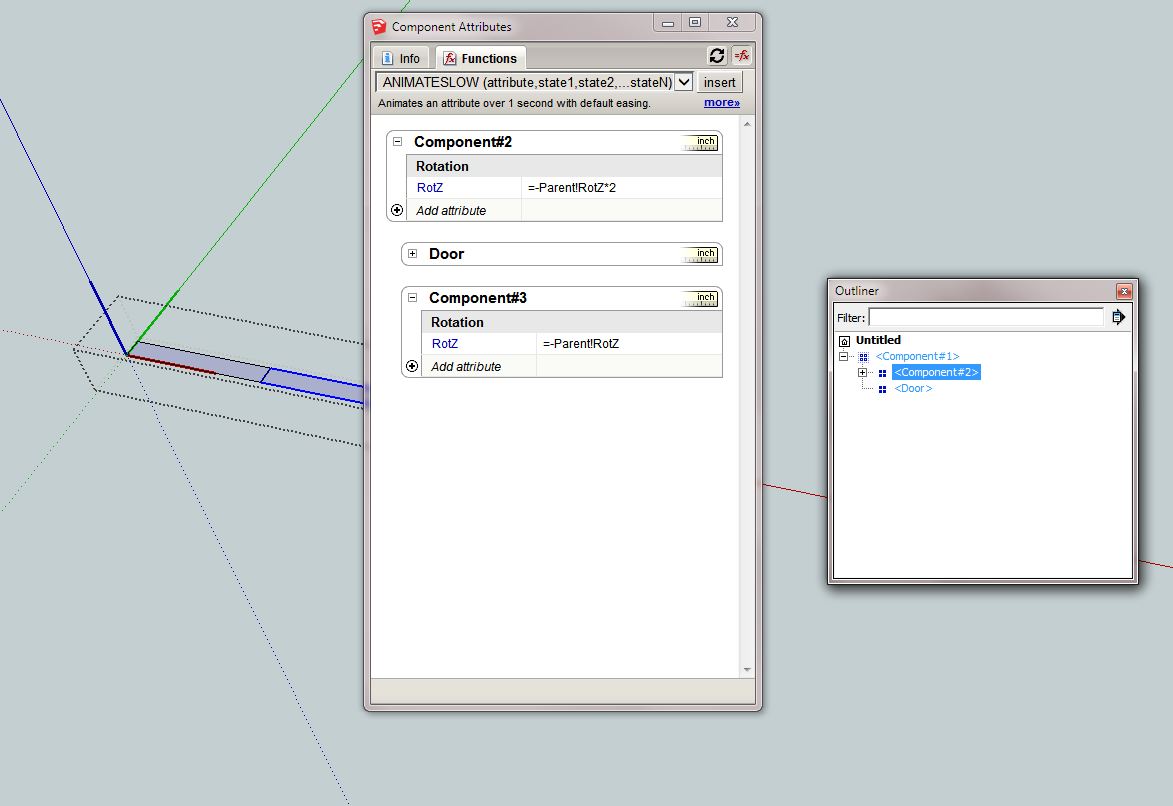
build formulas as shown
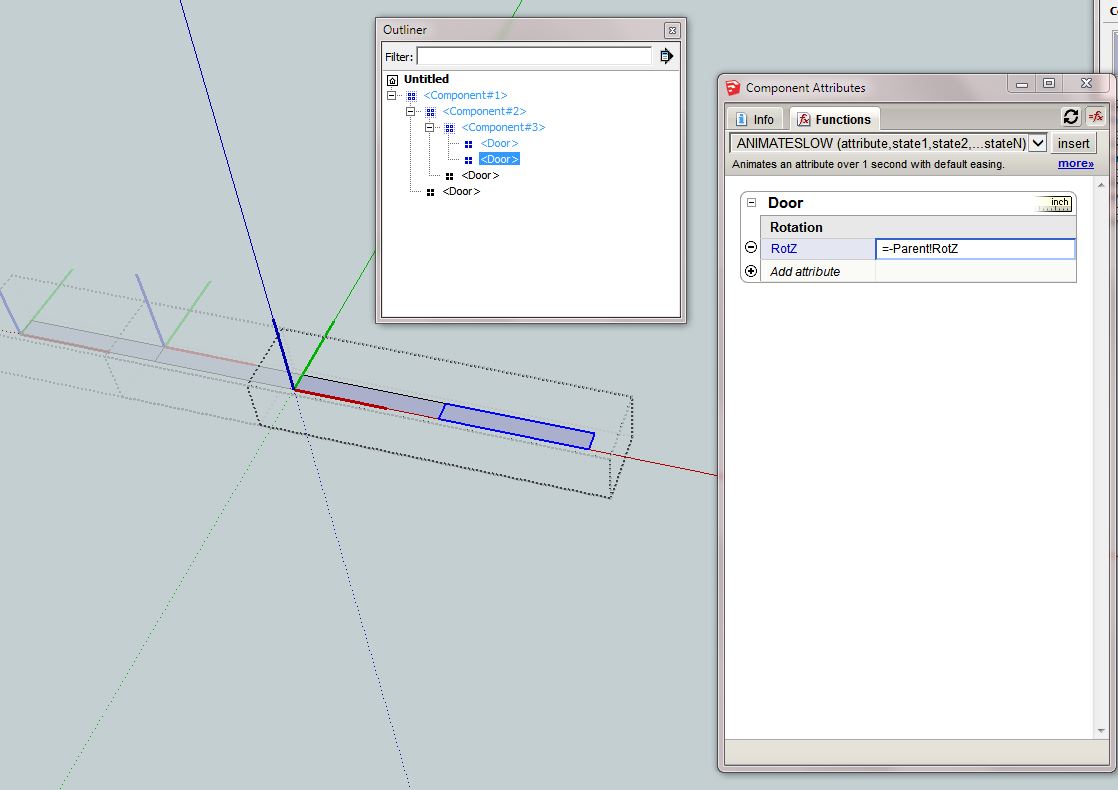
rotate about Z, opposite and reversed (90 x 2 = 180) x -1
I used the generic parent as the reference rather than component1 as suggested by Dave and others, etc, so easy to copy through.the rest are always opposite to component 2, so -parent!rotz works
always check as you build, so see that it works...
Then you can modify the door component. however its important you stay within the initial dimensions of the door boundary box. To increase its size, use scale tool on the whole (component1)
So add the size changes to component 1, the children will follow, its not wise to have the children tell the parents what to do. Unless its necessary.



-
hey how to do it if the door is bended like this?bended door.skp
-
Hello! It looks like you're interested in this conversation, but you don't have an account yet.
Getting fed up of having to scroll through the same posts each visit? When you register for an account, you'll always come back to exactly where you were before, and choose to be notified of new replies (either via email, or push notification). You'll also be able to save bookmarks and upvote posts to show your appreciation to other community members.
With your input, this post could be even better 💗
Register Login


Advertisement