Is Proportional Numeric Scaling the Missing Feature in FredoScale?
-
@fredo6 Resizing in SketchUp: differences between the native Scale tool and FredoScale
Scaling precision: a limitation of FredoScale or a feature I am missing?When working in SketchUp and needing to resize an object, there are several possible workflows. The first is to enter the group or component and input a precise reference measurement; the object will then scale automatically and proportionally. This method is straightforward and reliable.
Alternatively, you can use SketchUp’s native Scale tool. By selecting a handle and holding Shift to maintain proportions, you can type a specific value with units. The object will then resize accurately.
What I do not understand is why FredoScale does not offer a similar feature. It could be a limitation of the tool, or simply a functionality I am not aware of.
-
A proportional scale made with SketchUp’s standard scales. We’d need something like this for FredoScale too.
https://youtu.be/PjA6Zb7PFQw -
If the scale is uniform for the 1, 2, 3 values corresponding to the handle selected, this can be done.
-
@fredo6 No, no, I understood correctly. Basically, I’m attaching this image where the green staircase is out of scale, but I know the exact height. So what should I do? Should I press Tab and then…? Or should I scale it by picking a corner and typing what exactly?![alt text]
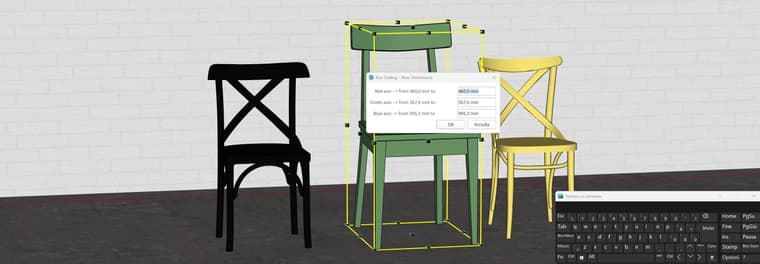
-
I remember that to avoid mistakes in the VCB I introduced the TAB key to call a dedicated dialog which is much more comfortable since you see what you enter and can also use formulas. Maybe this is good enough.
-
@fredo6 Ok, as you can see from the image, when you press the Tab key a window appears, and maybe here I can type in a formula, but I don’t know which formula to use, and I can’t figure it out.
-
but I don’t know which formula to use, and I can’t figure it out.
How about using the same tool to interrogate one of the other chairs for dimensions and then enter those in the panel for the green one. It may not be appropriate to change all of the dimensions with any form of Scale tool anyway.
I’m attaching this image where the green staircase is out of scale
Those are call chairs where I come from.

-
@Dave-R The green chair does not have the same dimensions as the other chairs. I only know the blue axis, the height, because many catalogs only list the height. So I just wanted to know whether it is possible to resize it by knowing only the Z axis. If that is not possible, I will keep doing it with standard SketchUp. I’m sorry, because I love FredoScale so much that I would completely give up the standard scale tool. But I think this is not an impossible change, and in my opinion it would be very useful.
-
I only know the blue axis, the height, because many catalogs only list the height.
Proportionally scaling the chair based only on its height most likely won't yield the right dimensions for depth and width, though. If, for example I proportionally scale the chair on the left to be the same height as the one on the right, the seat would end up both too narrow and too short front to back.. Scaling proportionally would also result in reducing the seat height which wouldn't be correct for the chair.
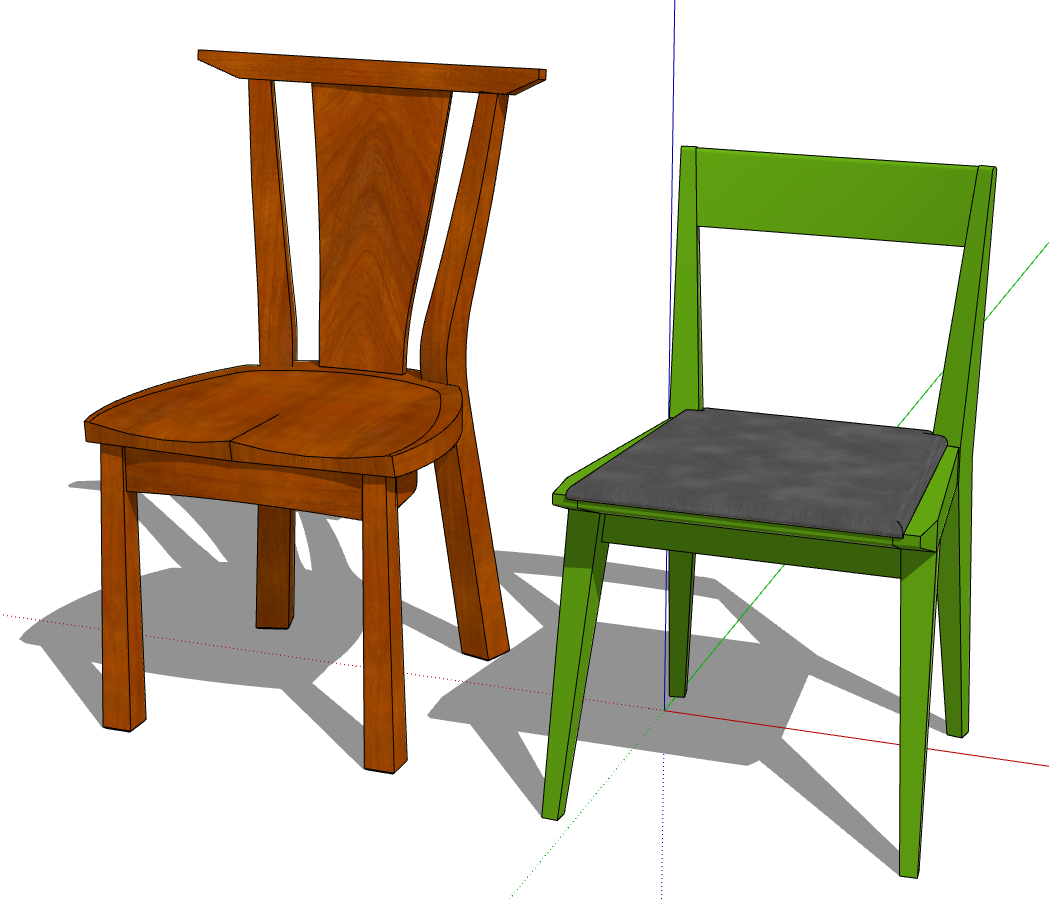
In your example where did you get the 3D models of the green chair?
-
@Dave-R Maybe I didn’t explain myself well. Now I’m referring to your image: let’s say you imported the chair on the left, the wooden one, and you realize it’s larger than it should be. Maybe it’s 100 cm tall, but it should be 75 cm. How do you resize it so that, by reducing it to 75 cm, it scales proportionally?
With SketchUp’s standard Scale tool, you can do it. You take the top middle handle, press the Shift key, then type 75 cm in the bottom-right corner, and the chair will scale proportionally until it reaches a height of 75 cm.
I just wanted to know if this function exists; if it doesn’t, that’s fine, no problem, even though I think it would be very useful.
I’m attaching the video again to explain how the standard Scale command in SketchUp works.
-
Here is the workflow with FredoScale
- you hover a handle
- you press TAB
- in the dialog, you type the dimensions
FredoScale - Rescale by dimension with TAB.mp4
If the handle corresponds to several degrees of freedom, you have 2 or 3 dimension fields showing up.
You can also set dimensions:
- with Uniform scaling. So, setting one dimension will set the others
- without Uniform scaling, where you can set individual dimensions.
HOWEVER, I realize that there are bugs in this dialog box, which I have not been made aware. So, I will fix them.
But here is the workflow. At the time of design, I thought this was much clearer than to rely on the VCB where the distinction between a scaling factor and a dimension requires that you type a unit, and also where it is fuzzy when you want to change several dimensions.
In addition, the fields accept formulas, like "4 * (2m + 3')"
-
I’m waiting for the change that will add uniform scaling, which will allow you, as in the video you made, to resize one axis and have all the others scale uniformly. It would be enough to add a checkbox in the TAB options field table.
Grazie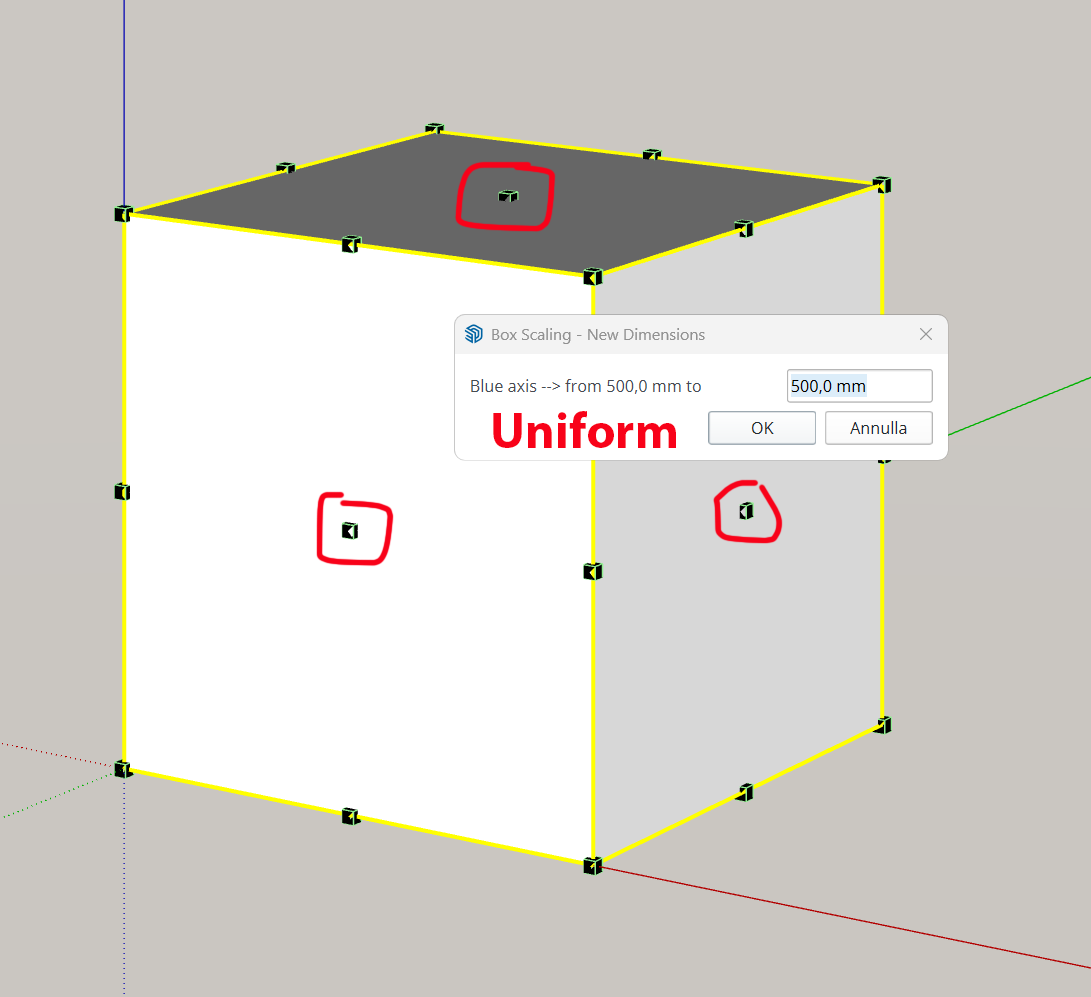
-
The bug was in LibFredo6.
I published a fix as LibFredo6 v15.9d.
I also adjusted the Dimensions dialog box to leave more space for the Length fields where you can enter formulas. This is in FredoScale v3.7a.
Here is a video on how to use the specify dimensions by keyboard.
-
@fredo6 Thank you for your prompt response. Where can I find a list of the available expressions?
-
Just use regular maths. There is just one thing to remember. If you want to multiply a length, then the multiplication factor should be AFTER the length:
3m * 5 is valid and will give 15m
5 * 3m is invalid, because 5 will be interpreted s a length in the model units.




Hello! It looks like you're interested in this conversation, but you don't have an account yet.
Getting fed up of having to scroll through the same posts each visit? When you register for an account, you'll always come back to exactly where you were before, and choose to be notified of new replies (either via email, or push notification). You'll also be able to save bookmarks and upvote posts to show your appreciation to other community members.
With your input, this post could be even better 💗
Register Login


Advertisement