[Plugin] Sun Diagram - 3D Sun Path, Shadow Analysis & Batch Export
-
Hi SketchUcation community,
I’m Nam Nguyen, an architect and the developer behind Sun Diagram.
I am thrilled to announce that Sun Diagram is now officially available on the SketchUcation PluginStore!
As an architectural designer, I created this tool to completely automate the tedious workflow of setting up shadow studies and solar analysis.
Here are some of the key features:-
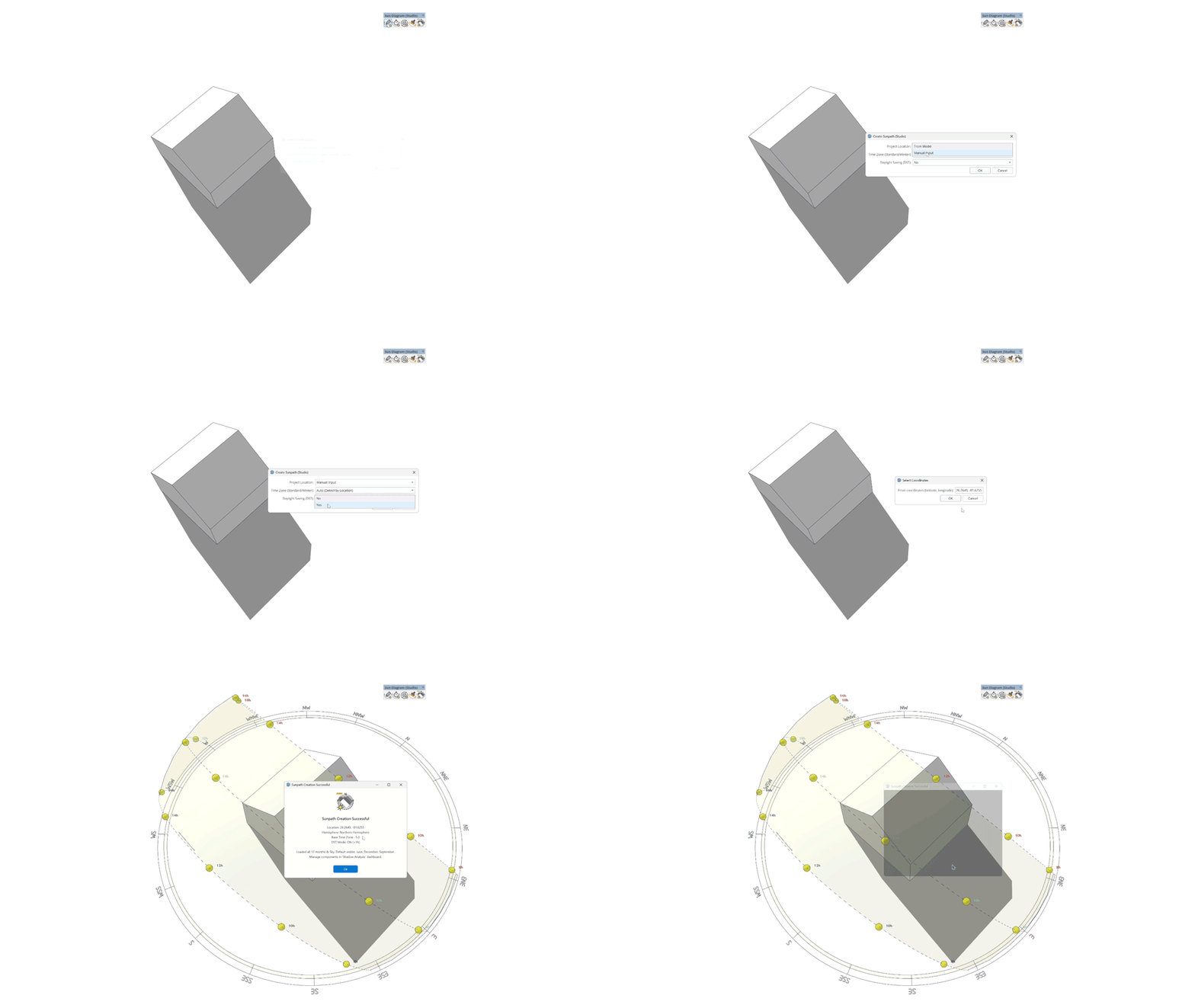
Create Sunpath (Feature 1): Visualize the exact position of the sun relative to your 3D model with an intuitive, dynamic interface.
-
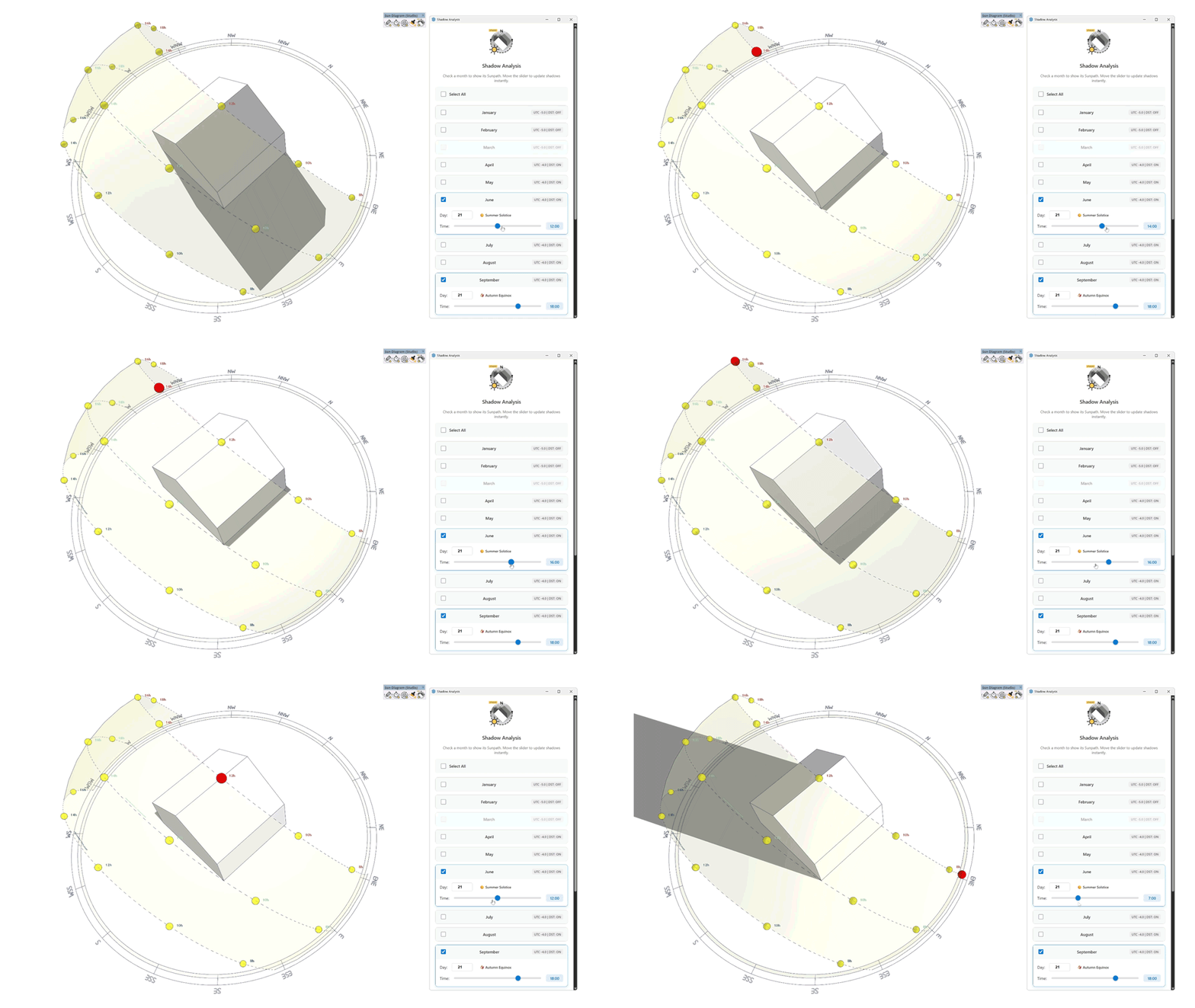
Shadow Analysis (Feature 2): 12-Month Solar Path & Dashboards: Generate comprehensive annual sun paths and interactive dashboards right inside your viewport.
-
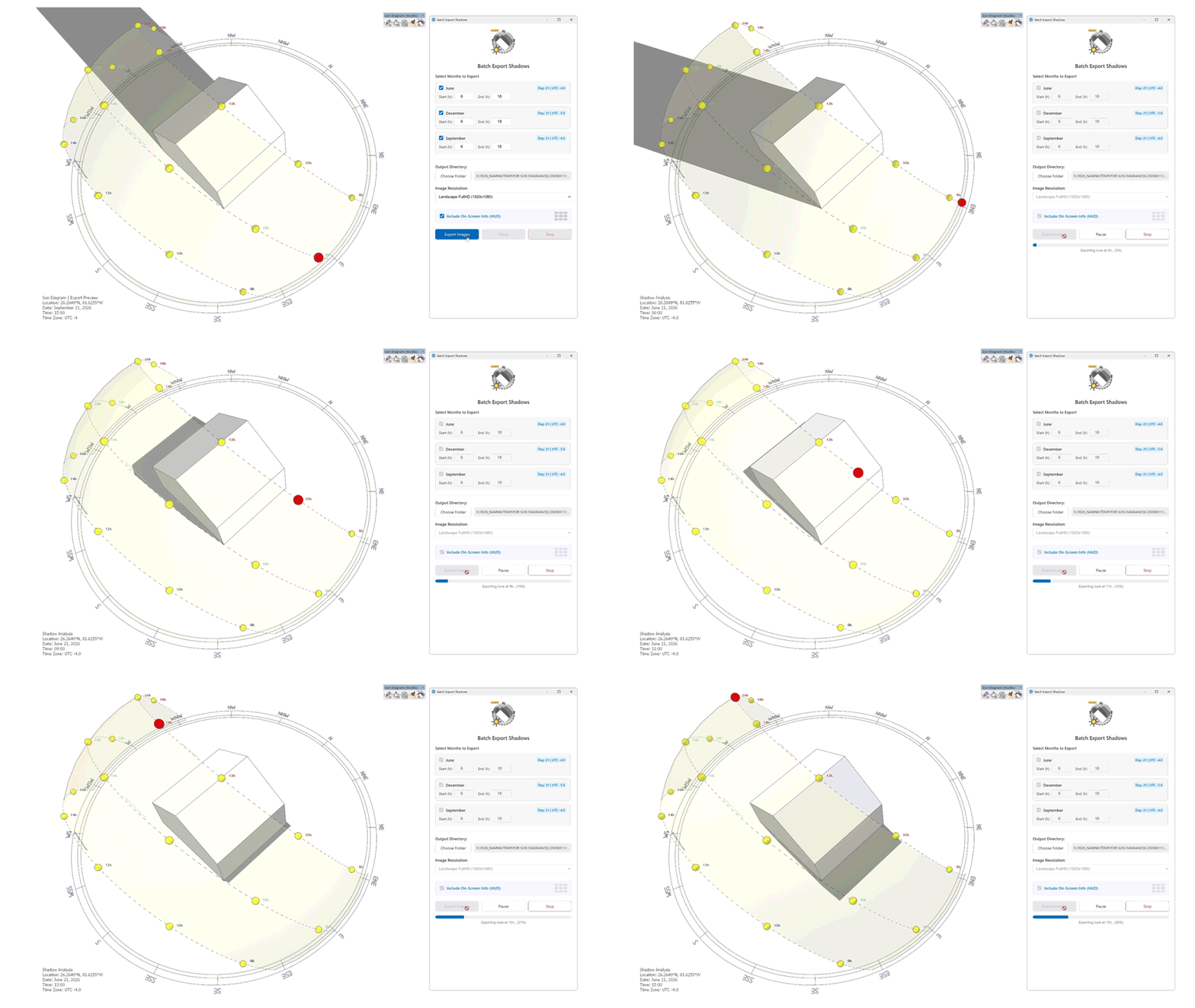
Batch Export Shadows (Feature 3): Instantly generate day-by-day or month-by-month shadow studies without manually setting up dozens of SketchUp scenes.
-
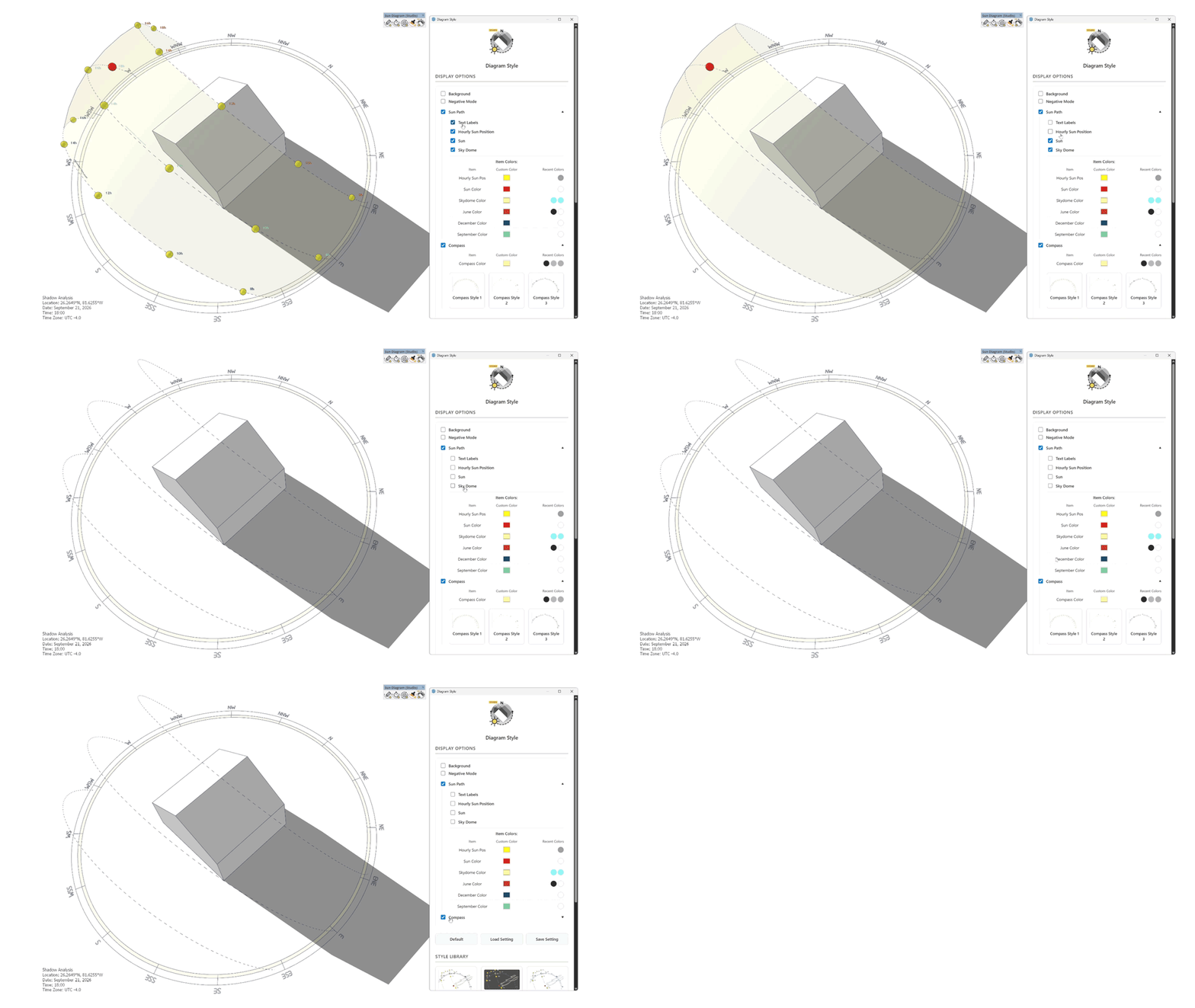
Diagram Styles (Feature 4) Find the perfect visual style for your project — instantly, with just one click.
-
Smart Time Zone Engine: Ensures absolute accuracy for your site location's solar data.
Compatibility: SketchUp 2020+ on MacOS & Windows
A huge thank you to the SketchUcation team for the support in getting this integrated.
 To get the latest version, simply open the SketchUcation PluginStore and search for: Sun Diagram
I'd love to hear your feedback and see how Sun Diagram helps with your workflow.
Thank you very much for your time and support! -
-
I'm a bit ashamed, but I haven't figured out how to properly upload commercial plugins and integrate the API yet. Can an Admin or someone please tell me how to get Vendor access?
I saw an email at support@sketchucation.com so we'll be in touch shortly.
Download the free D'oh Book for SketchUp 📖
-
@Rich-O-Brien Thank you so much! I just received the email with the SCFLicense guide. I will review the documentation and follow up via email.

-
Update: Now on the PluginStore!

Just a quick heads-up that I've updated the main post. Sun Diagram is now fully integrated and available on the SketchUcation PluginStore!
I want to send a huge shoutout to the SketchUcation support team for their prompt assistance in making this happen.
Cheers! -
@Rich-O-Brien Hi Rich, since the plugin is now officially released for users, could you please help me move this thread to the SketchUp Plugins category? I think it will help more users find it easily. Thanks again for all your help!

-
 R Rich O Brien moved this topic from Developers' Forum on
-
Done
and done!
Download the free D'oh Book for SketchUp 📖

Hello! It looks like you're interested in this conversation, but you don't have an account yet.
Getting fed up of having to scroll through the same posts each visit? When you register for an account, you'll always come back to exactly where you were before, and choose to be notified of new replies (either via email, or push notification). You'll also be able to save bookmarks and upvote posts to show your appreciation to other community members.
With your input, this post could be even better 💗
Register Login


Advertisement