Flowify issue
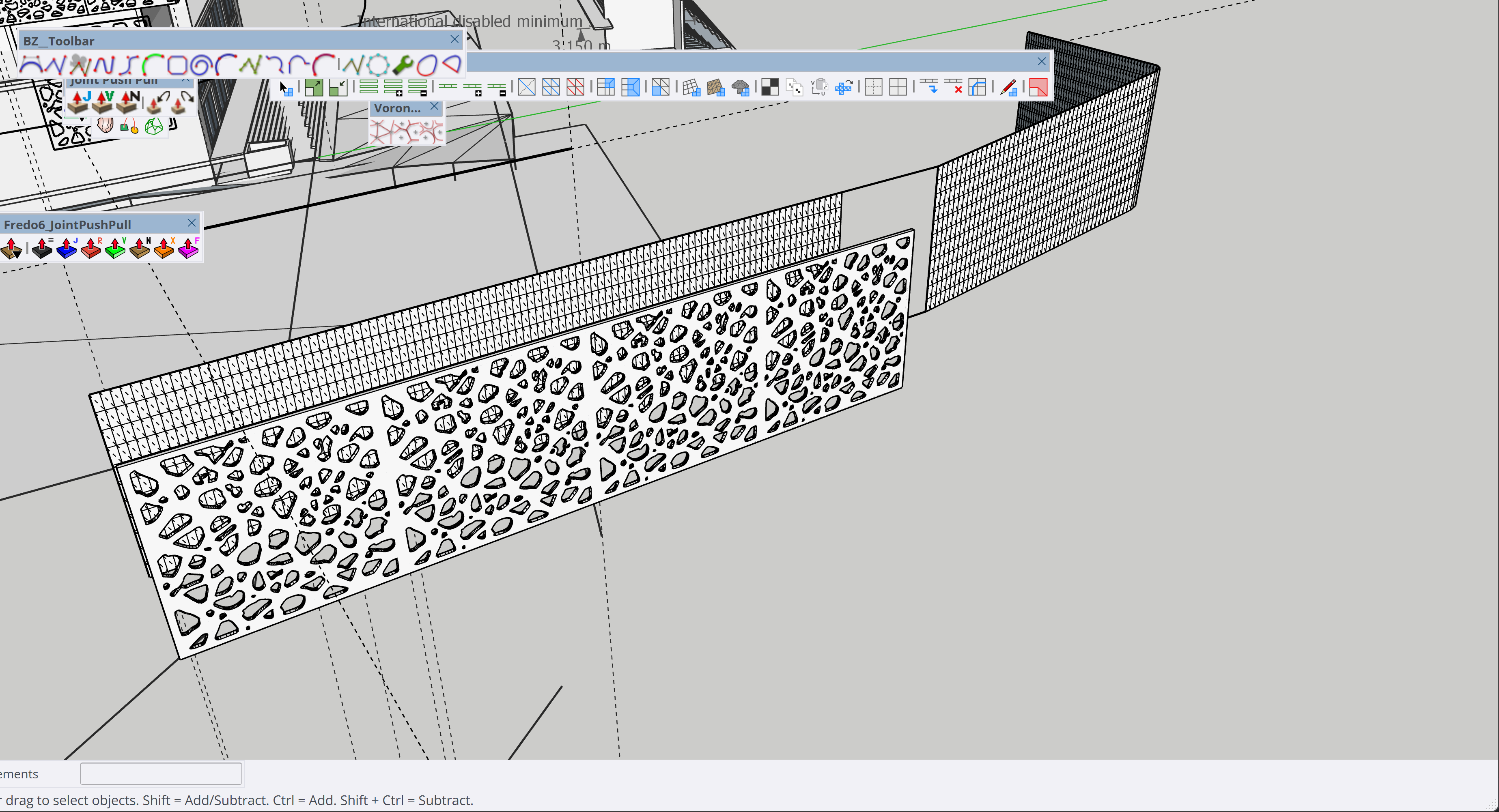
-
@Rich-O-Brien I think i have tried Fredobend and it didn't work as my curved surface isnt straight or linear, instead it curves at an angle, so basically the curve has a gradient, unless im doing something wrong with the bend extension. is there another way to resolve this without losing design detail and quality ?
-
Yes, use a texture instead of geometry.
You are asking alot of SketchUp to deform that type of mesh. A large planar face with many holes that have a high poly count means you have no surface topology to deform.
Better suited to a NURBs app like Rhino, MoI or Plasticity.
-
@Rich-O-Brien I only know how to use sketchup. Would there be a possible workaround on SketchUp ? Using texture would be obvious when it comes rendering and final finish, it wouldn't look realistic or prety
-
@mamoodoo can you share just the shape and the intended flowify rig?
So maybe we can try to take a closer look at the problem? -
@panixia parametric facade issue.skp here is just the model
-
@panixia @Rich-O-Brien i just attempted to user fredobend, it just keeps loading as well unfortunately
-
@mamoodoo I'll try it tomorrow
-
here is just the model
To be fair you included a whole bunch of hidden useless stuff.
Here's your model fixed and solid.
I included the different stages that I used to completely rework it, so you can take a closer look to a better approach.
Facade_fixed.skpYou don't necessarily need Rhino to work with this kind of stuff, as long as you are well organized and do everything in the proper order.
Your approach was fundamentally wrong because you duplicated the geometry 4 times and gave it a thickness BEFORE the deformation.
Is better to work with modular flat pieces, then deform, then add thickness, then merge them together.
In this way you avoid feeding ~90k veritces into the deformation algoritm when you can Flowify just ~3k vertices.I didn't touch your curves, but I would strongly recommend that next time you balance the polycount of your curves in a more clever way.
You have tons of segments for very small curves, but on the other hand you have only 4 segments on the main curvature.
That's a quite bad density balance. You should have more segments for the big curve and less segments for the small curves.
I suggest to have a look to Fredo's Curvizard for this kind of optimizationAs a side note, your Flowify rig was completely wrong.
You need to connect the corresponding vertices, not the closest ones (that was causing flipping even with basic test shapes) and you should not add tons of unnecessary cells to the grids. -
@panixia thank you very much for taking your time to resolve this issue. This would be my first time using flowify and my first time working odd shapes like these. I did try using fredobend once again and it did work but not perfect and ofcourse the model is now heavy, what could i do to lighten the model? I do have to learn to be better organized and be orderly as you said.
-
I do have to learn to be better organized and be orderly as you said
The model I uploaded has as few polygons are possible (given your initial shape). I included plenty of steps and comments on the process.
There are a couple of thing that you could learn from that process.
- The less unnecessary polygons you use, the better.
- Order of operation matters. Keep your model as modular and low poly as possible before doing the heavy deformations. Add thickness and join modules later on.
- When you have a big problem, don't try to one-shot at it. Divide it into multiple more manageable problems instead.
I hope that can be helpful.



Hello! It looks like you're interested in this conversation, but you don't have an account yet.
Getting fed up of having to scroll through the same posts each visit? When you register for an account, you'll always come back to exactly where you were before, and choose to be notified of new replies (either via email, or push notification). You'll also be able to save bookmarks and upvote posts to show your appreciation to other community members.
With your input, this post could be even better 💗
Register Login


Advertisement