Asking about Vertex Tools2
-
Hello, I purchased the extension
and in the panel that opened, I can't enter the code
What should I do to solve the problem?
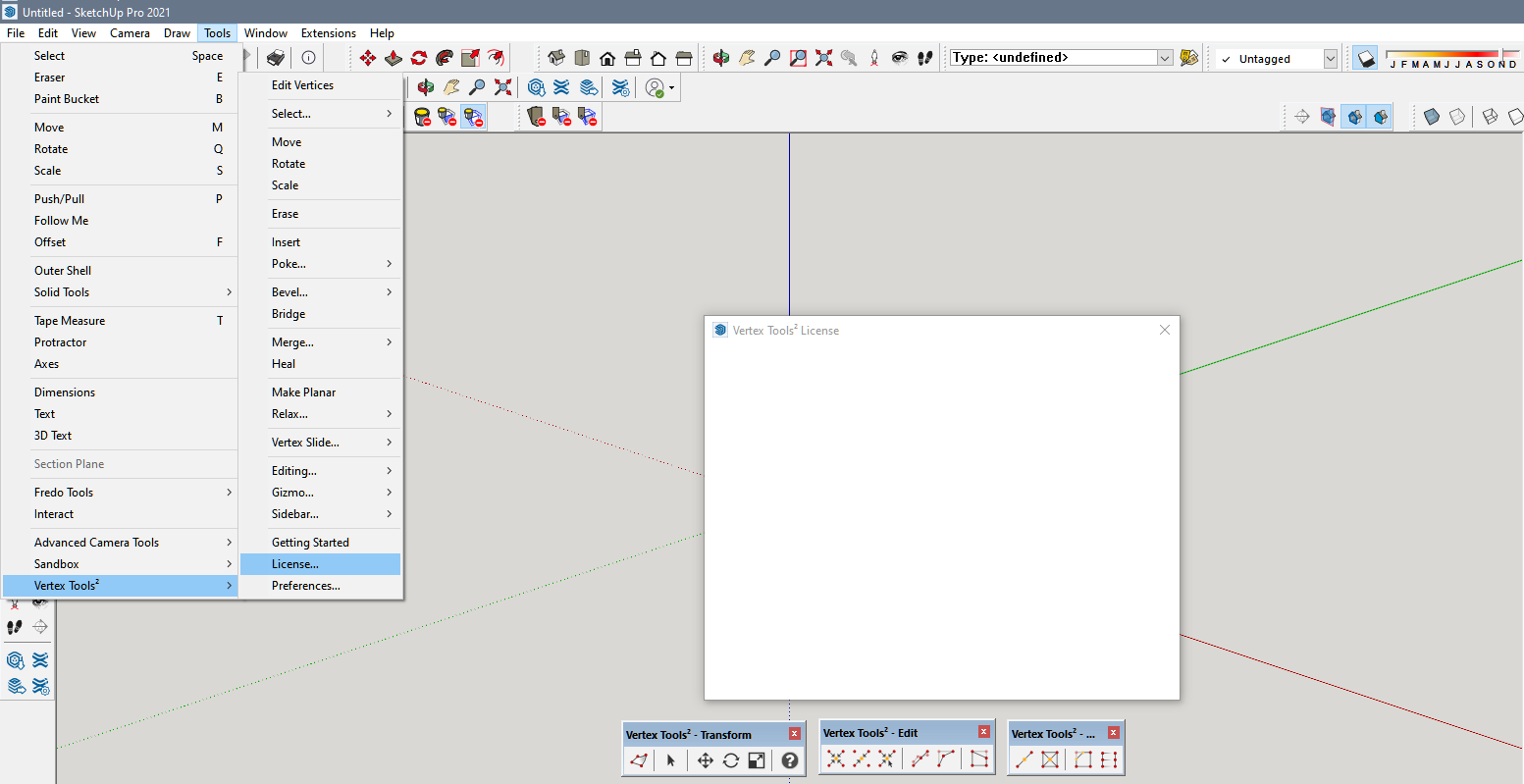
-
Yes..I sent him a message on the link you sent me..I will also contact Sketchup
Thank you for the help -
Restart Sketchup if you haven't and you just installed it.
Make sure you have an internet connection that doesn't block external communication.
-
Still can't enter the password because I don't see anything in the panel
Do I need to disable the firewall or something else? -
@Rich-O-Brien Still can't enter the password because I don't see anything in the panel
Do I need to disable the firewall or something else? -
Don't know. That HTML not loading is where your issue is. That dialog loads even without a internet connection.
It is the activation part that you need the internet for.
Try contacting Thom: https://evilsoftwareempire.com/vertex-tools/help
There's a form at the bottom of the page.
-
Good morning
Where is Tom? Why isn't he responding to my inquiries? -
Did you contact him using the contact form on the page I linked to?
He works for SketchUp so you can try reaching out to him over there.
-
Yes..I sent him a message on the link you sent me..I will also contact Sketchup
Thank you for the help -
 R Rich O Brien has marked this topic as solved on
Hello! It looks like you're interested in this conversation, but you don't have an account yet.
Getting fed up of having to scroll through the same posts each visit? When you register for an account, you'll always come back to exactly where you were before, and choose to be notified of new replies (either via email, or push notification). You'll also be able to save bookmarks and upvote posts to show your appreciation to other community members.
With your input, this post could be even better 💗
Register Login


Advertisement