ClothWorks Not Exporting to Images
-
Hello Fellow SketchUp Artists,
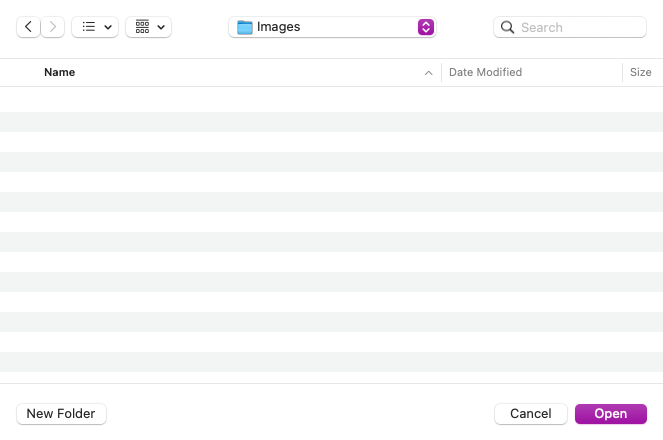
I recently purchased and installed the Clothworks plugin for SketchUp Pro (Mac Version) and am encountering an issue when trying to export images as PNGs, JPEGs, etc. When I attempt to export, I only see options for "Cancel" and "Open," but there's no option to save the file (see attachment for reference). Export_No Save Option.png
Has anyone else experienced this issue, or does anyone have any insights on how to resolve it? Any guidance would be greatly appreciated.
Thank you for your help!
Best regards,
Michelle -
@Shellbru I haven't seen that before. What happens if you try to export a raster image from a model in which you haven't used Clothworks? The extension shouldn't have anything to do with exporting raster images.
What version of SketchUp are you using? Which Mac OS version?
-
I’m having this same problem. When I go to export, I only have the option to cancel or open a local file. I choose open and it doesn’t do anything. Great tool but in ability to export anything is a shoe stopper for me unless there’s some other solution.
-
The Record checkbox need to be checked under the Simulation tab.
After stopping the simulation you use the Extensions > Clothworks > Export Recorded to Images and pick the location on your device.
It works on v1.8.0a and SketchUp 2023+


Hello! It looks like you're interested in this conversation, but you don't have an account yet.
Getting fed up of having to scroll through the same posts each visit? When you register for an account, you'll always come back to exactly where you were before, and choose to be notified of new replies (either via email, or push notification). You'll also be able to save bookmarks and upvote posts to show your appreciation to other community members.
With your input, this post could be even better 💗
Register Login


Advertisement