Open areas and rounded surface
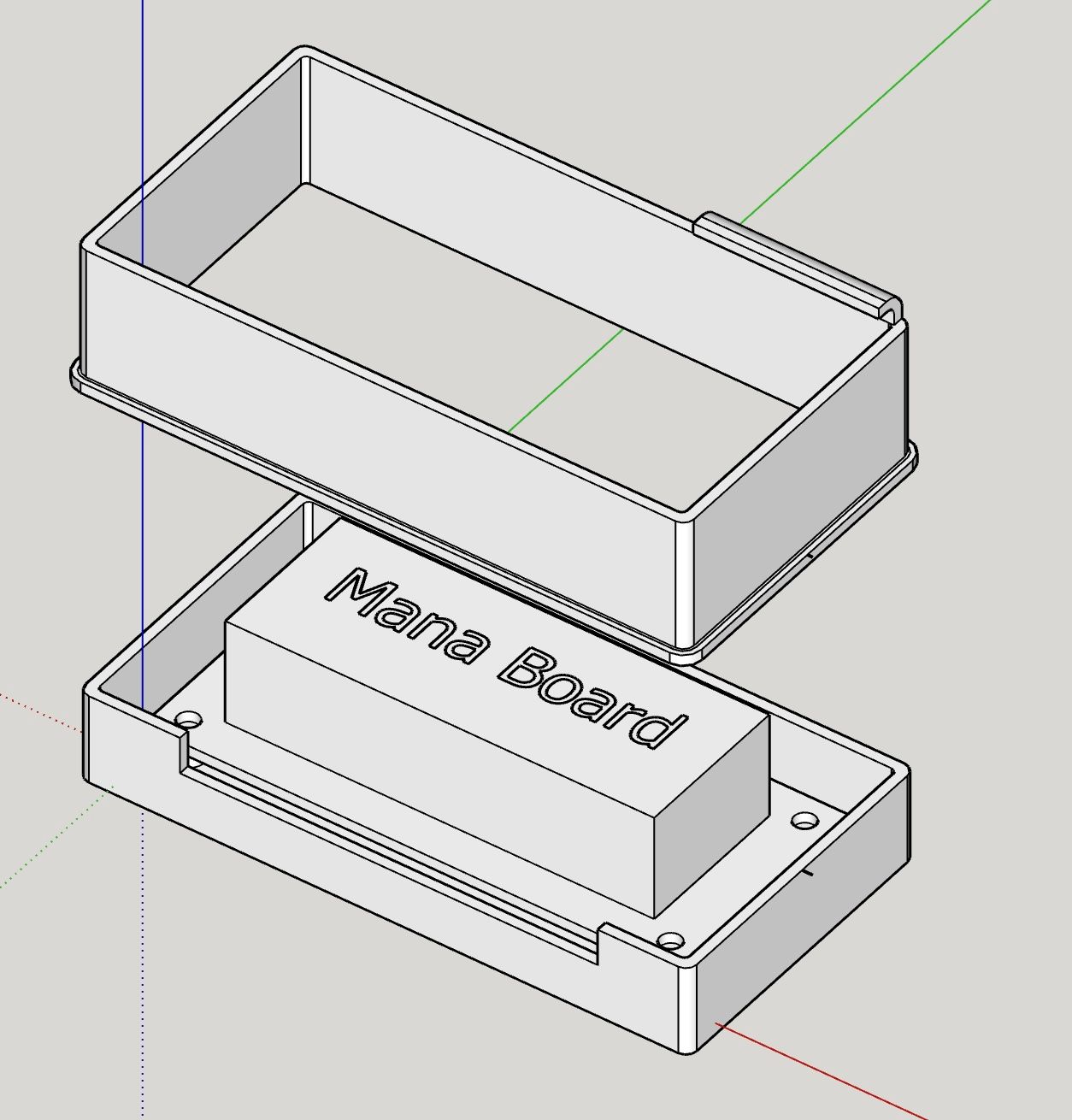
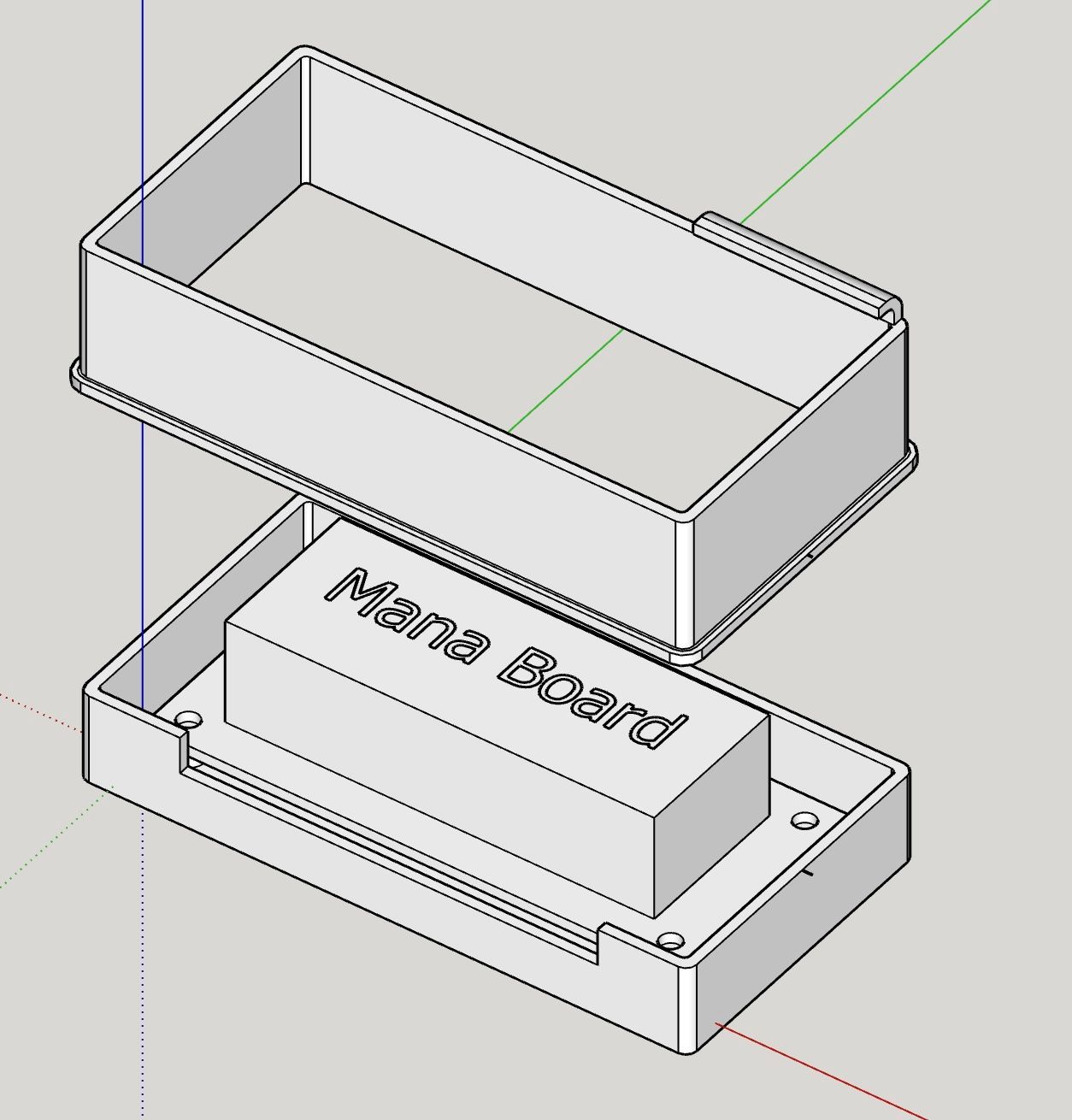
-
@Dave-R Let's say, I was crazy, until I opened the eyes.
How can I remove the sectioning? I have never used this function (like many others!). -
@Alohaa said in Open areas and rounded surface:
@Dave-R
How can I remove the sectioning? I have never used this function (like many others!).Select the section plane and press Delete.
-
@Alohaa said in Open areas and rounded surface:
Am I crazy or am I right?
You've asked this twice in this thread alone. In this case you aren't 'right'.
-
@Box I am reassured to read I would not be right to be crazy

-
What I still don't know: how can I guide the rounding on the lid around the corner?
-
@Alohaa what are you referring to now? What lid? What rounding?
-
The rounding that can be seen in my first post and that I only managed to draw until the corner.
-
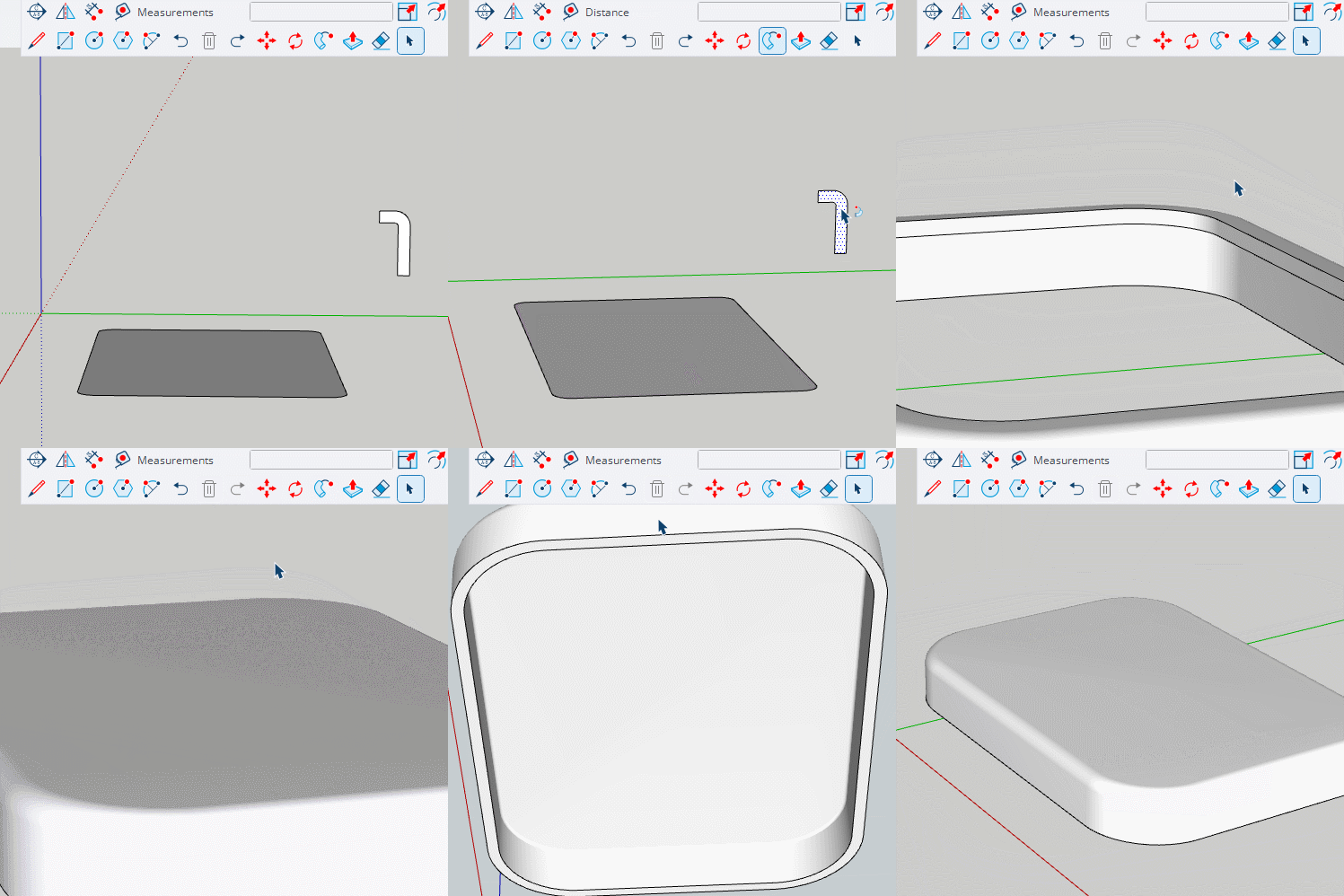
@Alohaa Create a suitable profile and use follow me.
-
ok, I understand the principle.
What I have some difficulties to understand is the method how you fill the surface. -
@Alohaa Box double clicked on the surface of the large hole which selected the surface and its edges. Then he pressed Delete. The hole was automatically filled in.
-
@Dave-R said in Open areas and rounded surface:
How about the button to the right of the Image Upload button?
Here is a link to were it first became apparent to me.
Dave has an upload button and we don't. -
Why, is the exciting question!
-
Isn't there an explanation for this strange fact?
-
obviously not. mysterious!



Hello! It looks like you're interested in this conversation, but you don't have an account yet.
Getting fed up of having to scroll through the same posts each visit? When you register for an account, you'll always come back to exactly where you were before, and choose to be notified of new replies (either via email, or push notification). You'll also be able to save bookmarks and upvote posts to show your appreciation to other community members.
With your input, this post could be even better 💗
Register Login


Advertisement