How do I use follow me tool when the lines split?
-
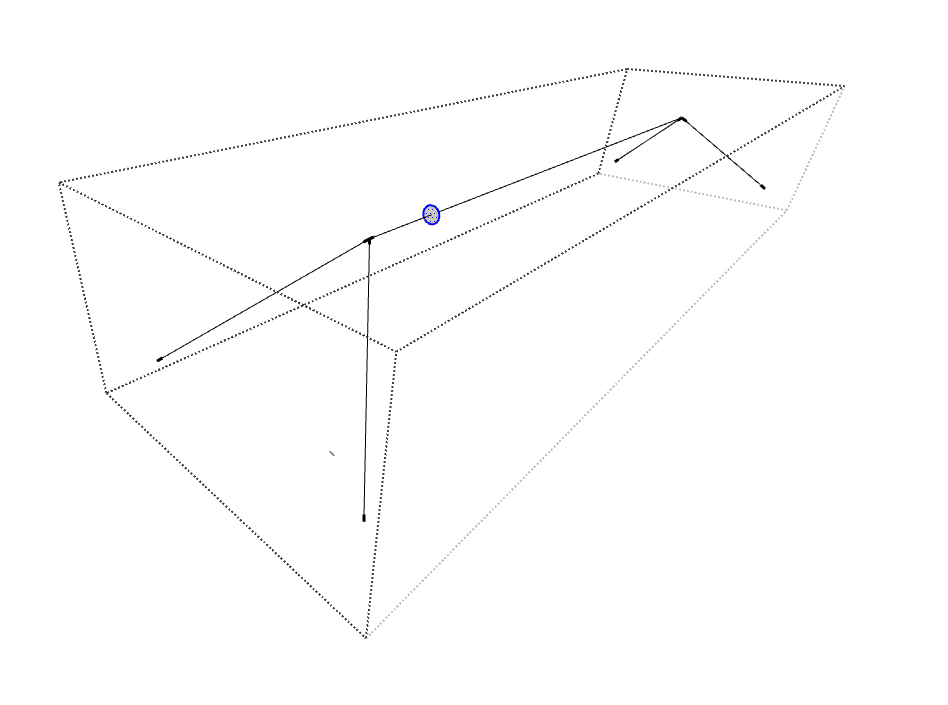
Normally i use the follow me tool but in this case (see image), the line split. Follow me doesn't work in this case (or i dont know how). Do you guys have a plugin that will help me with this?
-
You can't. FollowMe works on a continuous edge with no branching.
PipeAlongPath would help you do it fast than native FollowMe but you still need to work on continuous non-branching selections.

If you do it so you can mirror and then union it will save some steps
-
 R Rich O Brien marked this topic as a question on
-
It depends on what you want in the corners. If you don't need something too polished you can also use this plugin:

[Plugin] Lines to tubes
Hi all, Here is an update of my former script "line2cyl.rb". Intended to create renderable wire frame models. Some bug fixes and enhancements: Make group of...
sketchucation (community.sketchucation.com)
It will work in one go: select all the lines and launch the plugin.
-
R Rich O Brien has marked this topic as solved on


Hello! It looks like you're interested in this conversation, but you don't have an account yet.
Getting fed up of having to scroll through the same posts each visit? When you register for an account, you'll always come back to exactly where you were before, and choose to be notified of new replies (either via email, or push notification). You'll also be able to save bookmarks and upvote posts to show your appreciation to other community members.
With your input, this post could be even better 💗
Register Login


Advertisement