Fredo Corner - getting Ruby Error
-
I'm trying to round the edges of a component. Each time I try to opem FredpCorner I get an error message about the ruby code
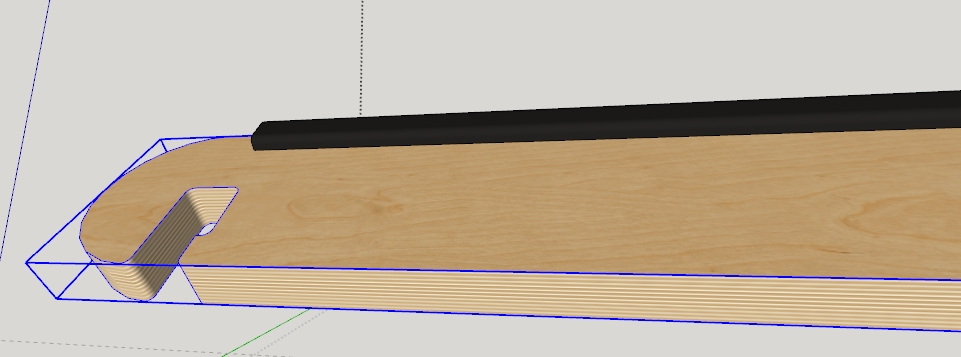
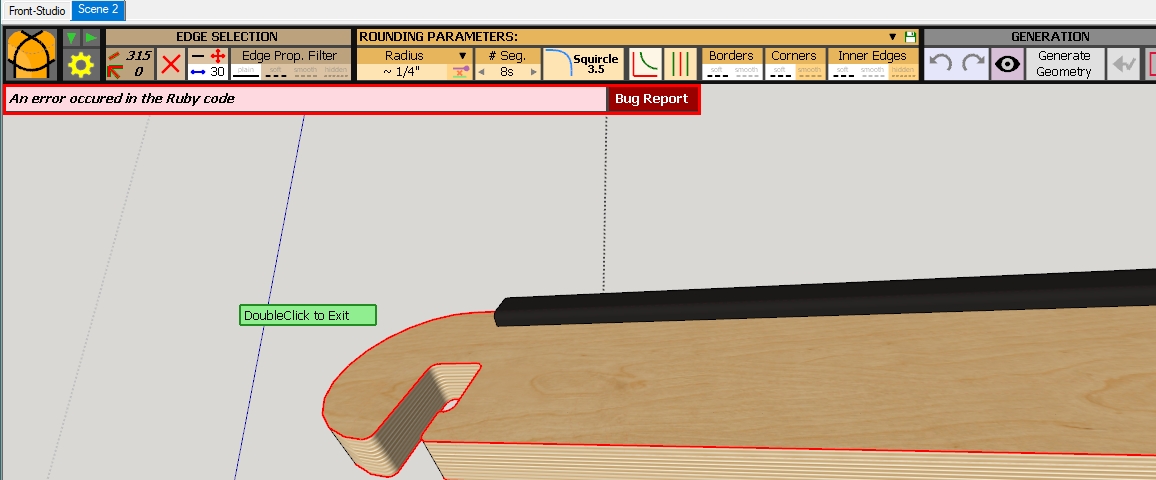
Also attached is the Bug Report.
Thanks
-
Please attached the .skp file.
Are you still using SketchUp 2017 Make?
-
Yes Sketchup 2017
skp is too large by 1700 kb
sending via dropbox

Free File Transfer | Send Large Files Instantly | SendSpace
SendSpace lets you transfer large files quickly and securely for free. Enjoy hassle-free file sharing today.
SendSpace (www.sendspace.com)
Thanks
-
Please upload it to DropBox of Google Drive. All I get from your link is spam and the site trying to install garbage I don't want.
-
try this:
-
That worked.
It looks like your model runs afoul of a thing that Fredo6 referred to in the FredoCorner thread. See: https://sketchucation.com/forums/viewtopic.php?f=323&t=70149&start=210#p668828
RoundCorner still works, though.
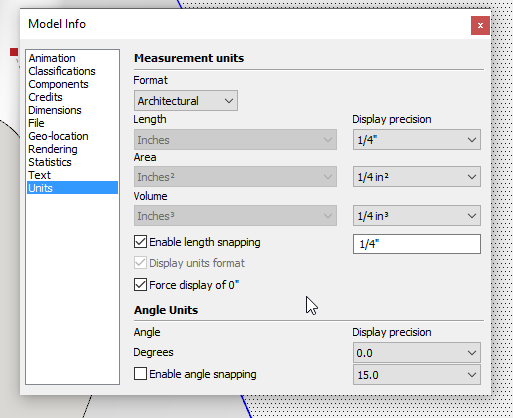
FWIW, I see you have Units set to Architectural, Precision is faily coarse for the size of the component, and you have Length Snapping enabled. I would suggest that you at least set precision finer and turn off Length Snapping. I would also use Fractional instead of Architectural units but that's just a preference.
And you might want to reset the Advanced Camera tools to get rid of the wide gray bars.
I see why your file is so large. The plywood texture file is huge. Considerably larger than a texture image like that ought to be for SketchUp.
-
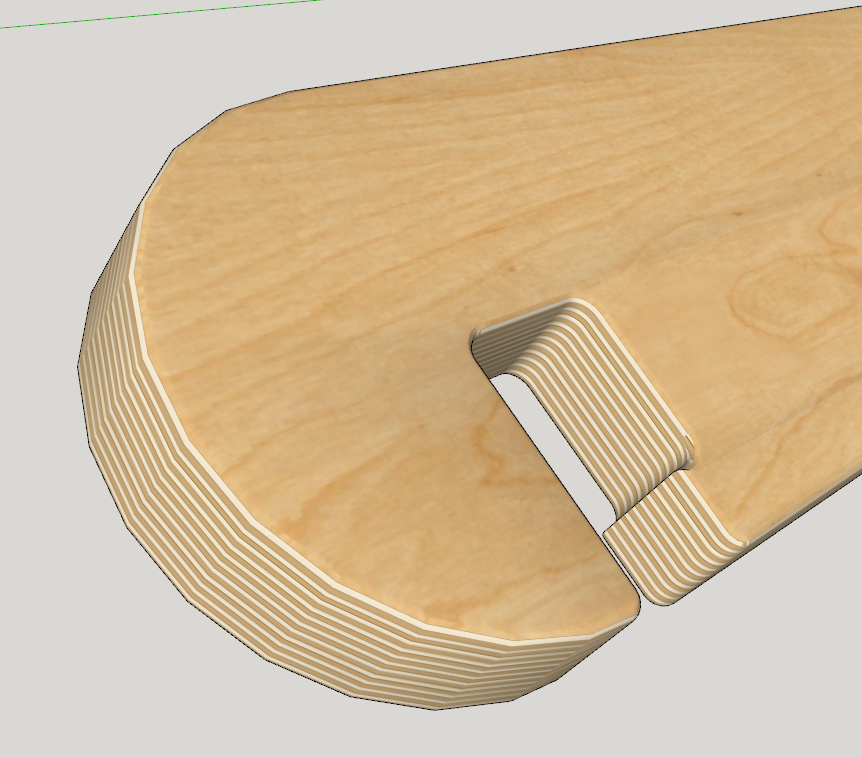
Here's the component with rounded edges. I have no idea what radius you really want. The dimension shown in your screen shot surely isn't correct but that's due to the coarse Display Precision you are using.
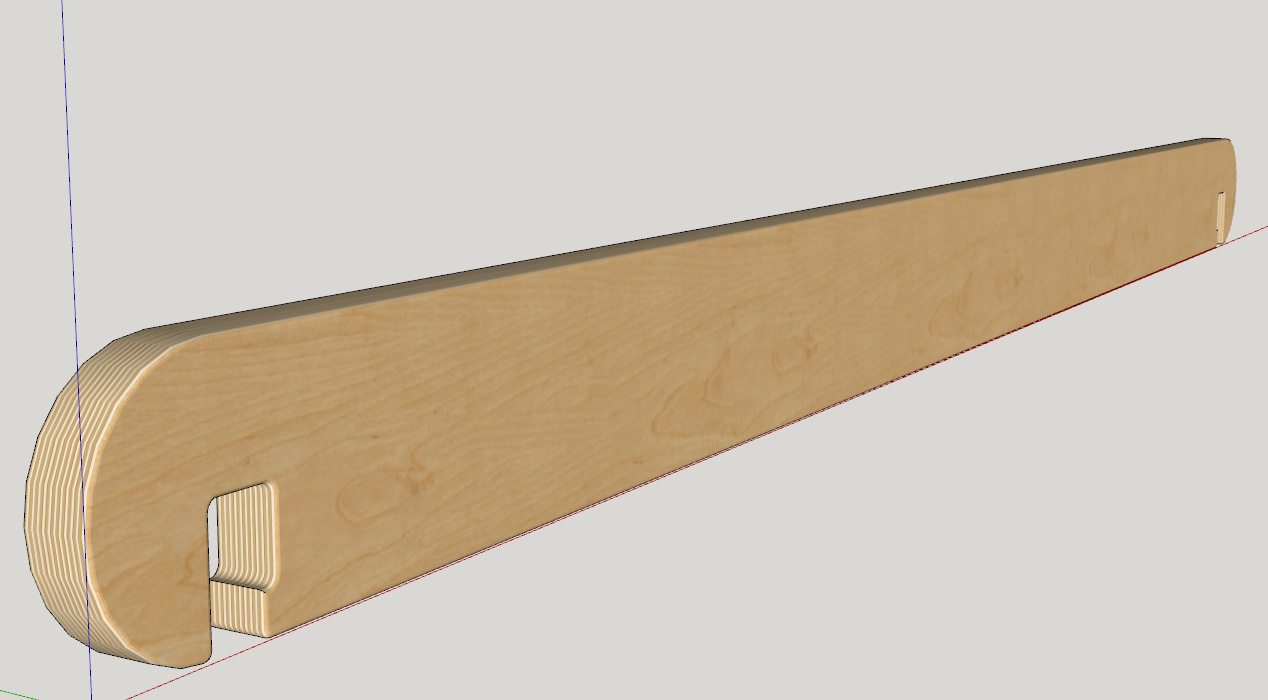
I reduced the texture size a bit, purged unused stuff from the file, and reset the axes to their default location. The file size is still a little large for a single component but it's a lot better than it was.
VRS6-VR purged.skp -
Thanks guys, I will try your suggestions.
-
Thanks, I finally got a chance to check out the model. I did take your advice with changing the setting for units and type.
The two bands on the side were because I was in the midst of working with vray and I had the safe frame turned on. I neglected to turn it off before sending you the model.
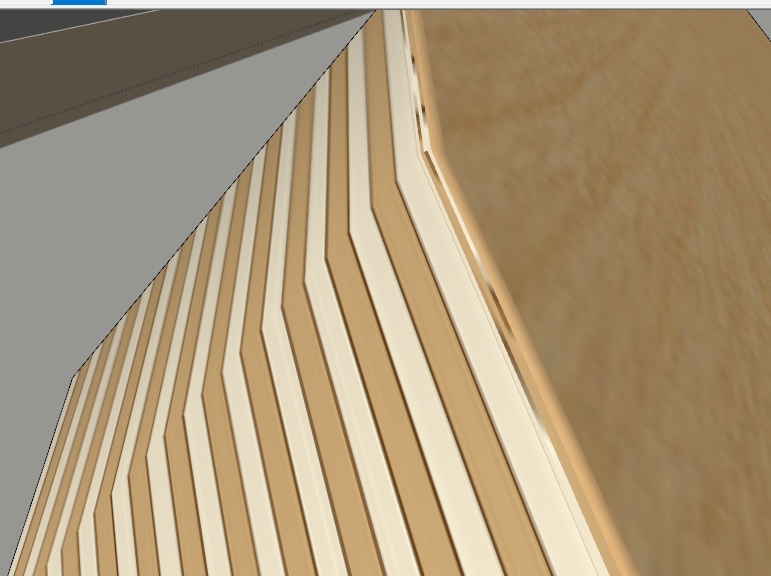
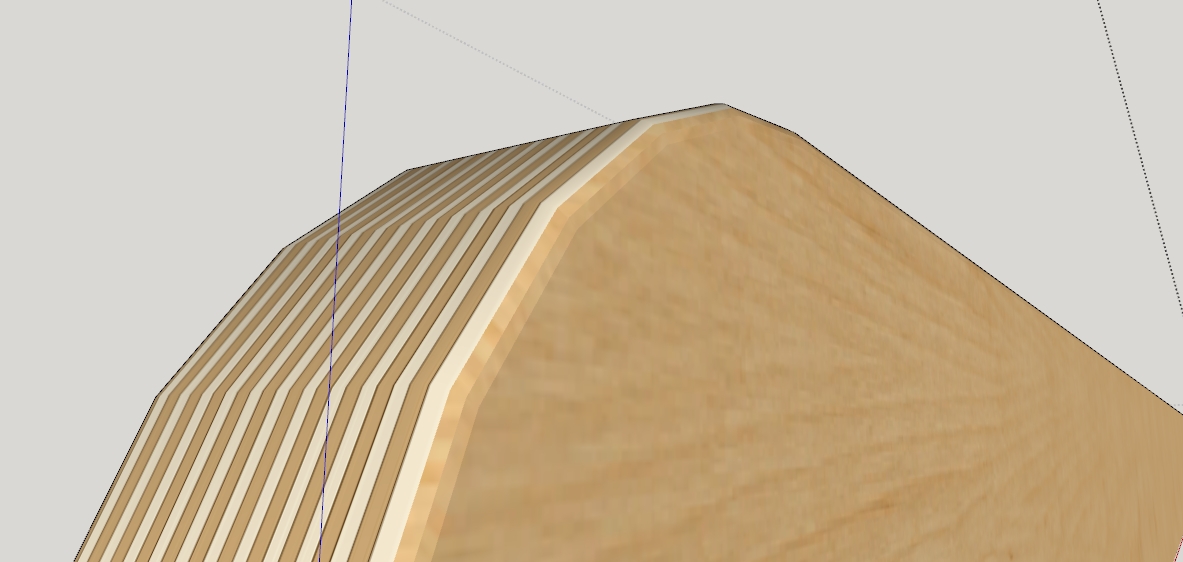
I did get round corner to work, but I see that I'm having problems that you did not have in that the edge material is getting picked up and probably reverting to the 90 degree rotation it had before I adjusted it. I tried getting down to 1/64 offset thinking I could avoid it, but it's still showing. I'm wondering what offset you did use and if you possibly repainted after rounding? Though I don't think that would make the difference.
Thanks again
My attempt
Your version
-
If you look at the texture for the edge grain, you'll see that I set it to be projected and the aplied it to the edges of the piece.
-
Ah, makes sense. I'll take a look. Did you use ThruPaint?
-
@blueman2 said:
Did you use ThruPaint?
No. I thought about it but decided that the native tools would do the job just fine.
I forgot to mention that I did select the edges border the large faces and hide them instead of softening/smoothing them.
-
I got it using ThruPaint
thanks
-
Good enough. If it's a simple thing like this and can be handled in a couple of clicks with native tools I usually don't bother using an extension but there's often more than one way to accomplish things in SketchUp.


Hello! It looks like you're interested in this conversation, but you don't have an account yet.
Getting fed up of having to scroll through the same posts each visit? When you register for an account, you'll always come back to exactly where you were before, and choose to be notified of new replies (either via email, or push notification). You'll also be able to save bookmarks and upvote posts to show your appreciation to other community members.
With your input, this post could be even better 💗
Register Login


Advertisement