V-Ray 3.4 non-tiled textures not showing up?
-
Hi,
So I've recently circled back to using SU and V-Ray for a sideproject of mine. It is an interior refurbishment project and I wanted to explore the material options of a wardrobe assembly.
What I wanted to do in V-Ray is apply a texture to the assembly. I largely succeeded, by using the Texture Blend material, with Texture A having the original color and Texture B the bitmap with alpha channel, setting Blend Amount to 1 and ticking the Composite box.
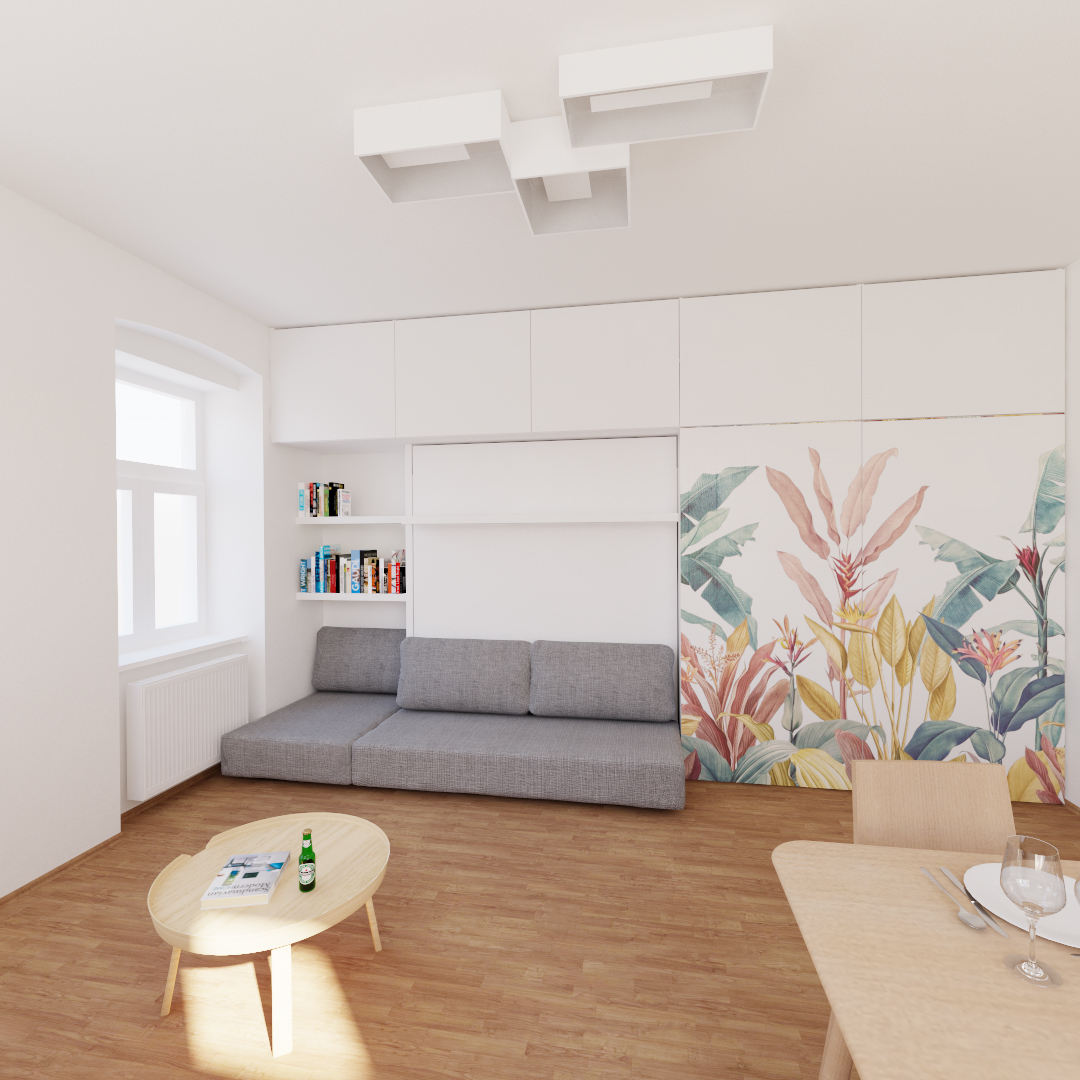
However, if I wanted to see what it looks like at half the size (keeping the aspect ratio of the texture), I would get the image twice (four times in fact) on the whole doors. That's when I tried to untick the option "Tile" in the bitmap settings under the Placement tab.
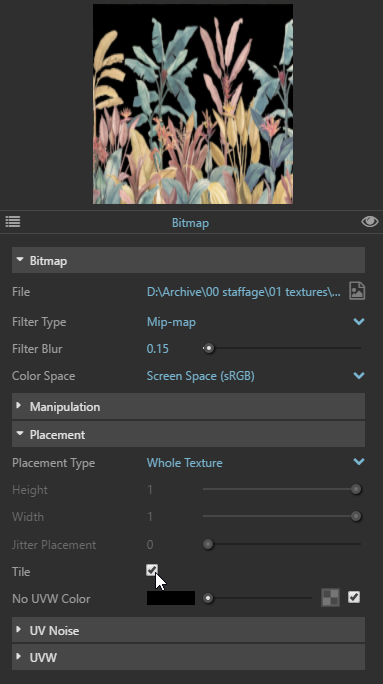
This however makes the texture completely disappear from the whole stack. I tried modifying the texture position in SU, in hopes of "finding" the decal, to no avail. Resizing the texture in SU also didn't bring any results.
Is this a bug, or am I doing something wrong?Thanks for any ideas.

Hello! It looks like you're interested in this conversation, but you don't have an account yet.
Getting fed up of having to scroll through the same posts each visit? When you register for an account, you'll always come back to exactly where you were before, and choose to be notified of new replies (either via email, or push notification). You'll also be able to save bookmarks and upvote posts to show your appreciation to other community members.
With your input, this post could be even better 💗
Register Login


Advertisement