VRAY SKETCHUP take too long time to render, please help
-
Hi, my model took like 8 hours to increase 1% of progress.
I hope anyone can tell me how to fasten up the rendering process.please reply me asap, because i need to hand in by this week.
thanks anyone T-T
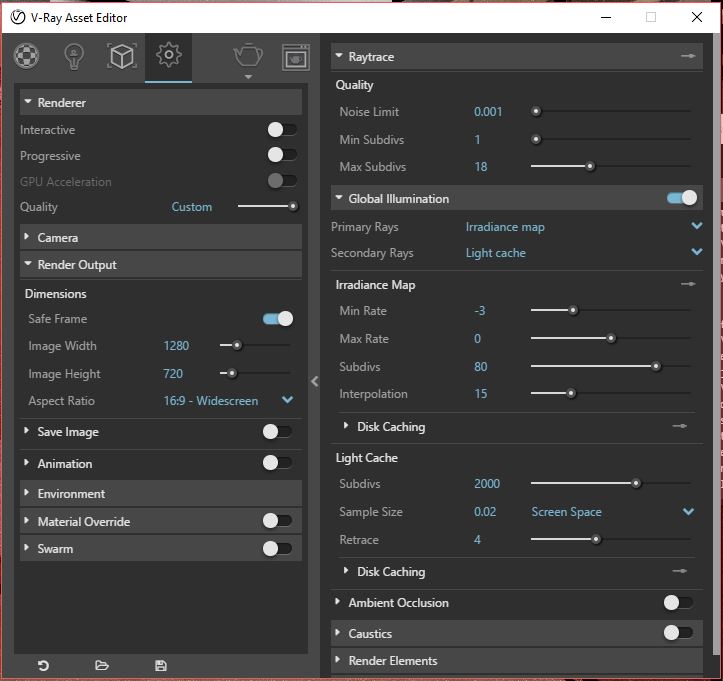
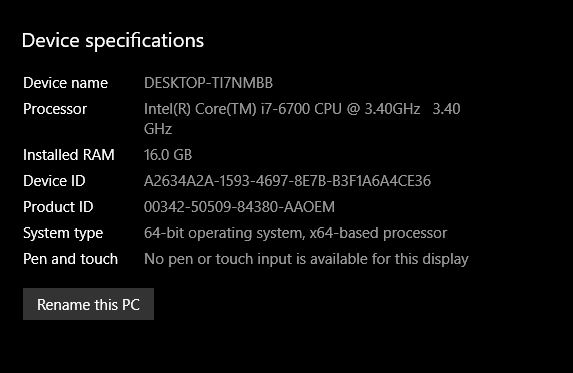
-
A couple quick things you could try:
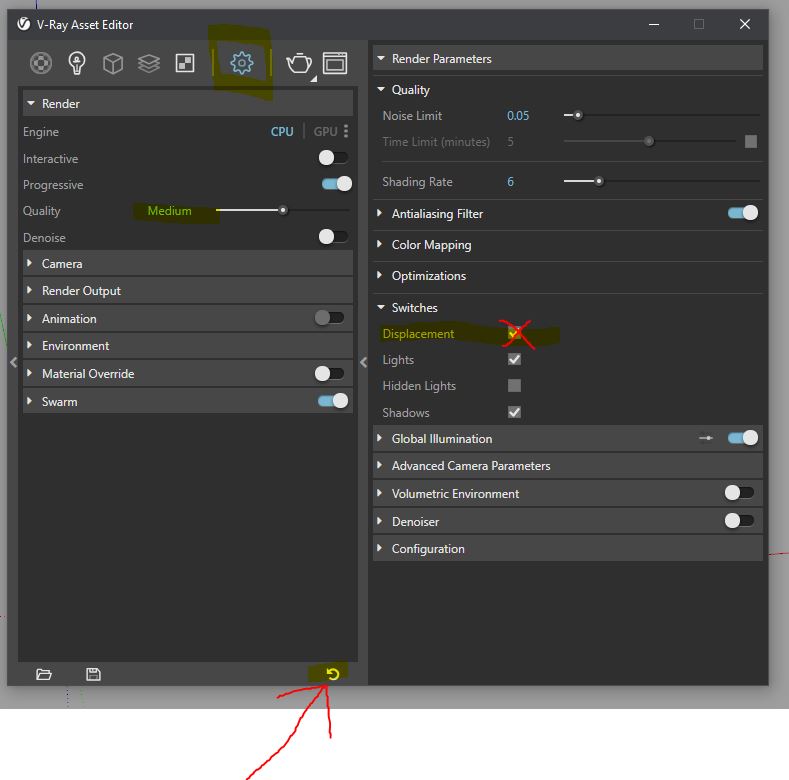
  First try disabling displacement.  Uncheck 'Displacement' under 'Switches' in the Asset Editor, then see if it renders any better.  If it does, then you have a material using displacement that is causing too much calculations.  (although, if this was the problem, it would probly get stuck on building light cache....)

   If it still isn't rendering, try resetting your vray settings to default (the little circle arrow at the bottom of asset editor) and try rendering on one of the default quality settings like, 'Medium'.

  If neither of these work, you can try copying portions of your scene to a new file a couple pieces at a time and performing test renders until you find the culprit.
Good luck!
(markup attached)

Hello! It looks like you're interested in this conversation, but you don't have an account yet.
Getting fed up of having to scroll through the same posts each visit? When you register for an account, you'll always come back to exactly where you were before, and choose to be notified of new replies (either via email, or push notification). You'll also be able to save bookmarks and upvote posts to show your appreciation to other community members.
With your input, this post could be even better 💗
Register Login


Advertisement