Generation of Video Problem
-
Hello Fredo6!
Big Thank`s for your work and this amazing plugin
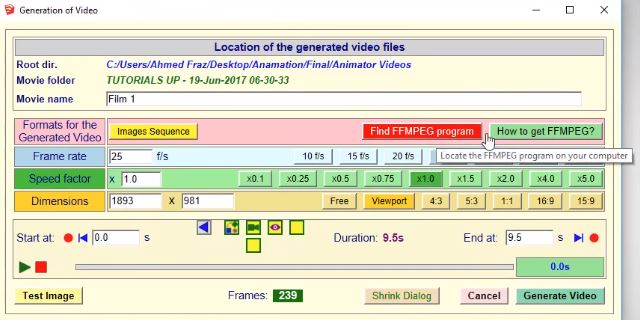
I have made made a mistake when setting up a plugin to generate video...I choose incorrect files when program asking me for "How to get FFMpeg"
(ScreenShot001)after my mistake I have this:
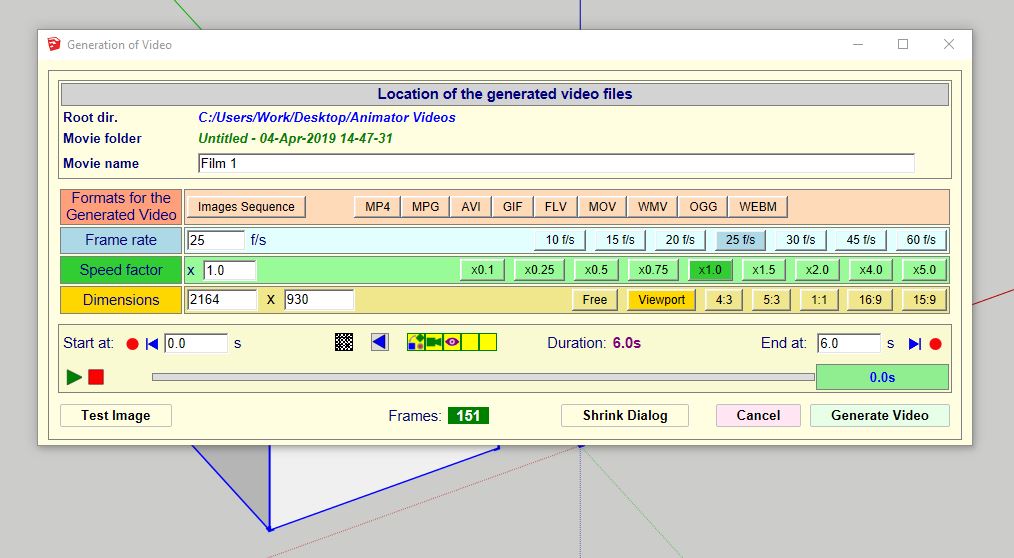
(ScreenShot002) Looks correct, but it is not working. Error in the end of GeneratingNow I understand how to make correct, I download right plugins (from here: http://ffmpeg.org/download.html)
BUT: I don`t know how to clear old incorrect plugins for Generate Video. How I can turn to situation in ScreenShot001?
(Deleting folders Fredo6 in plugins - didn`t work)
Really need Your Help!
-
@berezen said:
I don`t know how to clear old incorrect plugins for Generate Video. How I can turn to situation in ScreenShot001?
Just delete the old, invalid ffmpeg.exe and you should be back to the situation where Animator will ask you the location.
-
Can`t find it
Can you tell exactly where to look? Which folder?
-
@berezen said:
Can`t find it
Can you tell exactly where to look? Which folder?
This is the place where you originally set the location of FFmpeg.exe
Open the Ruby Console and type
Traductor::FFmpeg.new.program_locateI think I'll make a permanent command to change the setting of the location of FFmpeg. That will be easier when correcting mistakes.
-
como resolviste tengo el mismo problema descargo el archivo y copio lo que dice en la consola pero aun asi no me sale....
-
@fredo6 said:
@berezen said:
Can`t find it
Can you tell exactly where to look? Which folder?
This is the place where you originally set the location of FFmpeg.exe
Open the Ruby Console and type
Traductor::FFmpeg.new.program_locateI think I'll make a permanent command to change the setting of the location of FFmpeg. That will be easier when correcting mistakes.
Hi Fredo,
I have the same problem as Berezen. While waiting for the update with a permanent command to change the setting of the location of FFmpeg, is it possible to have a detailed explanation in order to return to the original window asking "How to get FFMpeg" (by manually editing a file, for example)?
Thanks -
@luigi62 said:
While waiting for the update with a permanent command to change the setting of the location of FFmpeg, is it possible to have a detailed explanation in order to return to the original window asking "How to get FFMpeg" (by manually editing a file, for example)?
ThanksI have added a permament button in version 2.4d.

-
@fredo6 said:
@luigi62 said:
While waiting for the update with a permanent command to change the setting of the location of FFmpeg, is it possible to have a detailed explanation in order to return to the original window asking "How to get FFMpeg" (by manually editing a file, for example)?
ThanksI have added a permament button in version 2.4d.
[attachment=0:2h6evhub]<!-- ia0 -->FFmpeg button reload.png<!-- ia0 -->[/attachment:2h6evhub]
Thanks a lot for your job !
-
Pls a Fredo pop up is saying the animator 2.4d as expired. I tried updating through the link displayed but it won't pls what can I do?
-
@mko said:
Pls a Fredo pop up is saying the animator 2.4d as expired. I tried updating through the link displayed but it won't pls what can I do?
Unless you changed the clock on your PC, Animator v2.4d is valid till 14 Sep 19.
Fredo

Hello! It looks like you're interested in this conversation, but you don't have an account yet.
Getting fed up of having to scroll through the same posts each visit? When you register for an account, you'll always come back to exactly where you were before, and choose to be notified of new replies (either via email, or push notification). You'll also be able to save bookmarks and upvote posts to show your appreciation to other community members.
With your input, this post could be even better 💗
Register Login


Advertisement