Engrave/depress Logo into 3D Object
-
I'm hoping someone can help me figure out how to engrave my company logo into a 3D object. I have converted the logo from SVG to STL and have imported it into Sketchup Make. I am able to push/pull it, however, when I put it on another 3D object (I was testing on a coaster I made real quick) I am not able to get it to engrave or depress it into the other object. I've tried numerous tutorials and posts I've found on how to do this, but I just can't get it to work. Any help would be greatly appreciated!!
-
-
The logo needs faces.
Draw a large rectangle over it.
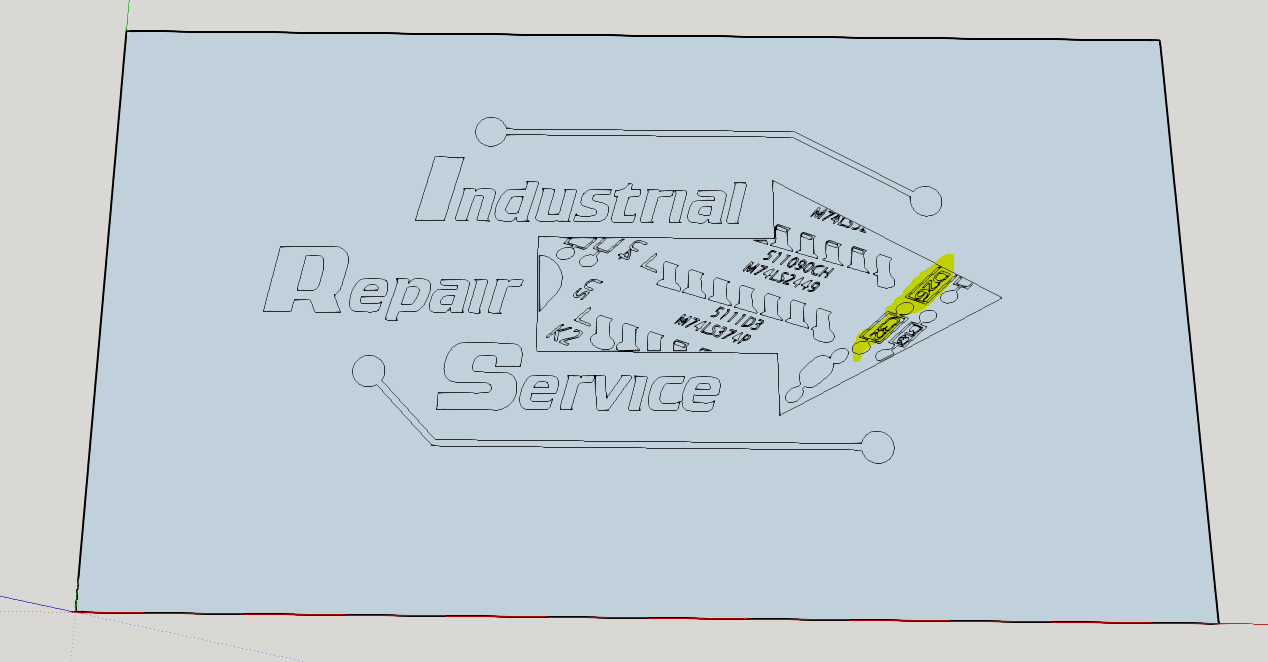
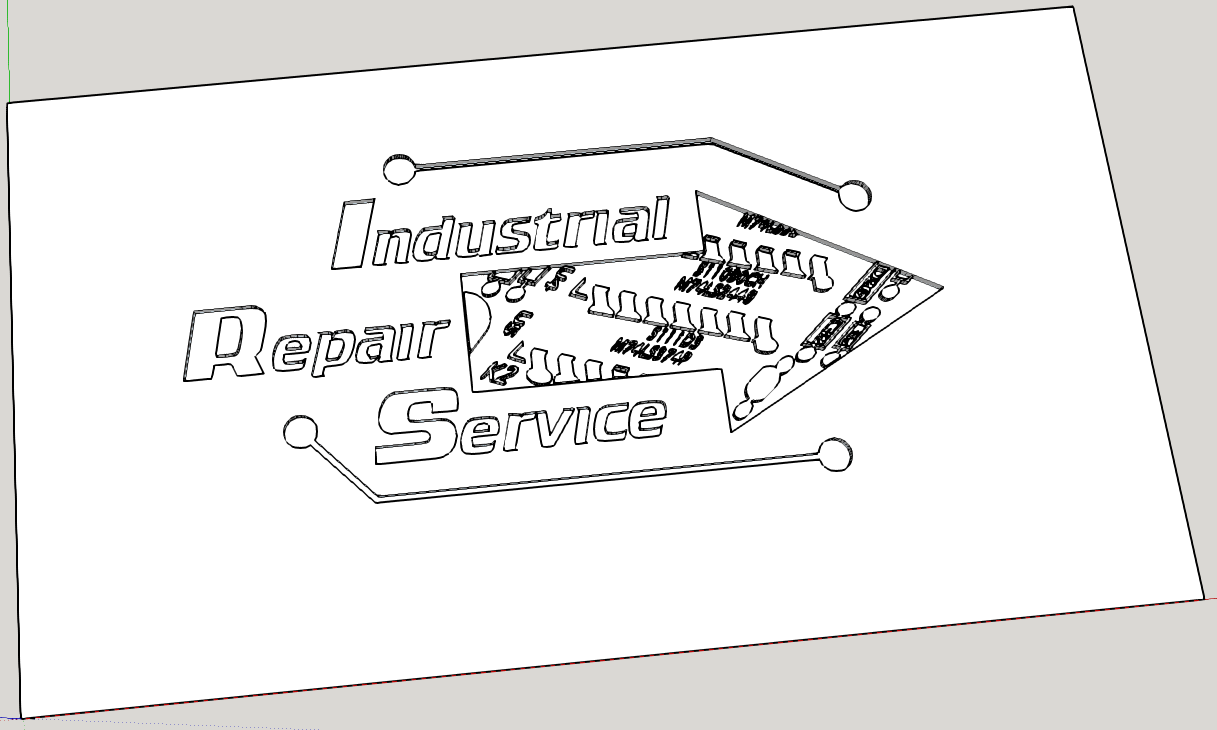
Edges that appear as 'profiles] [thicker] do not have a face...
Sometimes edges will not face and need 'encouraging' to do so, by over-drawing an edge - the two areas marked yellow need a diagonal adding to force a face, you can then delete it.
Once you have a set of faces you can then PushPull the main areas up to make recessed areas.
There seem to be several small areas in need do separate extrusion...
-
Thanks for the reply TIG. I'm confused, because I thought the logo already had faces as I added faces to it when I imported the STL (from SVG). I can currently push/pull it as it stands right now...
-
Yes there were faces, but not every loop of edges has a face.
Adding a larger encompassing rectangle forms most faces but sone loop still do not 'face' unless you over-draw an edge, the two loops I highlighted need a diagonal added to make the faces, that edge can be deleted afterwards...My approach was to make the 'positive' faces you need, and the PushPull those to leave the recessed areas...
-
Ok, actually none of that on the bottom of the arrow there is needed and should've been removed. I took deleted all those edges. I updated original post with new file.
-
It would have been kind to only post a SKP with what you wanted - how are we to tell what you want to ignore ?
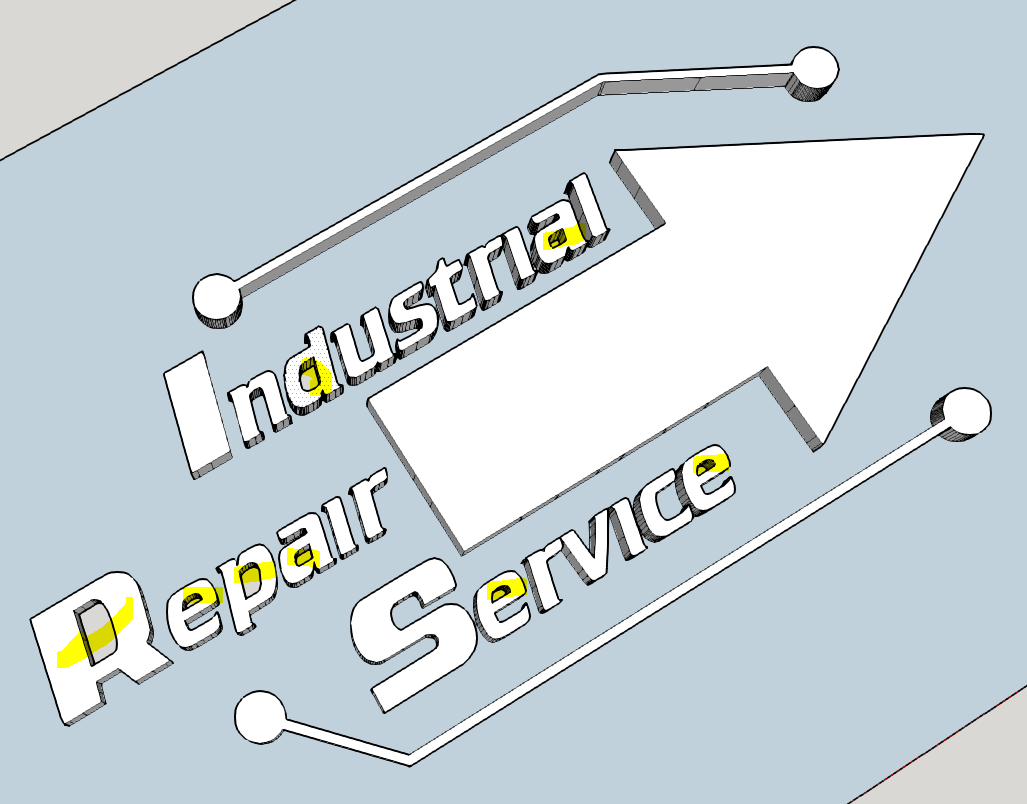
The highlighted 'holes' have no faces.
Over-drawing an edge near the bottom will cause a face to form.Why have you extruded the form with PushPull ?
Much easier to extrude the 'positive' part in the first place...To revert to a '2d' face set, view from the side and select all by fence to delete the extruded geometry...
-
TIG,
Thanks, that did the trick! I didn't see those edges in there, until you posted a screenshot showing them, that's why. I deleted the extrusion the way you said and then drew a line over part of the "holes" which caused the face to form and that fixed that issue. I'm not sure why that caused a face to form, but it did. Now I can recess or raise the logo as needed. I've attached what I have done thus far. Thanks for all the help.


Hello! It looks like you're interested in this conversation, but you don't have an account yet.
Getting fed up of having to scroll through the same posts each visit? When you register for an account, you'll always come back to exactly where you were before, and choose to be notified of new replies (either via email, or push notification). You'll also be able to save bookmarks and upvote posts to show your appreciation to other community members.
With your input, this post could be even better 💗
Register Login


Advertisement