Cristals and Water are black
-
Whenever I apply water or Cristal textures (as well of others) the material is visualized as black, grey, or as a patch with the vray label on it. Is there a way to visualize water with its proper texture, Cristal as transparent, and so on?
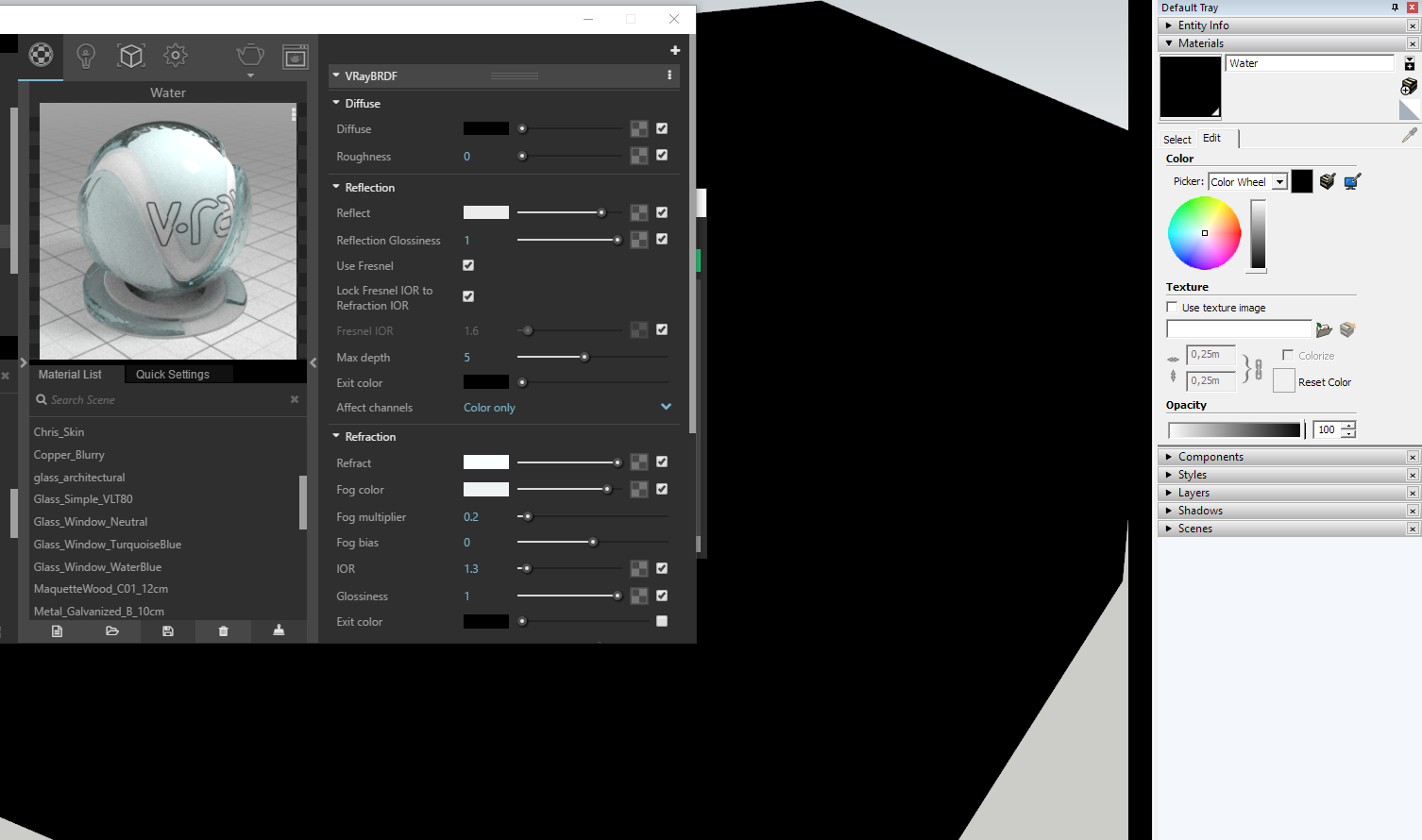
-
You can add a diffuse layer above the BRDF layer (click on the plus sign in the top right corner to add a layer) and then change the transparency texture in the Vray settings to a color texture set to 100% white. Then you can adjust the transparency in SU to whatever you'd like. Hope that helps!
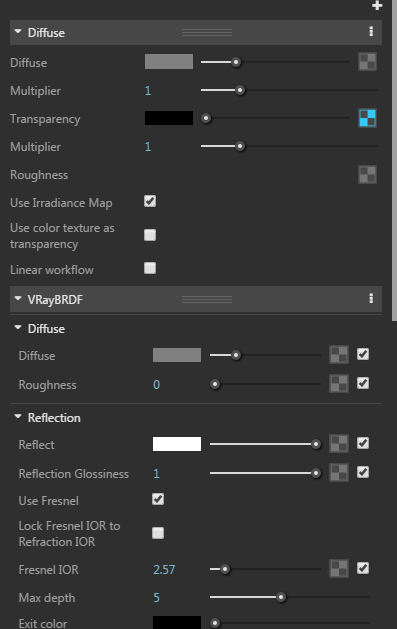
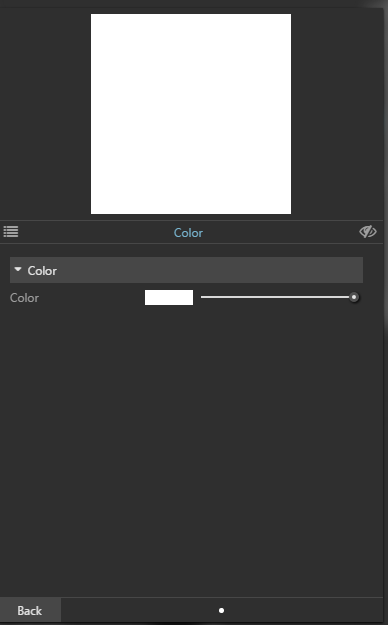
-
This is kind of not intended or deficiency. Check this topic in the official V-ray forum.
andybot's solution is the way for now since V-ray developer suggests that as well in that topic:
@unknownuser said:
Once you have created a glass material through the V-Ray Asset Editor, select it through the SketchUp material editor, choose "Edit" and lower the Opacity value. This will make the material transparent only in the viewport without affecting its V-Ray properties.
We are exploring some options to have this automated when creating V-Ray materials (feedback and suggestions are welcome!). However, it is a bit tricky since some of the users still keep creating materials through SketchUp and not V-Ray. -
@filibis said:
This is kind of not intended or deficiency.
Yes, that's what the developers say.
 However, they do acknowledge there's work to be done regards workflow. I consider these releases are still beta releases.
-
Is there word as to when they plan to release an update?
-
You should check/ask at Vray official forum for such information or release notes in the manual.


Hello! It looks like you're interested in this conversation, but you don't have an account yet.
Getting fed up of having to scroll through the same posts each visit? When you register for an account, you'll always come back to exactly where you were before, and choose to be notified of new replies (either via email, or push notification). You'll also be able to save bookmarks and upvote posts to show your appreciation to other community members.
With your input, this post could be even better 💗
Register Login


Advertisement