Open/close doors/drawers
-
I make furniture and I would like to create scenes where the doors and drawers open and close, can I do that? How? Thanks
-
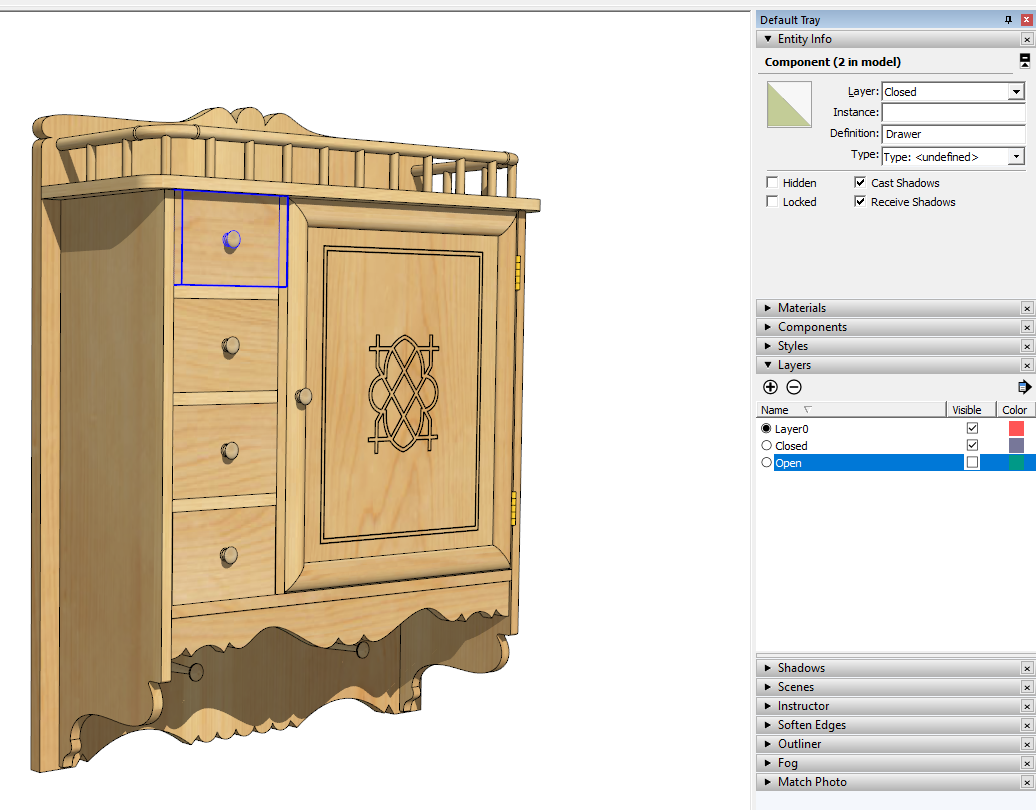
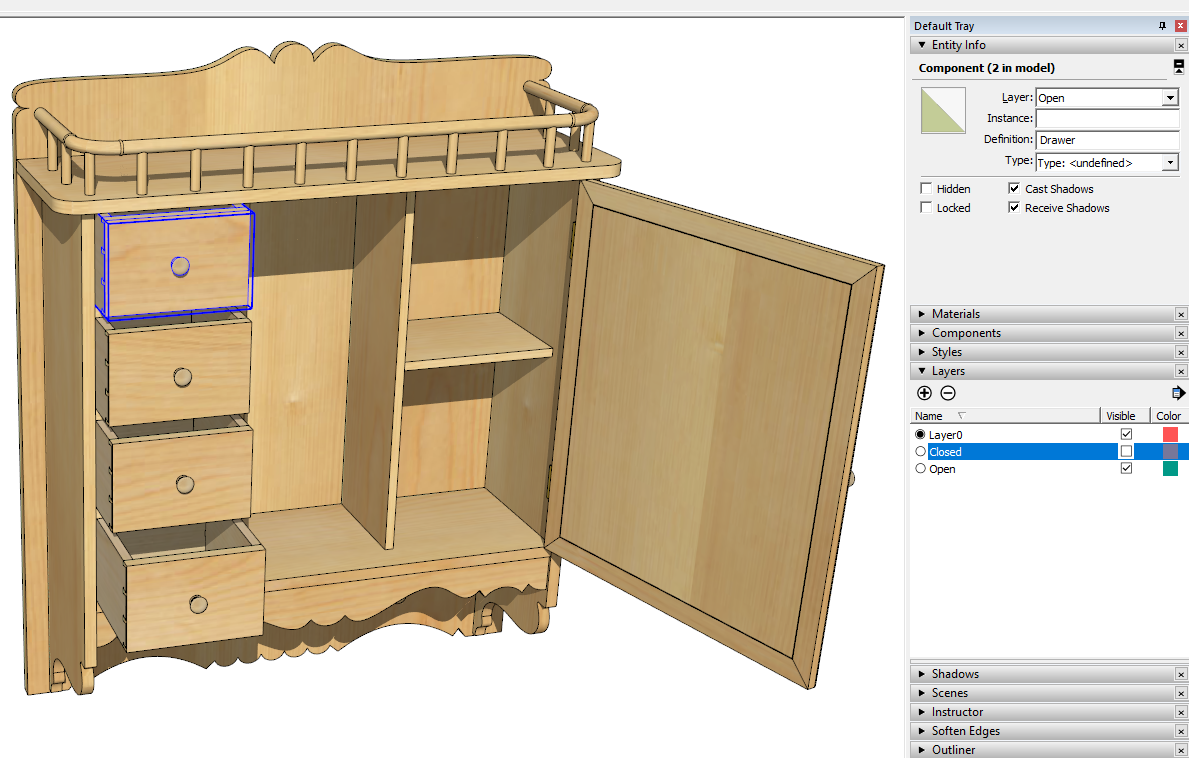
Yes. You can do that. There are a couple of ways. One would use Dynamic Components. The other is to make copies of the doors and drawers in both the closed and opened positions. Create a layer for the open door and drawer components and another for the closed doors/drawers. Set layer visibility as appropriate for the scenes showing them closed and for the scenes showing them open.
-
You have some good examples of this.....perhaps you could post one for him or share an skp that shows him how it is done.

-
@ntxdave said:
You have some good examples of this.....perhaps you could post one for him or share an skp that shows him how it is done.
I'll have to hunt one up when I get home from work.

-
Dave's answer is spot on but I think it should be clear that there is no official way of making Dynamic Components "open/close doors/drawers" per scene. If you want to control that per scene, it's better to follow the layer aproach than the DC aproach.
EDIT: Well you could have layers within your DC, but I guess the cool thing about the DC and open close movements is the animate aproach and that is not possible with scenes driving the animation, unfortunatelly.
-
If you want an animated version, you can also use one of the animation plugins. I would recommend Animator. It would be a simple process.
I think the real key though is how @onebad wants to view the things. Two images, a movie, an animated gif, or on a web page with the ability to click and watch the drawers/doors open.
-
Here's an example of what I was describing with the use of layers. In the first screen shot notice the visibility for the "Open" layer is turned off. And in the second, it's the closed layer that is turned off.
-
I knew you would have a perfect example of exactly what he was asking for - even in his wood working field.

-
Thanks Dave.
-
I am hoping to animate the movement within a scene. Thanks for the info, I'll take all the help I can get.
-
Than you should look at Animator and see if that will get you what you need.
BTW, you should be using SketchUp Pro, not Make.
-



Hello! It looks like you're interested in this conversation, but you don't have an account yet.
Getting fed up of having to scroll through the same posts each visit? When you register for an account, you'll always come back to exactly where you were before, and choose to be notified of new replies (either via email, or push notification). You'll also be able to save bookmarks and upvote posts to show your appreciation to other community members.
With your input, this post could be even better 💗
Register Login


Advertisement