Save As component non-default scale msg
-
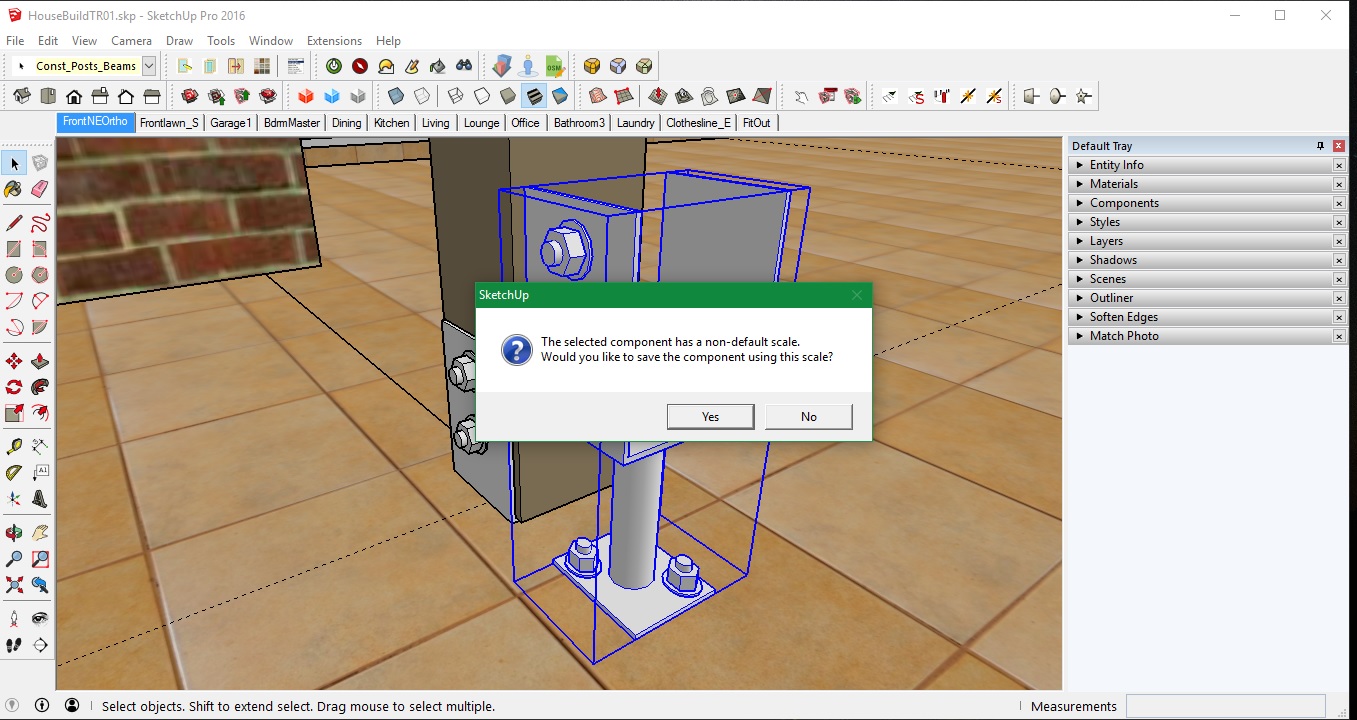
Just went to Save As to make a new component from an existing one & got the following message pop up (see attachment). I actually tried to scale part of the component using Fredos Scale Box but ended up remaking the part instead then closed the component. Then went to Save As and got this msg. I'm not sure how I would remove the "non-default scale" to begin with. I don't want to Save As with some funny internal scale & any issues this could cause if used later in another model. Just wondering what's best practise in this case. Have I created another "Doh Book" entry?
-
Found this on SketchUp Community forum.
https://forums.sketchup.com/t/this-component-has-a-non-default-scale/28082 -
So, fixed?
Reset scale?
-
I've added more info at that link



Hello! It looks like you're interested in this conversation, but you don't have an account yet.
Getting fed up of having to scroll through the same posts each visit? When you register for an account, you'll always come back to exactly where you were before, and choose to be notified of new replies (either via email, or push notification). You'll also be able to save bookmarks and upvote posts to show your appreciation to other community members.
With your input, this post could be even better 💗
Register Login


Advertisement