What am I missing
-
I've drawn / modified a model of a castor but when I bring it into the drawing the extents of the model is greater than anything you can actually see. I've tried exploding & purging but I still have the problem.. Not sure how to put a link onto this thread so if you search "Dodgy Castor" from the Warehouse it should be the only file there... Help would be much appreciated
-
There's a very tiny hidden line segment way up in the corner of the bounding box. turn on Hidden Geometry and then open the component for editing. Drag a selection box around that upper corner of the component's bounding box and hit delete. The bounding box should fit the caster better.
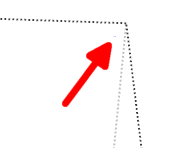
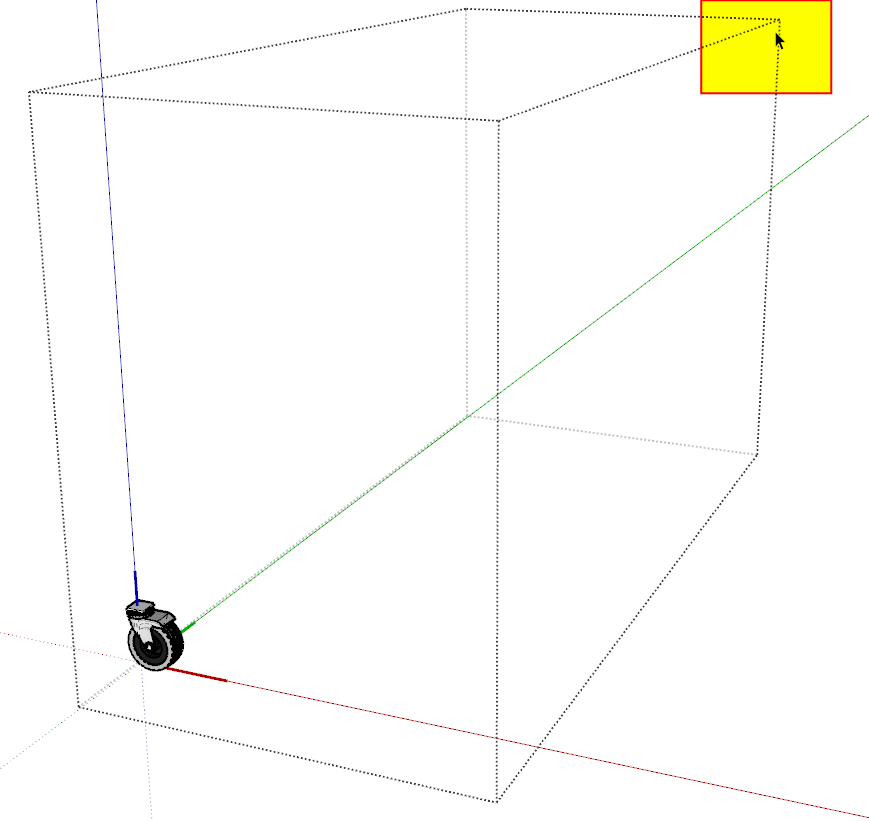
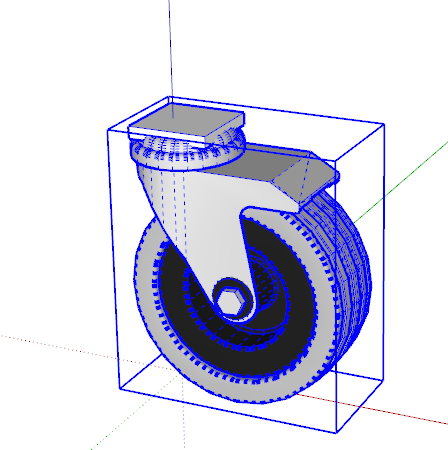
-
Open the model and hit ctrl+a, this will select everything in the model, now hold down shift and draw a selection box around the castor, this will deselect the castor, then hit delete on your keyboard, this will remove any stray edges floating in space,now hit shift+z and the castor should fill your screen.
Dave was faster and he downloaded within SU so your geometry was wrapped for him and raw for me.
-
You two are stars...very much appreciated


Hello! It looks like you're interested in this conversation, but you don't have an account yet.
Getting fed up of having to scroll through the same posts each visit? When you register for an account, you'll always come back to exactly where you were before, and choose to be notified of new replies (either via email, or push notification). You'll also be able to save bookmarks and upvote posts to show your appreciation to other community members.
With your input, this post could be even better 💗
Register Login


Advertisement