Enlarge Materials Color Wheel?
-
Hi folks,
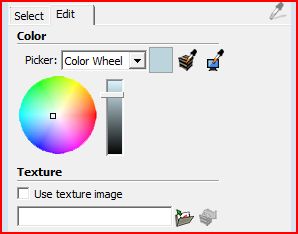
is there a way to make the color wheel in the materials editor bigger? I noticed in some online video tutorials the wheel is pretty large filling almost the entire width of the menu. In my Sketchup it is more like an icon making exact colorpicking a bit difficult.
Any ideas?
Cheers
Mikar
-
Have you thought about switching to the RGB sliders instead? That'll make picking exact colors much easier because you can manually enter the values if needed. you can change to RGB by clicking on the drop down button to the right of "color wheel".
-
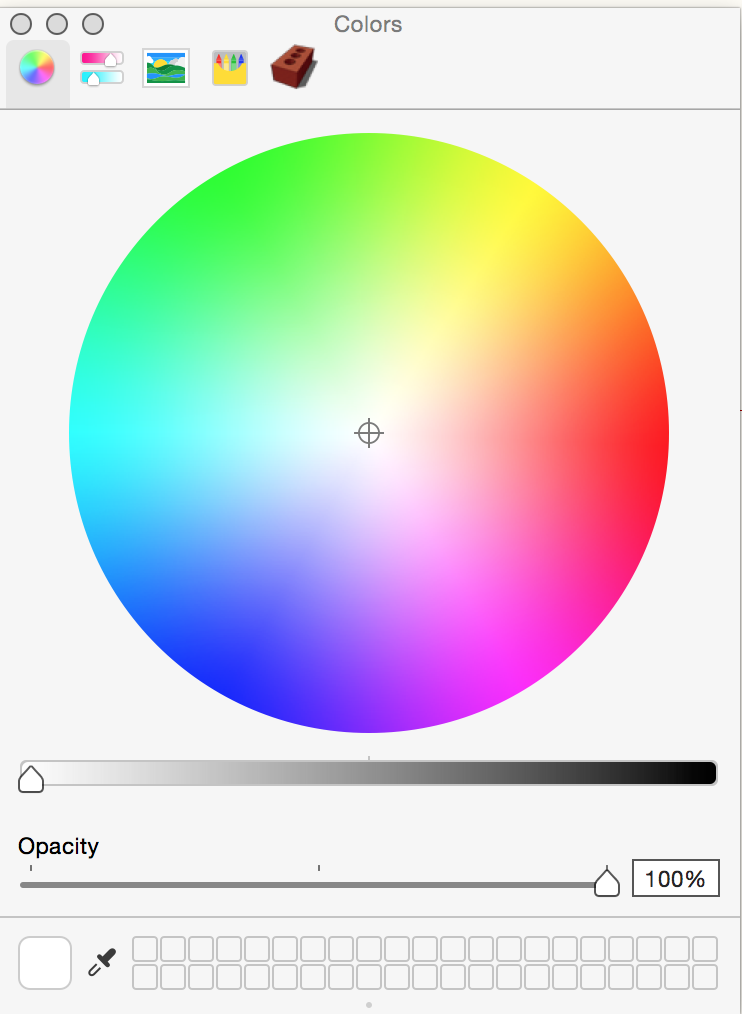
You may have seen the Mac colour wheel which I believe is different.
-
Indeed. But then the rest of the Mac Materials editor is a mess...
-
Yes, it must have been the Mac color wheel. Pity it is not that big on the PC. As I like to eyeball the colors I find the RGB sliders not very intuitive for choosing colors. Maybe I'll pick colors in PS and type the RGB values into SU.


Hello! It looks like you're interested in this conversation, but you don't have an account yet.
Getting fed up of having to scroll through the same posts each visit? When you register for an account, you'll always come back to exactly where you were before, and choose to be notified of new replies (either via email, or push notification). You'll also be able to save bookmarks and upvote posts to show your appreciation to other community members.
With your input, this post could be even better 💗
Register Login


Advertisement