Can you apply double click function to MOVE tool?
-
Hi you all, I need to move several objects in X direction. lets say I move object 1 in direction X, 1.543 meters,
then I move object 2 in direction X, 1.543 meters. BUT I can only type in that 1.543. it gets very cumbersome.if using push pool tool, you can just double click the face, then all the faces will push pool to that same distance.
I wonder if there is a plugin to let me input a value then select the objects then all the objects will be moved with the same value.
you may ask why not select all the objects then move them all at the same time. the problem is I need to move objects in different groups. I don't think you can select objects within different groups at the same time.
hope my question is clear. let me know what you think. thanks in advance.
-
When you move an object and you insert the value in the vcb and hit enter, that value is recorded in the background. The next time when you manually move an object on a given direction or axis it will snap when it reaches that length. That's valid only with the last inserted vcb Move tool value though.
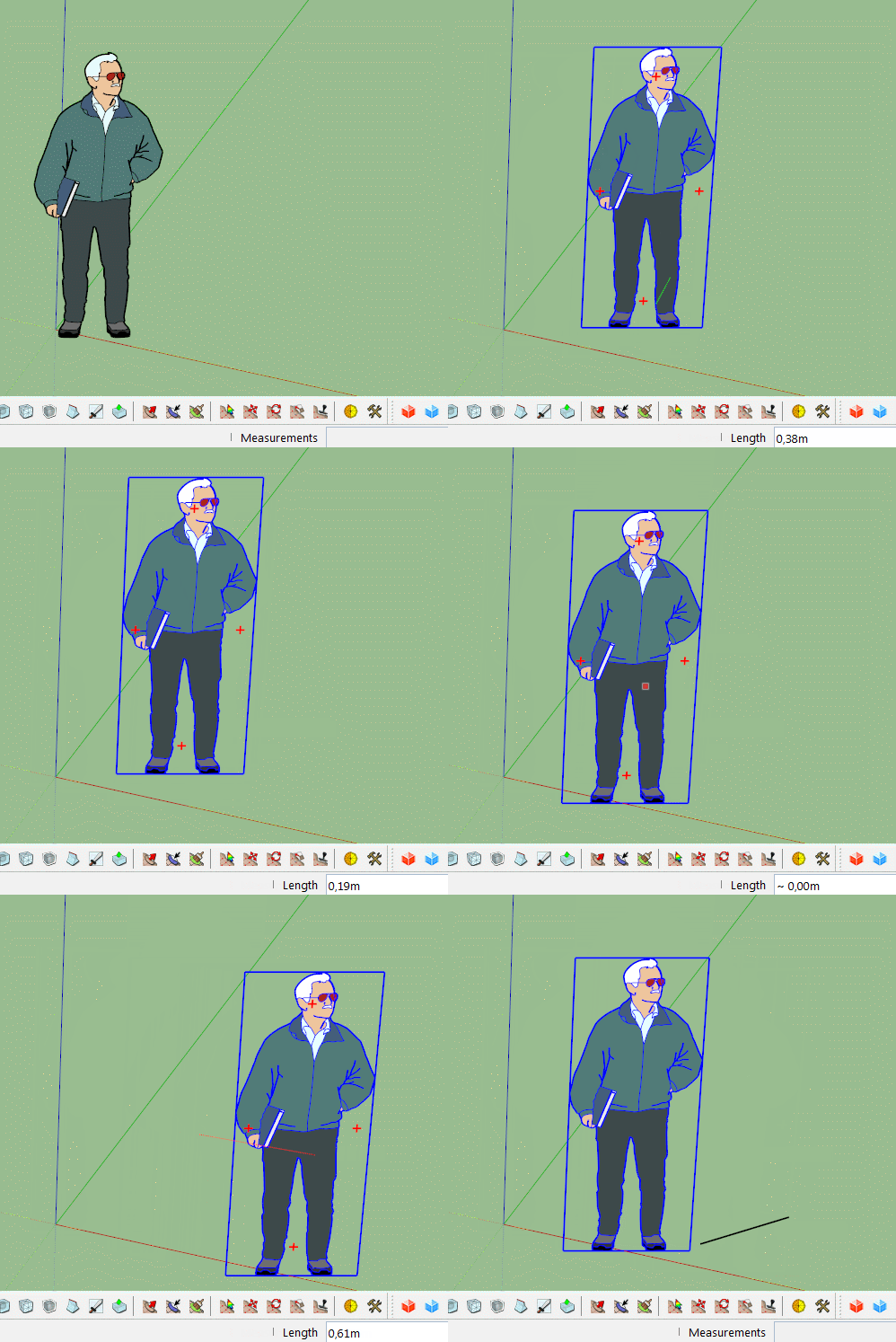
-
wow never knew...lol...glad i asked...thanks!!
-
For info, FredoTools::MoveAlong support the double click as Redo (both direction and offset).
Fredo
-
awesome fredo! thanks!


Hello! It looks like you're interested in this conversation, but you don't have an account yet.
Getting fed up of having to scroll through the same posts each visit? When you register for an account, you'll always come back to exactly where you were before, and choose to be notified of new replies (either via email, or push notification). You'll also be able to save bookmarks and upvote posts to show your appreciation to other community members.
With your input, this post could be even better 💗
Register Login


Advertisement