Help needed
-
Hello everyone,
I have a design attached, I put a rectangular hole in it and can see through the object, then when I go to the other side its white and I cant see through?
Thanks
DF
-
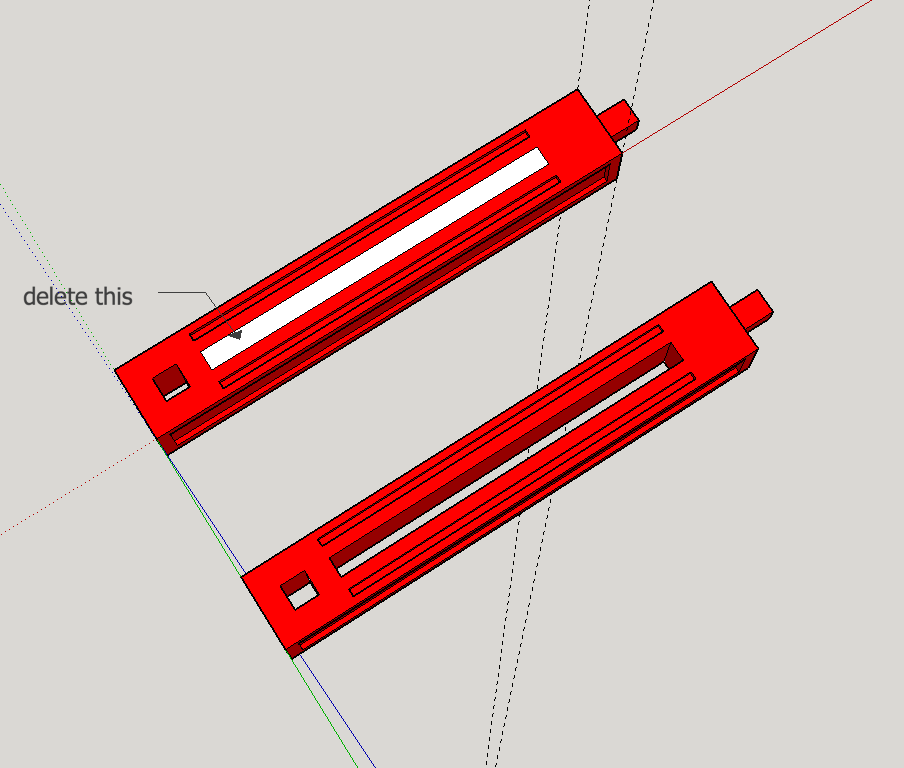
You don't see through the model, you only see the backside of the white face on the other side. Delete the face and the hole will be complete.
(It's not a good idea to post your email address here, everyone can anser here in the topic or with a private message (pm), I've deleted it)
-
Hi,
what is the face?
How do I delete it?
DF
-
Click on the indicated face then press delete
-
-
At this point it isn't a solid.
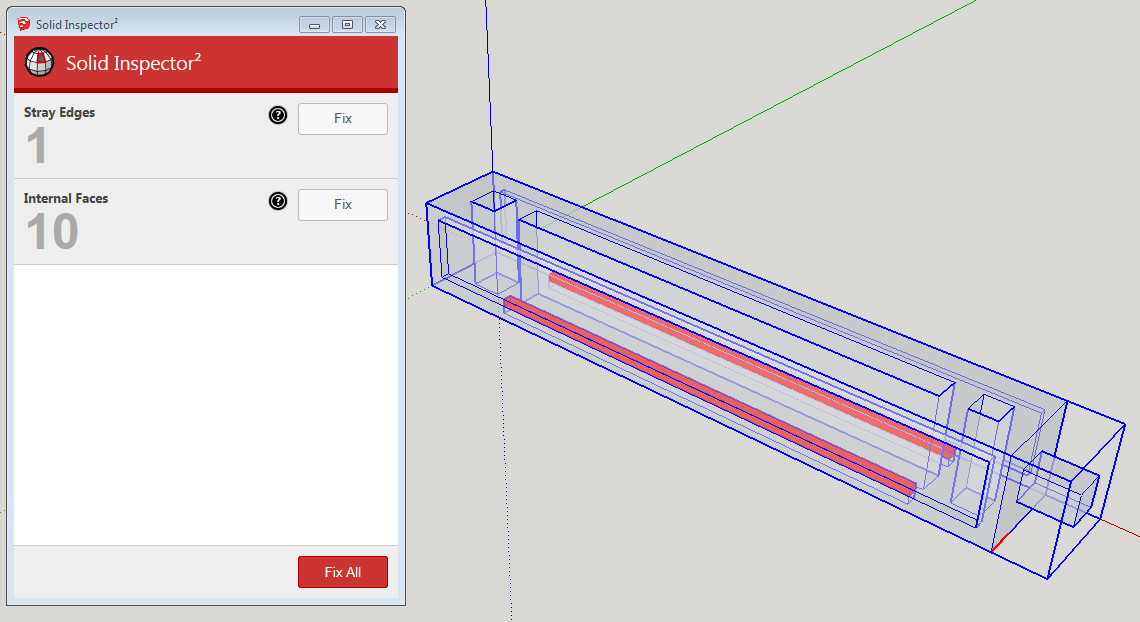
After choosing Fix All in Solid Inspector², it becomes a solid and should print just fine.


Hello! It looks like you're interested in this conversation, but you don't have an account yet.
Getting fed up of having to scroll through the same posts each visit? When you register for an account, you'll always come back to exactly where you were before, and choose to be notified of new replies (either via email, or push notification). You'll also be able to save bookmarks and upvote posts to show your appreciation to other community members.
With your input, this post could be even better 💗
Register Login


Advertisement