Layout Plan/Section Linework Colour Change?
-
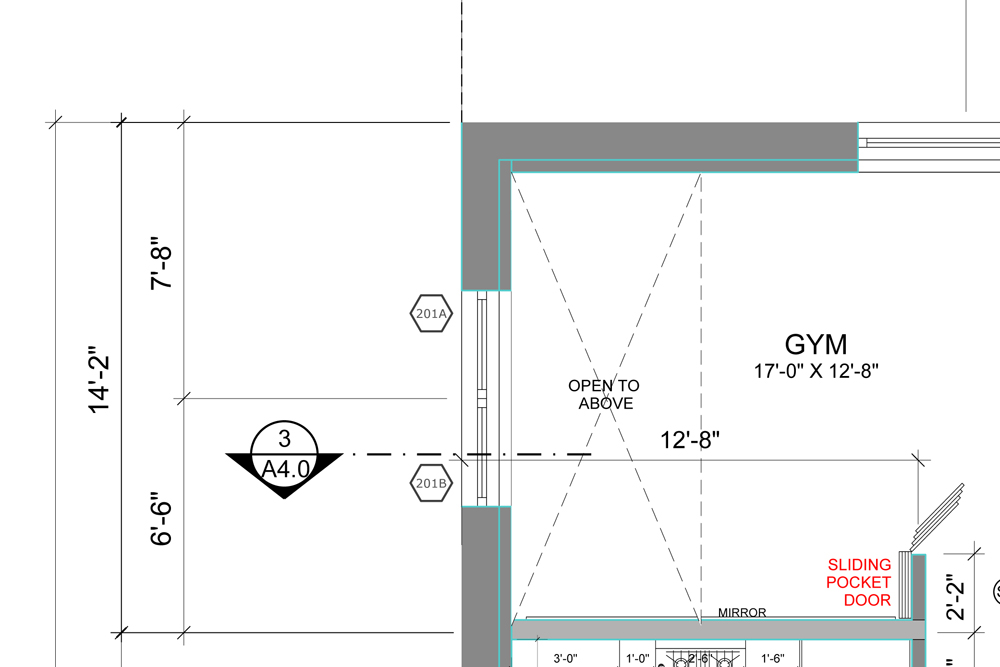 When applying a material on one element in my Sketchup model I some how managed to apply that material to the entire Sketchup model. In Layout, I have plans and sections set up with the heavier section cuts lines now showing up as cyan instead of black.
I've tried selecting the entire model, all of the groups and components, linework, etc. and adjusting the colour to "default" using "Entity Info" but no luck with that.
Anyone come across this before and know the solution?
-
You might try deleting the material from the In Model library and then apply it again to the one entity you originally intended.
-
One work around would be to delete that texture... that will send all materials back to default on those surfaces.
-
 Can't beat him...
 -
Weird, I responded to this last night using "quick reply" but it must not have posted. Anyways, I couldn't delete the texture but what I did was simply adjust the RGB to black for that one material and that worked perfectly! Thank guys, really appreciated!



Hello! It looks like you're interested in this conversation, but you don't have an account yet.
Getting fed up of having to scroll through the same posts each visit? When you register for an account, you'll always come back to exactly where you were before, and choose to be notified of new replies (either via email, or push notification). You'll also be able to save bookmarks and upvote posts to show your appreciation to other community members.
With your input, this post could be even better 💗
Register Login


Advertisement