sketchucation logo sketchucation
    • Login
    Oops, your profile's looking a bit empty! To help us tailor your experience, please fill in key details like your SketchUp version, skill level, operating system, and more. Update and save your info on your profile page today!
    โš ๏ธ Update | Sketchucation Tools 5.0.8 released with licensing improvements and bugfixes Download

    OSX Yosemite is coming...Problems?

    Scheduled Pinned Locked Moved SketchUp Discussions
    sketchup
    43 Posts 15 Posters 7.1k Views 15 Watching
    Loading More Posts
    • Oldest to Newest
    • Newest to Oldest
    • Most Votes
    Reply
    • Reply as topic
    Log in to reply
    This topic has been deleted. Only users with topic management privileges can see it.
    • W
      Warped9
      last edited by

      This fall Apple will soon introduce its next OS, Yosemite.

      I'm currently running Mavericks and fortunately there was no problem to continue using SketchUp. I always update my OS to stay current, but like last time I'm a bit wary over whether there could be any potential issues regarding SketchUp running on Yosemite if I upgrade.

      Any thoughts?

      1 Reply Last reply
      Reply Quote 0
      • Dave RD
        Dave R
        last edited by

        I expect it would be difficult for anyone here to be able to give you any useful information. We'll just have to wait and see.

        Etaoin Shrdlu

        %

        (THERE'S NO PLACE LIKE)

        G28 X0.0 Y0.0 Z0.0

        M30

        %

        1 Reply Last reply
        Reply Quote 0
        • M
          mk11
          last edited by

          Currently running Beta 4 on my MBP on a 2nd partition with no major issues since Beta 3. It's pretty stable but been having issues with SU2014 crashing a lot. Same models under Mavericks are fine and no issues. Not sure if this is a SU compatibility problem or just the fact that it's still beta. Wondering if there will be a SU update coming once Yosemite is released. Anybody?

          Marc Kleinmann
          SU Pro 2015
          Mac & Win

          1 Reply Last reply
          Reply Quote 0
          • M
            mk11
            last edited by

            After another week of testing I can confirm that the issue is related to the outliner. When outliner window is opened, or open while working, models crash in Yosemite.

            Marc Kleinmann
            SU Pro 2015
            Mac & Win

            1 Reply Last reply
            Reply Quote 0
            • M
              marcdurant
              last edited by

              Hi-

              We've seen a number of new crashes running on the Yosemite beta versions - related to SDK changes and/or stricter handling of memory. The outliner crash is related to a change in font handling, with no particular workaround other than keeping the outliner closed. You may also see some odd behavior from the "snappy dialogs".

              Thanks,
              Marc

              1 Reply Last reply
              Reply Quote 0
              • TandemT
                Tandem
                last edited by

                Thank you for the details Marc.

                Can you please let us know when can we expect these issues addressed?
                Yosemite is now final and being released today.

                1 Reply Last reply
                Reply Quote 0
                • S
                  slbaumgartner
                  last edited by

                  @tandem said:

                  Thank you for the details Marc.

                  Can you please let us know when can we expect these issues addressed?
                  Yosemite is now final and being released today.

                  +1 Really reluctant to upgrade if SU will go unstable on me.

                  Steve

                  1 Reply Last reply
                  Reply Quote 0
                  • D
                    driven
                    last edited by

                    I've had a couple of safari freezes, but all versions of SU seem to be ok...

                    learn from the mistakes of others, you may not live long enough to make them all yourself...

                    1 Reply Last reply
                    Reply Quote 0
                    • D
                      driven
                      last edited by

                      does maximise make SU use Full Screen mode, or is that just me?

                      I do use my own nib and have had Full Screen mode since v7, but it was always a separate right hand side pair of arrows...
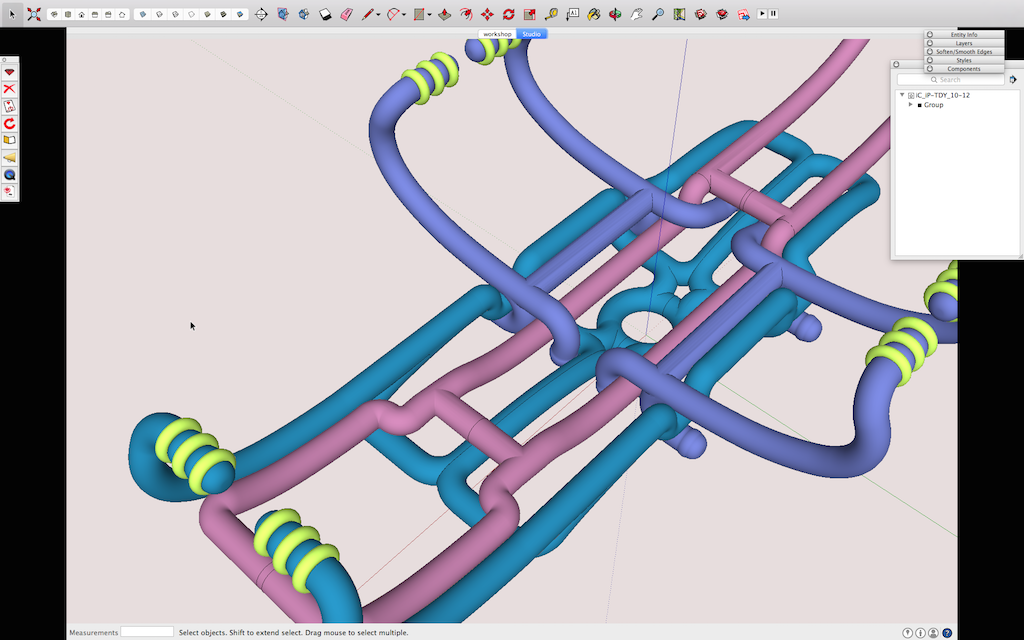
                      yos_full_Screen.png
                      john

                      learn from the mistakes of others, you may not live long enough to make them all yourself...

                      1 Reply Last reply
                      Reply Quote 0
                      • M
                        mk11
                        last edited by

                        I've been running Yosemite Beta since V3 - been having issues under 3 and 4 with SU crashing constantly when using the outliner. Beta5 made earlier this week seemed to have fixed the issue and I have not had much time to test since the final version was released yesterday. Will do some more testing over the weekend and report.

                        Marc Kleinmann
                        SU Pro 2015
                        Mac & Win

                        1 Reply Last reply
                        Reply Quote 0
                        • D
                          driven
                          last edited by

                          There is an issue with 3DText and attempting to open the Fonts window...

                          it will crash...

                          there is some old code lurking in Bugsplat as well as the 3dtext window...

                          so I guarantee a crash...

                          john

                          learn from the mistakes of others, you may not live long enough to make them all yourself...

                          1 Reply Last reply
                          Reply Quote 0
                          • W
                            Warped9
                            last edited by

                            I'm hesitant to upgrade to Yosemite until I know there won't be any problems with SketchUp.

                            1 Reply Last reply
                            Reply Quote 0
                            • D
                              driven
                              last edited by

                              I think Yosemite will be sorted long before SU....

                              learn from the mistakes of others, you may not live long enough to make them all yourself...

                              1 Reply Last reply
                              Reply Quote 0
                              • pbacotP
                                pbacot
                                last edited by

                                @driven said:

                                I think Yosemite will be sorted long before SU....

                                Heh, I think he means any MORE problems than with OSX. ๐Ÿ˜‰

                                MacOSX MojaveSketchUp Pro v19 Twilight v2 Thea v3 PowerCADD

                                1 Reply Last reply
                                Reply Quote 0
                                • Mike LuceyM
                                  Mike Lucey
                                  last edited by

                                  I'm going to tread softly with regard to upgrading to Yosemite until all the wrinkles are ironed out. In the meantime I might opt for,

                                  How to Make a Bootable OS X Yosemite USB Install Key
                                  http://www.iclarified.com/44701/how-to-make-a-bootable-os-x-yosemite-usb-install-key

                                  Support us so we can support you! Upgrade to Premium Membership!

                                  1 Reply Last reply
                                  Reply Quote 0
                                  • W
                                    Warped9
                                    last edited by

                                    All my OSX upgrades over the years went smoothly with no problems except Mavericks, and that wrinkle was minor. For some reason it failed to recognize mt wi-fi modem (a Linksys). Nothing I could do could fix it as it seemed to be an issue of compatibility. In the end I got myself an Airport Express and problem solved.

                                    Recently I upgraded to iOs8 for my iPad 2 and I find it's a bit wonky in overall perfprmance. I think it's a touch slower in response than iOs7 and Safari can be slow and unresponsive at times. Obviously bugs that need to be fixed.

                                    None of this has anything to do with Yosemite, but based on what others have said here I'll wait before upgrading.

                                    1 Reply Last reply
                                    Reply Quote 0
                                    • D
                                      driven
                                      last edited by

                                      @driven said:

                                      There is an issue with 3DText and attempting to open the Fonts window...

                                      Narrowed this down to simply trying to open the Font Dialog

                                      learn from the mistakes of others, you may not live long enough to make them all yourself...

                                      1 Reply Last reply
                                      Reply Quote 0
                                      • M
                                        mk11
                                        last edited by

                                        I'm still having an issue w the outliner crashing SU.

                                        Marc Kleinmann
                                        SU Pro 2015
                                        Mac & Win

                                        1 Reply Last reply
                                        Reply Quote 0
                                        • mariochaM
                                          mariocha
                                          last edited by

                                          @mk11 said:

                                          I'm still having an issue w the outliner crashing SU.

                                          Hum... works fine here.

                                          %(#008000)[Mario C.
                                          Every rule has exceptions, but some.]

                                          1 Reply Last reply
                                          Reply Quote 0
                                          • F
                                            freebs
                                            last edited by

                                            @driven said:

                                            does maximise make SU use Full Screen mode, or is that just me?

                                            I do use my own nib and have had Full Screen mode since v7, but it was always a separate right hand side pair of arrows...
                                            [attachment=0:2clp5p1j]<!-- ia0 -->yos_full_Screen.png<!-- ia0 -->[/attachment:2clp5p1j]
                                            john

                                            Maximize in Yosemite can be controlled: Click the green button and you'll get OS X Fullscreen mode on any app, by default. If you hold down Option while clicking the green button, you get the more familiar Maximize window, while leaving the Menus visible.

                                            1 Reply Last reply
                                            Reply Quote 0

                                            Hello! It looks like you're interested in this conversation, but you don't have an account yet.

                                            Getting fed up of having to scroll through the same posts each visit? When you register for an account, you'll always come back to exactly where you were before, and choose to be notified of new replies (either via email, or push notification). You'll also be able to save bookmarks and upvote posts to show your appreciation to other community members.

                                            With your input, this post could be even better ๐Ÿ’—

                                            Register Login
                                            • 1
                                            • 2
                                            • 3
                                            • 1 / 3
                                            • First post
                                              Last post
                                            Buy SketchPlus
                                            Buy SUbD
                                            Buy WrapR
                                            Buy eBook
                                            Buy Modelur
                                            Buy Vertex Tools
                                            Buy SketchCuisine
                                            Buy FormFonts

                                            Advertisement