Vray 2.0 DR with IES lights problem - sketch up 2014
-
Hi everyone!
I'm pretty new at using distributed rendering in Sketchup.I'm working at office with a server that every computer has access to. I have a scene mostly lighted with IES lights (wich are all located on that server) and I have nothing on my computer, all my textures are on that server. No problem for the textures.
Here is the path for textures : "Z:/Sketchup/Vray/Images/Finis intérieurs/Tuiles/XXX.jpg" and path for lights : "Z:/Sketchup/Lights/xxxx.ies"I have saved my light cache and irriadiance map files and all machines can access it - no problem.
My scene looks fine when I render on my machine. (See attached)
My problem occurs when distribution rendering is on
When I use both local machine and slaves machines, brighter spots appears where my computer has rendered. Where the slaves machine rendered there is no IES lights. (something like this (http://vray.info/tutorials/vray_distributed_rendering_and_backburner/assets/drbackburner_17.jpg)
When I render only the slaves machine there is no ied lights either. (See attached)But I used the same type of path for all the files in the scene. What am i doing wrong here??
Please help fast!!
Thank you, Amelie
Sketchup 2014 + Vray 2.00.24261
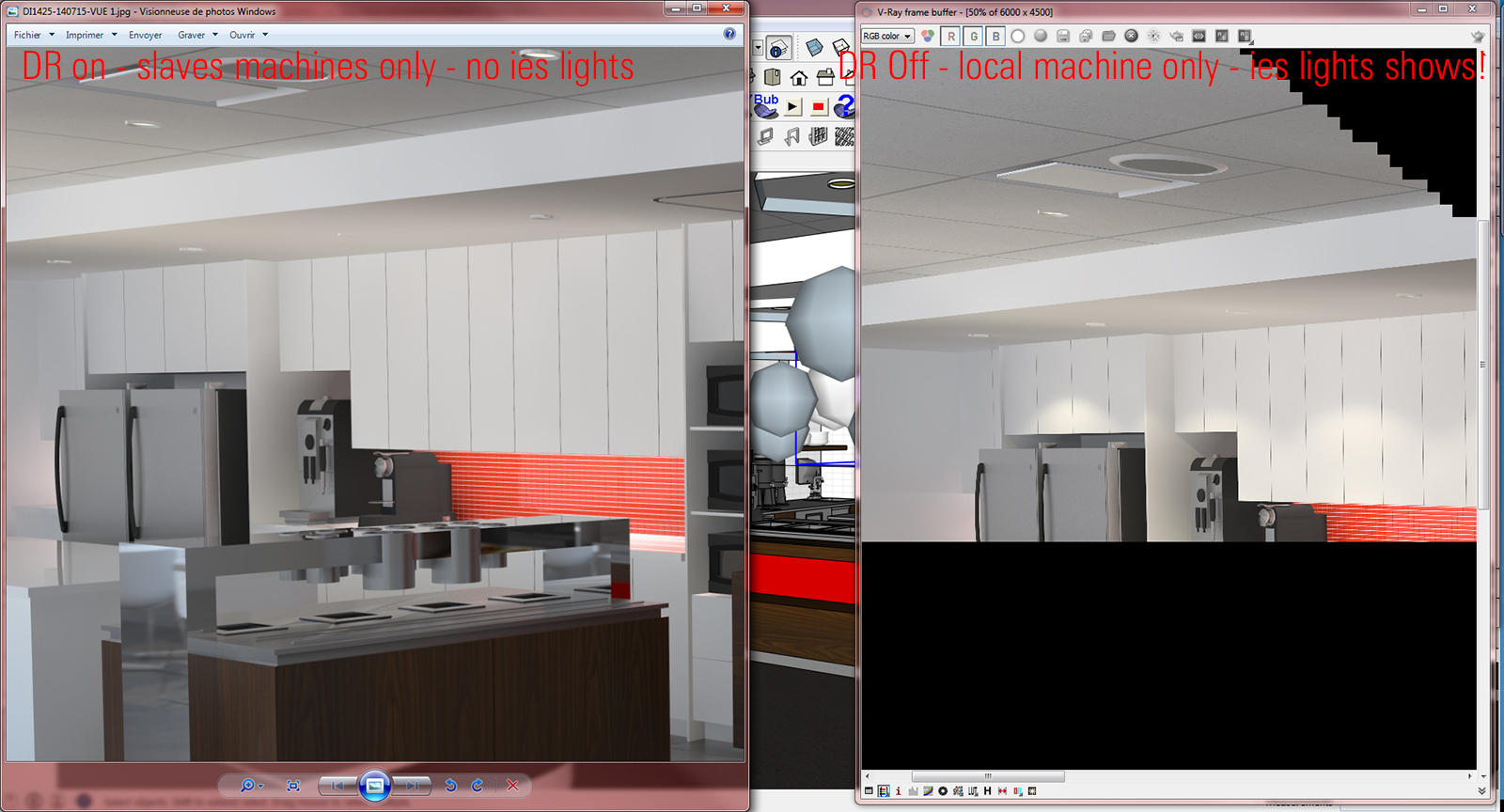
-
Are all your DR Nodes running on the latest version of V-Ray 2.0 as well?
-
Yes! all the same version
-
Im having the same issue.
and thanks for this thread got an idea how could i figure out whats wrong.
You just need to copy all the materials on both cpu.
hope it helps.
-
If you can share the file I'd like to test this out.
-
There is a solution for the bright spots. Under Settings/Color mapping tab uncheck "Sub-pixel mapping".
I don't have an answer for the IES problem. If your copy of V-ray is cracked maybe thats the issue, a bad crack...just saying...
Hello! It looks like you're interested in this conversation, but you don't have an account yet.
Getting fed up of having to scroll through the same posts each visit? When you register for an account, you'll always come back to exactly where you were before, and choose to be notified of new replies (either via email, or push notification). You'll also be able to save bookmarks and upvote posts to show your appreciation to other community members.
With your input, this post could be even better 💗
Register Login


Advertisement