sketchucation logo sketchucation
    • Login
    Oops, your profile's looking a bit empty! To help us tailor your experience, please fill in key details like your SketchUp version, skill level, operating system, and more. Update and save your info on your profile page today!
    ⚠️ Update | Sketchucation Tools 5.0.8 released with licensing improvements and bugfixes Download

    Follow me modeling problem

    Scheduled Pinned Locked Moved Newbie Forum
    sketchup
    14 Posts 6 Posters 898 Views 6 Watching
    Loading More Posts
    • Oldest to Newest
    • Newest to Oldest
    • Most Votes
    Reply
    • Reply as topic
    Log in to reply
    This topic has been deleted. Only users with topic management privileges can see it.
    • Dave RD
      Dave R
      last edited by

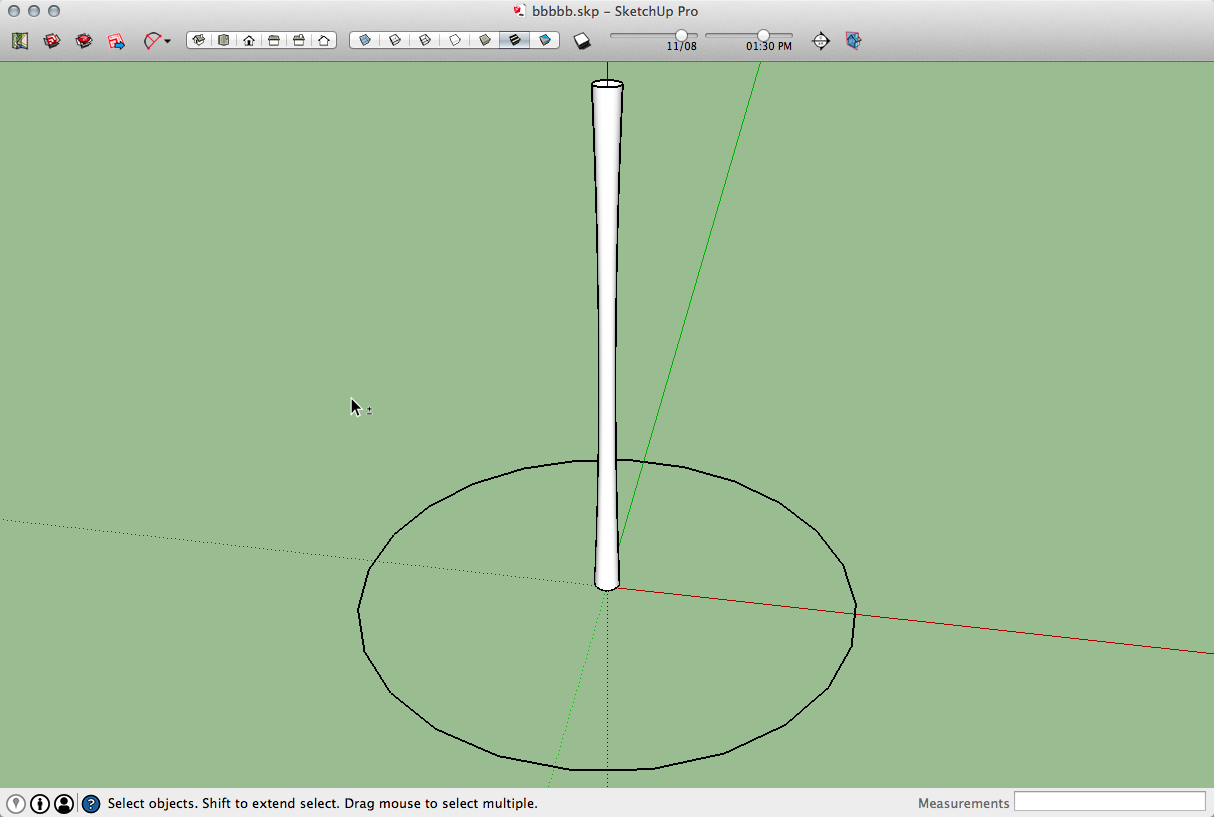
      It looks like you need some remedial training in using the Follow Me tool. I don't know what you selected as the path but it surely wasn't the circle.

      First, you don't need 100 segments in the circular path. 24 is certainly enough for no bigger than the final object is. I changed it back to 24. There's more segments than you really need in the curves on the edges of the profile but I didn't change them.

      Second, work at a scale of 10 or 100 times larger and scale down after running Follow Me. This will help you avoid gaps in the surfaces.

      Select the path, get Follow Me and click on the profile. Then correct the face orientation if the blue faces are out.
      2014-06-13_13-39-01.png


      bbbbb.skp

      Etaoin Shrdlu

      %

      (THERE'S NO PLACE LIKE)

      G28 X0.0 Y0.0 Z0.0

      M30

      %

      1 Reply Last reply
      Reply Quote 0
      • benjanowitzB
        benjanowitz
        last edited by

        Thanks guys, but I'm almost giving up...
        I've tried to put exactly at the center and it's always the same:

        Screen Shot 2014-06-13 at 17.42.35.png

        Screen Shot 2014-06-13 at 17.45.53.png

        a real mess!!

        I've attached to you the skp file, give it a look, if you want...
        Thanks!


        bbbbb.skp

        1 Reply Last reply
        Reply Quote 0
        • BoxB
          Box
          last edited by

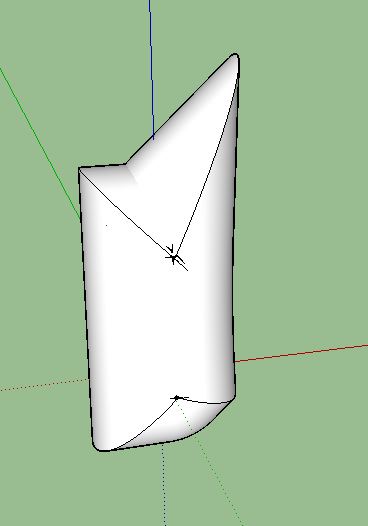
          Dave's right, I can reproduce your error by selecting the profile then the circle. You need to do it the other way around as Dave has described.

          I would think carefully about your Level Of Sketchup choice in your profile.
          How experienced you appear to be makes a difference to how questions are answered.

          Wrong order.JPG

          1 Reply Last reply
          Reply Quote 0
          • benjanowitzB
            benjanowitz
            last edited by

            Thanks everyone, I was mistaken tha way of follow me works...
            Another quick question: How do I manage to have on the bamboo the arc top, like this one:

            Untitled.png

            Instead of this:

            Screen Shot 2014-06-14 at 09.51.42.png

            Thanks again!

            1 Reply Last reply
            Reply Quote 0
            • pilouP
              pilou
              last edited by

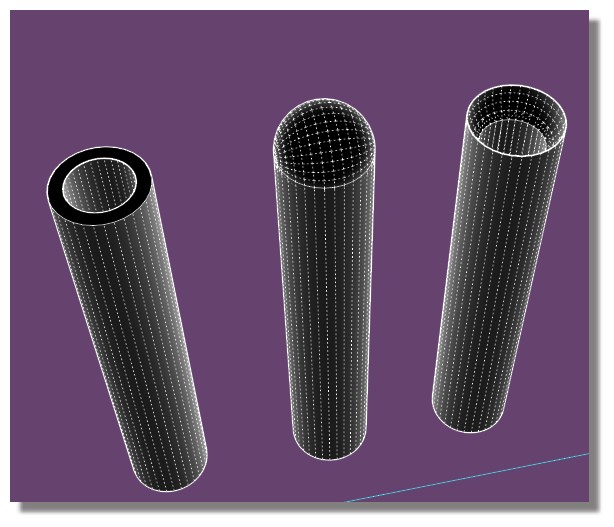
              Are you sure of your section ?
              Intersect a sphere ?
              bambou.jpg

              Frenchy Pilou
              Is beautiful that please without concept!
              My Little site :)

              1 Reply Last reply
              Reply Quote 0
              • Dave RD
                Dave R
                last edited by

                The profile in the SKP file you posted already had the required shape. Why go through another process to make it? As I wrote before, you don't need anywhere near as many segments in your curves as you've drawn. 😒

                Etaoin Shrdlu

                %

                (THERE'S NO PLACE LIKE)

                G28 X0.0 Y0.0 Z0.0

                M30

                %

                1 Reply Last reply
                Reply Quote 0
                • benjanowitzB
                  benjanowitz
                  last edited by

                  All those segments are motivated 😄

                  I usually export 2d views of my projects in PDF and then open them in Illustrator.
                  So the more segments I have the better the quality and precision of editing is.

                  1 Reply Last reply
                  Reply Quote 0
                  • Dave RD
                    Dave R
                    last edited by

                    Then, as I already told you, you'll have to scale your model up in order to get the faces to be created.

                    If you're going to use the drawing as a 2D thing, I don't see any point in making it 3D first.

                    Etaoin Shrdlu

                    %

                    (THERE'S NO PLACE LIKE)

                    G28 X0.0 Y0.0 Z0.0

                    M30

                    %

                    1 Reply Last reply
                    Reply Quote 0
                    • benjanowitzB
                      benjanowitz
                      last edited by

                      Cause I'm doing my thesis with a particular graphic approach: almost b&w or less colors possible.
                      So in order to achieve this, I have to export my "3d views", as a snapshots and then edit them on illustrator (via PDF, which is fully editable) and giving them Black fill and White lines as strokes.

                      this is an example:

                      http://www.sanrocco.info/i/axo/SR_Mistakes_Figini.jpg

                      1 Reply Last reply
                      Reply Quote 0
                      • pbacotP
                        pbacot
                        last edited by

                        This work?
                        Screen Shot 2014-06-14 at 10.41.34 AM.png
                        As far as the bamboo is concerned, the example is a 2d graphic representation--not a real 3d view. The arc in the top is suggestive, not real. To simulate you have take the 3d view, then blank out the arc in the top in AI.

                        MacOSX MojaveSketchUp Pro v19 Twilight v2 Thea v3 PowerCADD

                        1 Reply Last reply
                        Reply Quote 0
                        • benjanowitzB
                          benjanowitz
                          last edited by

                          You guys are great. Thanks everyone, seriously.
                          Yea, I know about changing colors in the Style menù, but not every object in the 3D-2D view is all black, sometimes there are some primary colors. So I have to put them on AI...

                          1 Reply Last reply
                          Reply Quote 0

                          Hello! It looks like you're interested in this conversation, but you don't have an account yet.

                          Getting fed up of having to scroll through the same posts each visit? When you register for an account, you'll always come back to exactly where you were before, and choose to be notified of new replies (either via email, or push notification). You'll also be able to save bookmarks and upvote posts to show your appreciation to other community members.

                          With your input, this post could be even better 💗

                          Register Login
                          • 1 / 1
                          • First post
                            Last post
                          Buy SketchPlus
                          Buy SUbD
                          Buy WrapR
                          Buy eBook
                          Buy Modelur
                          Buy Vertex Tools
                          Buy SketchCuisine
                          Buy FormFonts

                          Advertisement