Problem to apply a texture
-
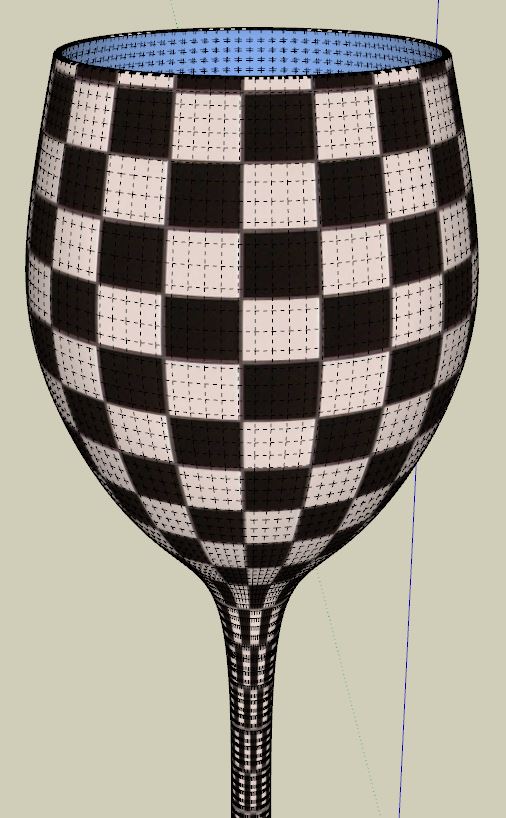
Good afternoon everyone, I'm a 20 years old french user of Sketchup since maybe one year now but I still have a problem that I can't resolve. For example, when I modelled a model with curves (like a wine glass), when I apply a texture, the texture is not applied normally on the surface, it makes like a bug or I don't know what. Here is an example in images :
[img][img]http://nsa34.casimages.com/img/2014/05/29/140529080111462686.png[/img][/img]
And I used this texture :
[img][img]http://nsa33.casimages.com/img/2014/05/29/140529080431716937.jpg[/img][/img]Is anyone can help me to find a solution so that the texture is correctly applied ?
Thank you
-
Hi, you can use Fredo's ThruPaint for that. It's a powerful tool. Choose the quadmesh option if you modelled the glass with quads.

-
Yeah, great
 Thanks very much massimo
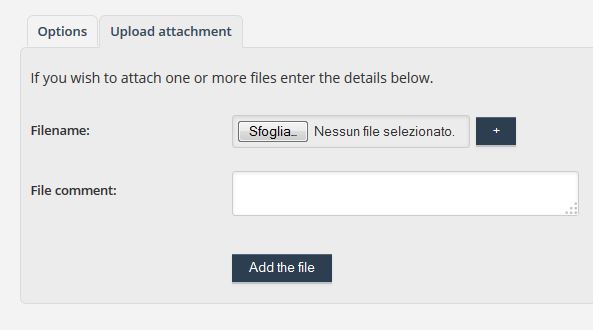
And another question, how can I view the image uploaded directly on the forum when I uploaded it ? -
Use the "upload attachment" feature when you post an image in order to upload the pic directly on the forum.
-
Oh ok ^^ Thanks a lot
I'll probably ask more questions on this forum, I so like sketchup. -

-
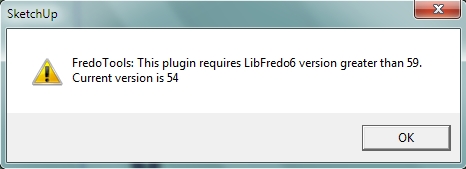
I'm sorry but I still have a problem, I can't use the plugin. I installed it without problems but when I restarted sketchup, I had this message :
How can I resolve this problem ? Do I have to download the latest version ?
-
You need this: http://sketchucation.com/forums/viewtopic.php?f=323%26amp;t=42089#p373073
and this: http://sketchucation.com/forums/viewtopic.php?f=323%26amp;t=17947#p144178I see you're on SU8 so, if you have the latest version, you can download the .rbz files and then in SU go to window-->preferences-->extensions-->click on "install extension" and then browse the files.
Or, if you want to install them manually, you can download the .zip files, unzip them and put them in the plugins folder following the correct footprint as explained in the very first posts of the two threads I linked to. -
**Well, I deleted all old files in relation with Lib Fredo in my computer and with the sketchucation plugin uninstaller and I reloaded the plugins directly in sketchup with the windows -> Preferences but, when I restart sketchup, the message is the same, it says that I have the version 5.4 but I downloaded and installed the version 5.9.
Well, whatever, I'll try later but many thanks for your help massimo
** -
It seems that something went wrong with the installation of the LibFredo. What do you have under tools-->Fredo tools-->about Fredo tools?
-
It works !! I deleted all files, downloaded the .zip version and installed it manually and I restarted sketchup and i had the launcher icon. Thanks so much for your help massimo
-
Well done Mickael.


Hello! It looks like you're interested in this conversation, but you don't have an account yet.
Getting fed up of having to scroll through the same posts each visit? When you register for an account, you'll always come back to exactly where you were before, and choose to be notified of new replies (either via email, or push notification). You'll also be able to save bookmarks and upvote posts to show your appreciation to other community members.
With your input, this post could be even better 💗
Register Login


Advertisement