sketchucation logo sketchucation
    • Login
    Oops, your profile's looking a bit empty! To help us tailor your experience, please fill in key details like your SketchUp version, skill level, operating system, and more. Update and save your info on your profile page today!
    ⚠️ Important | Libfredo 15.6b introduces important bugfixes for Fredo's Extensions Update

    [Plugin] Add comments to your file

    Scheduled Pinned Locked Moved Plugins
    104 Posts 20 Posters 20.0k Views 20 Watching
    Loading More Posts
    • Oldest to Newest
    • Newest to Oldest
    • Most Votes
    Reply
    • Reply as topic
    Log in to reply
    This topic has been deleted. Only users with topic management privileges can see it.
    • BoxB Offline
      Box
      last edited by

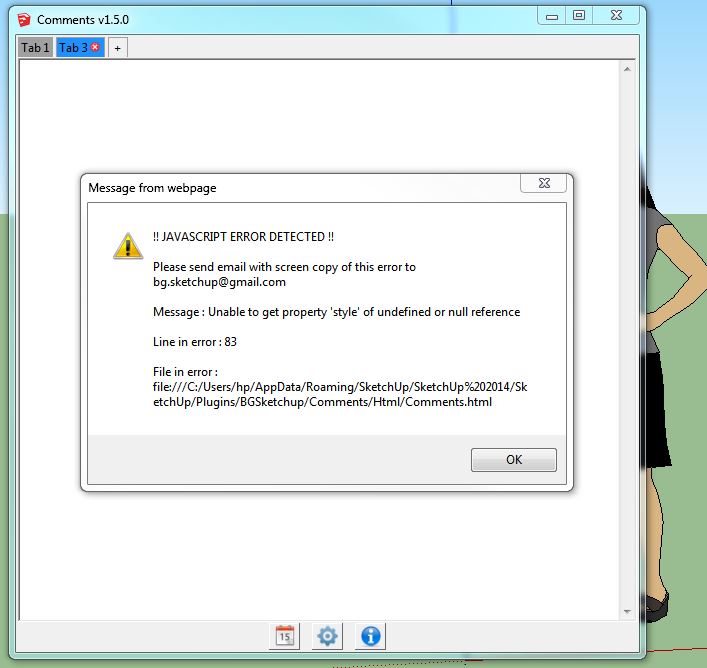
      Still getting the same error.


      Same error.JPG

      1 Reply Last reply Reply Quote 0
      • BoxB Offline
        Box
        last edited by

        Sorry, I just noticed that it has a second error, thought it was a repeat but it is a different line.
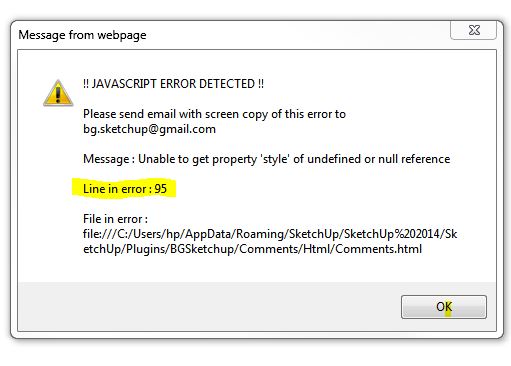

        Error95.JPG

        1 Reply Last reply Reply Quote 0
        • inteloideI Offline
          inteloide
          last edited by

          @box said:

          Sorry, I just noticed that it has a second error, thought it was a repeat but it is a different line.

          There were a lot of bugs actually... Thanks for raising the error you had.
          Version 1.5.1, just posted, corrects the tab deletion issue.

          Inteloide

          Humanity will do a huge step when the IT professionals will understand that computers are tools...

          1 Reply Last reply Reply Quote 0
          • G Offline
            glro
            last edited by

            just downloaded the 1.5.1 version

            found out you have to press on "TAB" to link a tab to a scene

            but actually no link seems to be made on my computer, because when i clic on the tab in comment window, it doesn't show the linked scene in sketchup, and when i clic on the scene tab in sketchup, it does'nt show the linked tab comment

            i am probably missing something...

            1 Reply Last reply Reply Quote 0
            • G Offline
              glro
              last edited by

              error
              @inteloide said:

              @box said:

              Sorry, I just noticed that it has a second error, thought it was a repeat but it is a different line.

              There were a lot of bugs actually... Thanks for raising the error you had.
              Version 1.5.1, just posted, corrects the tab deletion issue.

              Inteloide

              1 Reply Last reply Reply Quote 0
              • inteloideI Offline
                inteloide
                last edited by

                Hello Glro,

                Actually, the plugin should works like this : when selecting a scene in Sketchup, the linked (if defined) tab in plugin is shown.

                The opposite (when clicking on a tab in plugin, show the scene in Sketchup) is not implemented yet. I could, if you need it.

                About the javascript error you have, could you please tell me more : when do you have this error, what did you do before ?

                Inteloide

                Humanity will do a huge step when the IT professionals will understand that computers are tools...

                1 Reply Last reply Reply Quote 0
                • G Offline
                  glro
                  last edited by

                  @inteloide said:

                  Hello Glro,

                  Actually, the plugin should works like this : when selecting a scene in Sketchup, the linked (if defined) tab in plugin is shown.

                  The opposite (when clicking on a tab in plugin, show the scene in Sketchup) is not implemented yet. I could, if you need it.

                  About the javascript error you have, could you please tell me more : when do you have this error, what did you do before ?

                  Inteloide

                  when i clic on a scene tab in sketchup, it doesn't change anything in the comment window, even if i previously set a link between a comment tab and a scene tab

                  the error message i sent, i don't remember how it popped up

                  here is a new one: it appeared when i clicked on the comment button to show again the comment window, after closing it using the cross in the upper left corner
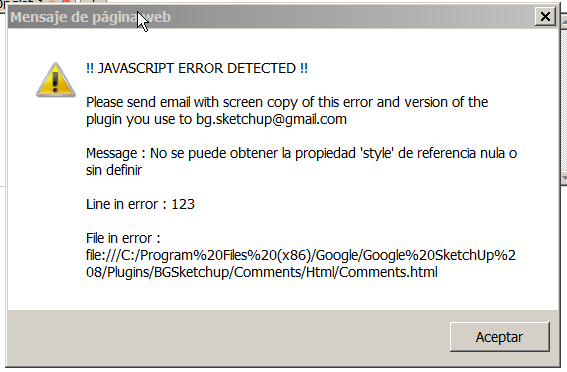

                  2014-04-06 19_07_21-Commentaires v1.5.1.png

                  1 Reply Last reply Reply Quote 0
                  • inteloideI Offline
                    inteloide
                    last edited by

                    tiiuuuu !!!!
                    I've same bug when changing the language.... not good

                    Humanity will do a huge step when the IT professionals will understand that computers are tools...

                    1 Reply Last reply Reply Quote 0
                    • inteloideI Offline
                      inteloide
                      last edited by

                      okay, version 1.5.2 should solve javascript issue.
                      About your tab-scene issue, I tried from an empty file : it works.

                      Could you please open the ruby consol window (Window/Ruby Consol) to see if error appear Inside, when setting the link and changing the scene in SU ?

                      Thank you.
                      Inteloide

                      Humanity will do a huge step when the IT professionals will understand that computers are tools...

                      1 Reply Last reply Reply Quote 0
                      • G Offline
                        glro
                        last edited by

                        @inteloide said:

                        okay, version 1.5.2 should solve javascript issue.
                        About your tab-scene issue, I tried from an empty file : it works.

                        Could you please open the ruby consol window (Window/Ruby Consol) to see if error appear Inside, when setting the link and changing the scene in SU ?

                        Thank you.
                        Inteloide

                        no error message in the ruby console ... because it works perfectly!

                        i clic on the scene tab and the comment window shows the corresponding tab, as said

                        after installation, i had to close sketchup and open it again, though; just after the installation, it didn't work

                        thank you, seems operational; i am not sure about the use of a backward link between the comment window and the scenes...

                        1 Reply Last reply Reply Quote 0
                        • inteloideI Offline
                          inteloide
                          last edited by

                          @glro said:

                          @inteloide said:

                          after installation, i had to close sketchup and open it again, though; just after the installation, it didn't work

                          I don't know how to proceed to make it work for the first time. I think, it's the same of some other extension (from other developers) I installed in the past.

                          No big problem, I think.

                          I just add an help file in first post of this thread, in pdf format.

                          Inteloide

                          Humanity will do a huge step when the IT professionals will understand that computers are tools...

                          1 Reply Last reply Reply Quote 0
                          • G Offline
                            glro
                            last edited by

                            @inteloide said:

                            No big problem, I think.

                            Inteloide

                            i agree; you just have to know it

                            the plugin seems to be ready for use; adding an active link to a web page would be nice, but the link can be added and copied/pasted in an internet browser also, so it is not very important

                            1 Reply Last reply Reply Quote 0
                            • A Offline
                              alexanor
                              last edited by

                              Great plugin!
                              Made translation for the Russian language.

                              elsif @option_langue=="ru" then
                              @strWindowName="Заметки"
                              @strButtonsTitles=["Добавить текущую дату и время", "Настройки", "О Плагине"]
                              @strModifyTabName="Настройки Вкладки"
                              @strDeleteTab="Удалить Вкладку"
                              @strButtonsTexts=["Сохранить","Отмена"]
                              @strAbout="О Плагине"
                              @strTexts=["Язык",
                              "Автоматически открывать окно, если существуют заметки",
                              "Автоматически открывать окно, даже если заметок нет",
                              "Показывать окончание заметки при открытии вкладки"]
                              @strTabName="Название Заметки: "
                              @strTab=""
                              @strSureToDeleteTab = "Вы уверены, что хотите УДАЛИТЬ эту вкладку?"
                              @strTabOptionName="Настройки вкладки"
                              @strNoLink="-- Не связывать со Сценой --"
                              @strTextsOptionsTab=["Имя Вкладки :","Связка со Сценой :","Применить","Отмена"]

                              1 Reply Last reply Reply Quote 0
                              • inteloideI Offline
                                inteloide
                                last edited by

                                Hello

                                Thanks alexanor for this translation.
                                For Glro, in version 1.5.4, I optimized the code in order have the text area more reactive.
                                I hope it will works, I just have one model at works that slow down the text area, so I cannot check at home.

                                Regards.
                                Inteloide

                                Humanity will do a huge step when the IT professionals will understand that computers are tools...

                                1 Reply Last reply Reply Quote 0
                                • inteloideI Offline
                                  inteloide
                                  last edited by

                                  See life in colors !!

                                  New version added : set colors to your tabs :
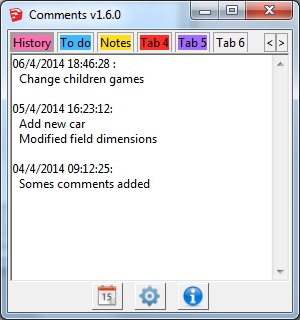
                                  Colored tabs

                                  Enjoy !

                                  Inteloide

                                  Humanity will do a huge step when the IT professionals will understand that computers are tools...

                                  1 Reply Last reply Reply Quote 0
                                  • A Offline
                                    alexanor
                                    last edited by

                                    I can not find a link to download version 1.6.1...

                                    1 Reply Last reply Reply Quote 0
                                    • inteloideI Offline
                                      inteloide
                                      last edited by

                                      Correcto !
                                      Just update the post...

                                      Inteloide

                                      Humanity will do a huge step when the IT professionals will understand that computers are tools...

                                      1 Reply Last reply Reply Quote 0
                                      • A Offline
                                        alexanor
                                        last edited by

                                        Excellent! Now it works!

                                        1 Reply Last reply Reply Quote 0
                                        • A Offline
                                          alexanor
                                          last edited by

                                          Inteloide whether you can connect to the script calculator? It would be convenient to make calculations and take notes in one window ...

                                          1 Reply Last reply Reply Quote 0
                                          • A Offline
                                            Aerilius
                                            last edited by

                                            Can't you do calculations already in the operating system's calculator, in SketchUp's Ruby Console and in various Ruby Console plugins? You can then copy&paste the calculations that you want to keep.

                                            The comments plugin is to save text that the user enters, and not to automatically evaluate and manipulate parts of the text. I think it should keep focussed to do this task well.


                                            1 Reply Last reply Reply Quote 0
                                            • 1
                                            • 2
                                            • 3
                                            • 4
                                            • 5
                                            • 6
                                            • 3 / 6
                                            • First post
                                              Last post
                                            Buy SketchPlus
                                            Buy SUbD
                                            Buy WrapR
                                            Buy eBook
                                            Buy Modelur
                                            Buy Vertex Tools
                                            Buy SketchCuisine
                                            Buy FormFonts

                                            Advertisement