2 active section planes
-
Good morning everybody
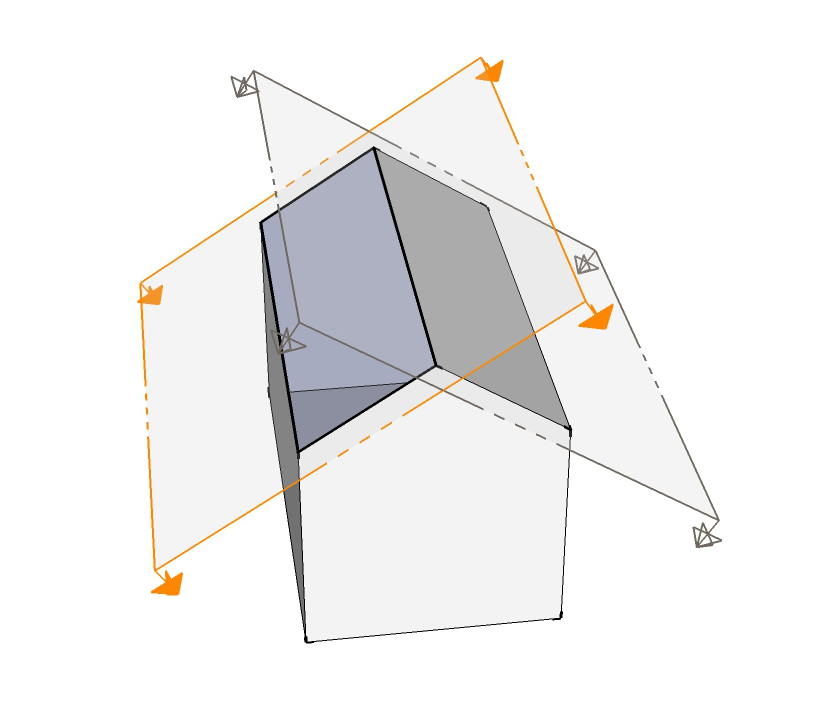
In this scene I would like to have both section planes active. Can I do this??
-
Each Group or Component can have an active section cut, if you wrap the shape in a group and place a section plane there - then exit and place another on the outside you can have multiple section planes active.
-
Thanks Thomthom!
-
and you can make some crazzy animations with them!

[flash=420,315:1elhec7v]http://www.youtube.com/v/-sQ-7dt95yw?[/flash:1elhec7v]
-
I experimented a bit with section planes in and out of groups.
This may be helpful to someone:
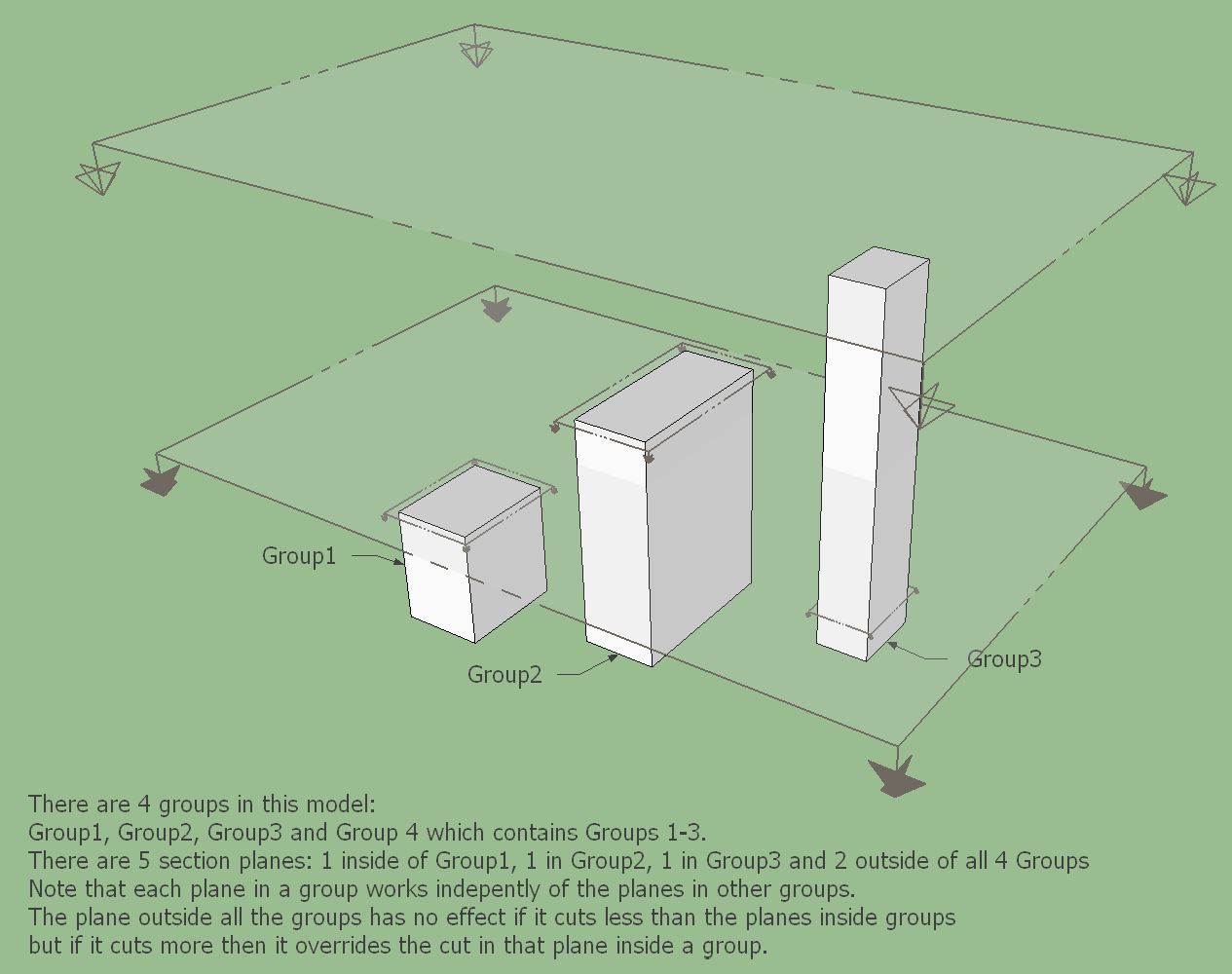
Here view cuts is off and you can see all planes.
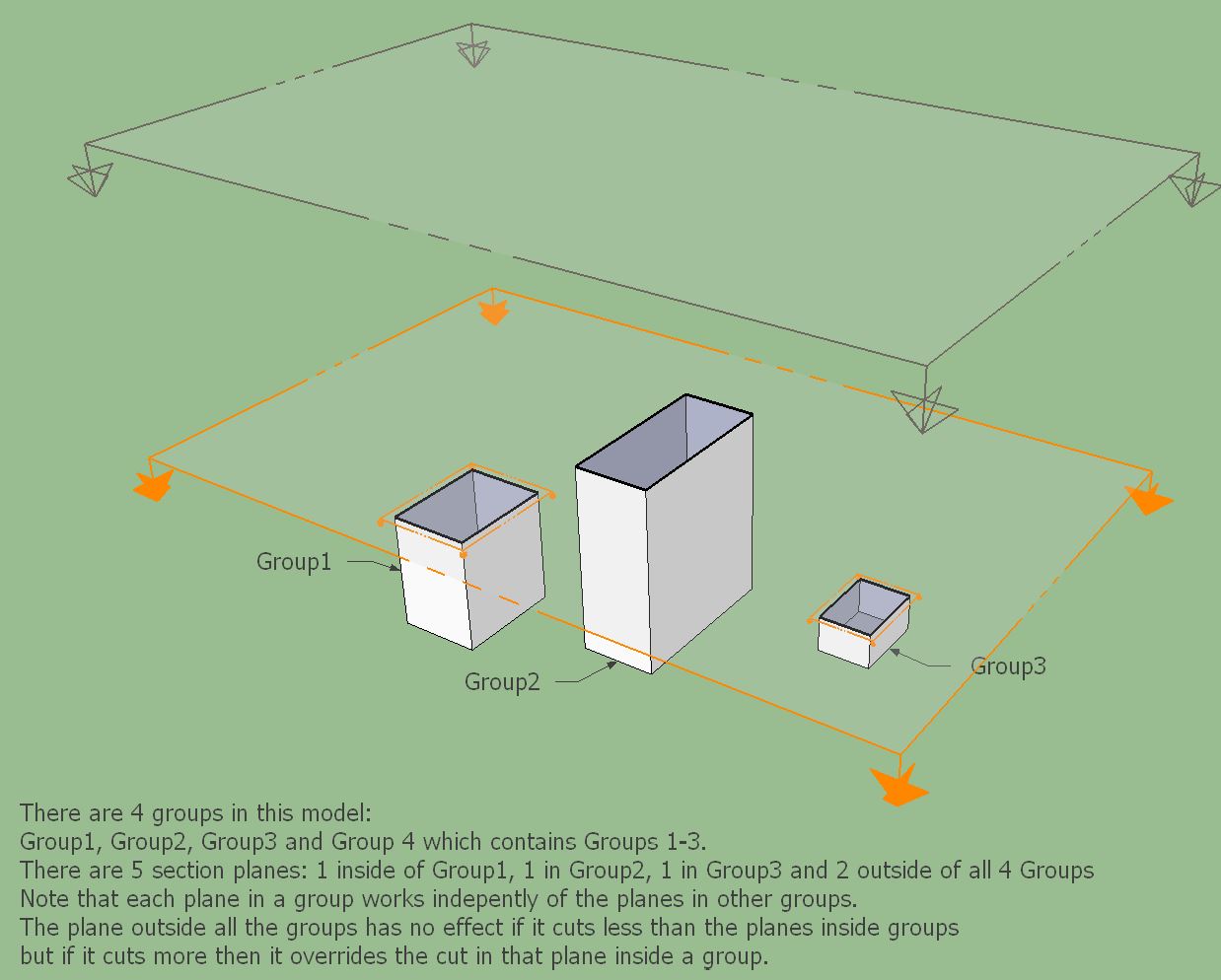
Here view cuts is on. The orange planes are active. The active plane outside all groups doesn't cut through any of the groups.
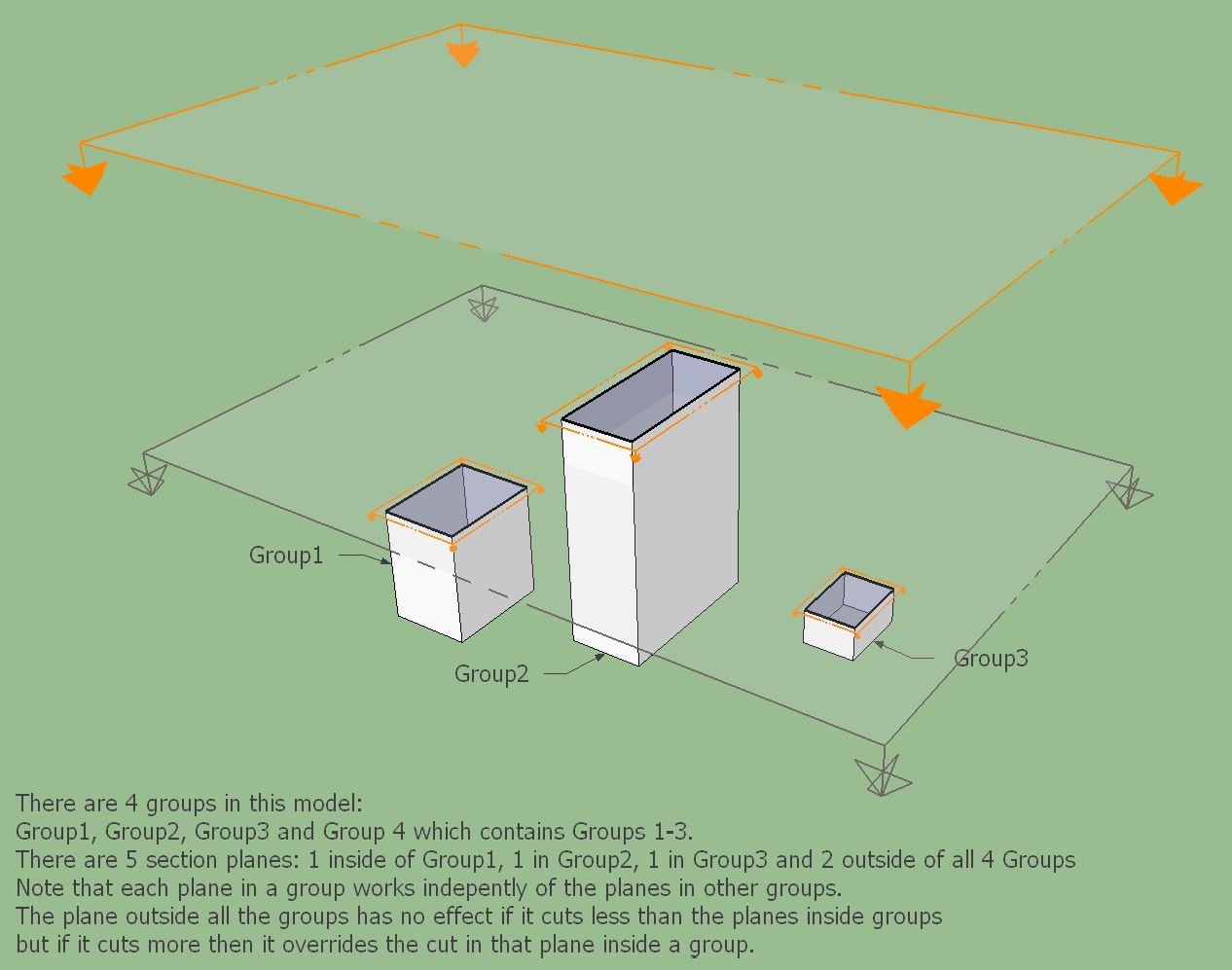
In this case another plane outside all groups is made active. You can see that it doesn't affect 2 of the groups but it overrides the cut in Group2.
-
I think Zorro 2 might help...



Hello! It looks like you're interested in this conversation, but you don't have an account yet.
Getting fed up of having to scroll through the same posts each visit? When you register for an account, you'll always come back to exactly where you were before, and choose to be notified of new replies (either via email, or push notification). You'll also be able to save bookmarks and upvote posts to show your appreciation to other community members.
With your input, this post could be even better 💗
Register Login


Advertisement