sketchucation logo sketchucation
    • Login
    Oops, your profile's looking a bit empty! To help us tailor your experience, please fill in key details like your SketchUp version, skill level, operating system, and more. Update and save your info on your profile page today!
    โš ๏ธ Important | Libfredo 15.6b introduces important bugfixes for Fredo's Extensions Update

    Extrude plugin

    Scheduled Pinned Locked Moved Plugins
    8 Posts 5 Posters 423 Views 5 Watching
    Loading More Posts
    • Oldest to Newest
    • Newest to Oldest
    • Most Votes
    Reply
    • Reply as topic
    Log in to reply
    This topic has been deleted. Only users with topic management privileges can see it.
    • M Offline
      Macker
      last edited by

      Hey guys & girls,

      I'm just creating a site plan and have all the outlines of various fences, etc draped across it and am looking to extrude them all directly upwards by 1800mm - which should give me fences that follow the contours of the land - much like how the extrude in 3ds max works on an open spline.

      I was just wondering if anybody could point me in the direction of a plugin that does such a thing, should one exist? I have had a search, and whilst I've found some wonderful extrude plugins, none of them seem to do quite what i'm after.

      Many thanks in advance.

      Check out my blog @ http://macviz.blogspot.co.uk

      1 Reply Last reply Reply Quote 0
      • massimoM Offline
        massimo Moderator
        last edited by

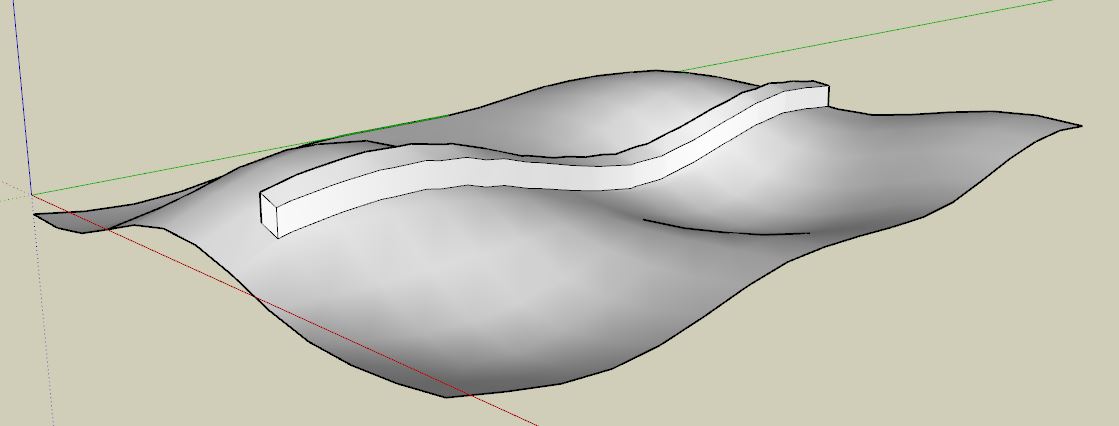
        Something like this?
        Cattura.JPG
        Use for example the "Vector Pushpull" tool of Fredo's Joint pushpull plugin.

        1 Reply Last reply Reply Quote 0
        • M Offline
          Macker
          last edited by

          Kind of, though I am working with basic lines, to create basic fences (thin, not solid), thus there is no face to select to extrude; only lines.

          Check out my blog @ http://macviz.blogspot.co.uk

          1 Reply Last reply Reply Quote 0
          • BoxB Offline
            Box
            last edited by

            Tig's Extrude edges by vector.

            1 Reply Last reply Reply Quote 0
            • massimoM Offline
              massimo Moderator
              last edited by

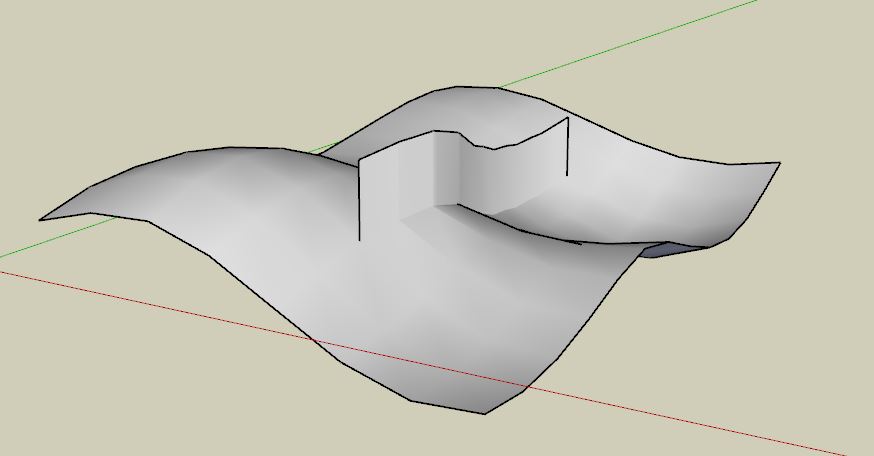
              Ok something like this then.
              Cattura.JPG
              Use for example the "extrude lines along vector" tool of Didier Bur's projection tools.

              1 Reply Last reply Reply Quote 0
              • M Offline
                Macker
                last edited by

                Exactly. Thanks guys, I'll try and find those.

                Check out my blog @ http://macviz.blogspot.co.uk

                1 Reply Last reply Reply Quote 0
                • TIGT Offline
                  TIG Moderator
                  last edited by

                  There are excellent search tools on SCF... and better ones within specific pages...
                  PluginStore > Search 'Extrude' ?

                  and 'Extrusion' and 'Loft' are also good search keys...

                  My Extrude Toolset and then there's also Fredo's CurviLoft do most of what you might hope for ๐Ÿ˜•

                  TIG

                  1 Reply Last reply Reply Quote 0
                  • cottyC Offline
                    cotty
                    last edited by

                    You will find this funtionality in many plugins... e.g.
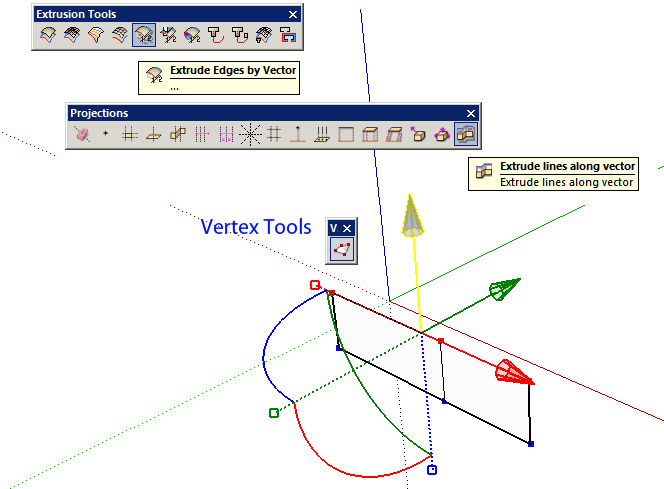

                    extrude_line.jpg

                    my SketchUp gallery

                    1 Reply Last reply Reply Quote 0
                    • 1 / 1
                    • First post
                      Last post
                    Buy SketchPlus
                    Buy SUbD
                    Buy WrapR
                    Buy eBook
                    Buy Modelur
                    Buy Vertex Tools
                    Buy SketchCuisine
                    Buy FormFonts

                    Advertisement