Can't create Dome light sharp shadows
-
I watched Fernando's webinar showcasing 1.6. I have gone through the tutorial he did on dome lights (with the exterior domelight model from spot3D). I cannot get any sharp shadows.
Are there any other settings that get changed, besides adding the HDRI map, intensity, and subdivis? I left the option editor alone except for unchecking GI and BG.
Any help?
Windows 7 sketchup 8 pro V-Ray 1.60_23366
-
It really depends on the HDRI you are using. There is a trick out there for adjusting the gamma of the HDRI image to increase the intensity of the shadows, but if the HDRI was taken, lets say, on a cloudy day, or the HDRI is low quality, then you will never get sharp shadows. Some the best HDRIs are from Peter Gunthrie. I think you can buy them on 3DOcean.
Also, check out some at http://www.hdri-hub.com/ There are some nice free ones on this site.
-
This uses Gunthrie's 1325 sun clouds - GI and BG are off, the scene is only lit by the dome light. I changed the gamma of the HDRI to .8
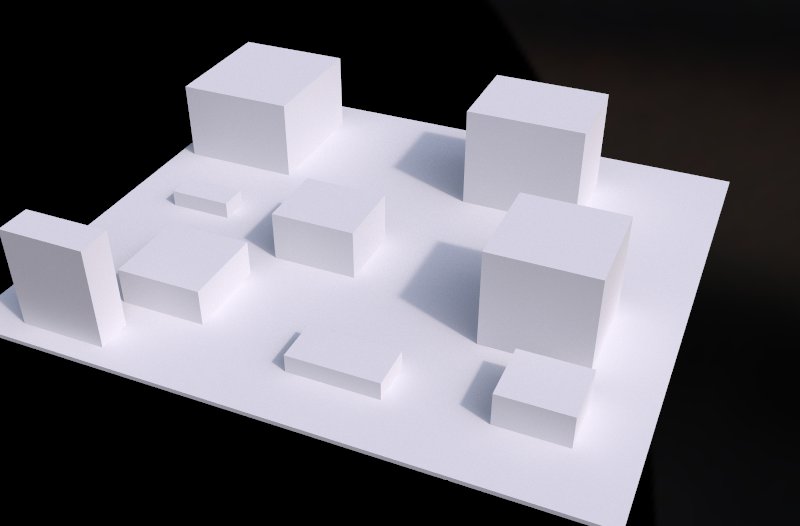
-
Valerostudio,
Great help (even with the limited info I provided). Bought the referenced HDRI image.
Adjusted the gamma, camera, and intensity.......NICE Shadows! Thanks for the help!NH
Hello! It looks like you're interested in this conversation, but you don't have an account yet.
Getting fed up of having to scroll through the same posts each visit? When you register for an account, you'll always come back to exactly where you were before, and choose to be notified of new replies (either via email, or push notification). You'll also be able to save bookmarks and upvote posts to show your appreciation to other community members.
With your input, this post could be even better 💗
Register Login


Advertisement