Problem previewing models in Google Earth
-
I haven't used Sketchup for quite a while. Just tried to open a simple model in Sketchup and preview it in Google Earth. It came up with a message saying "Configuring Google Earth" then wanted me to reboot. After I did I could not start Google Earth. The Start Menu shortcut to it was pointing to a supposed googleearth.exe file at "C:\Users\Peter\AppData\Local\Google\Google Earth\client\googleearth.exe" which does not exist. There is nothing beyond C:\Users\Peter\AppData\Local\Google. The Google Earth folder is not there.
I therefore downloaded and re-installed Google Earth. Tried to start it but once again it would not start. Checked out the new desktop icon it created and it is still pointing to the non-existent file location.
I changed that to make the target the exe file in c:\Program Files (x86)... (which is dated 12 July 2013) and can now start Google Earth. When I click Preview Model in Google Earth from Sketchup however nothing happens. Does anyone know what could be going on please? I am reluctant to install Sketchup Make at this stage for fear of introducing possible new issues.
- Windows 7
- Sketchup 8 8.0.14346
- Google Earth 7.1.1.1888
-
Peter, I just gave it a try on my windows 7 machine and didn't find any problems. Here's a screen grab from GE.
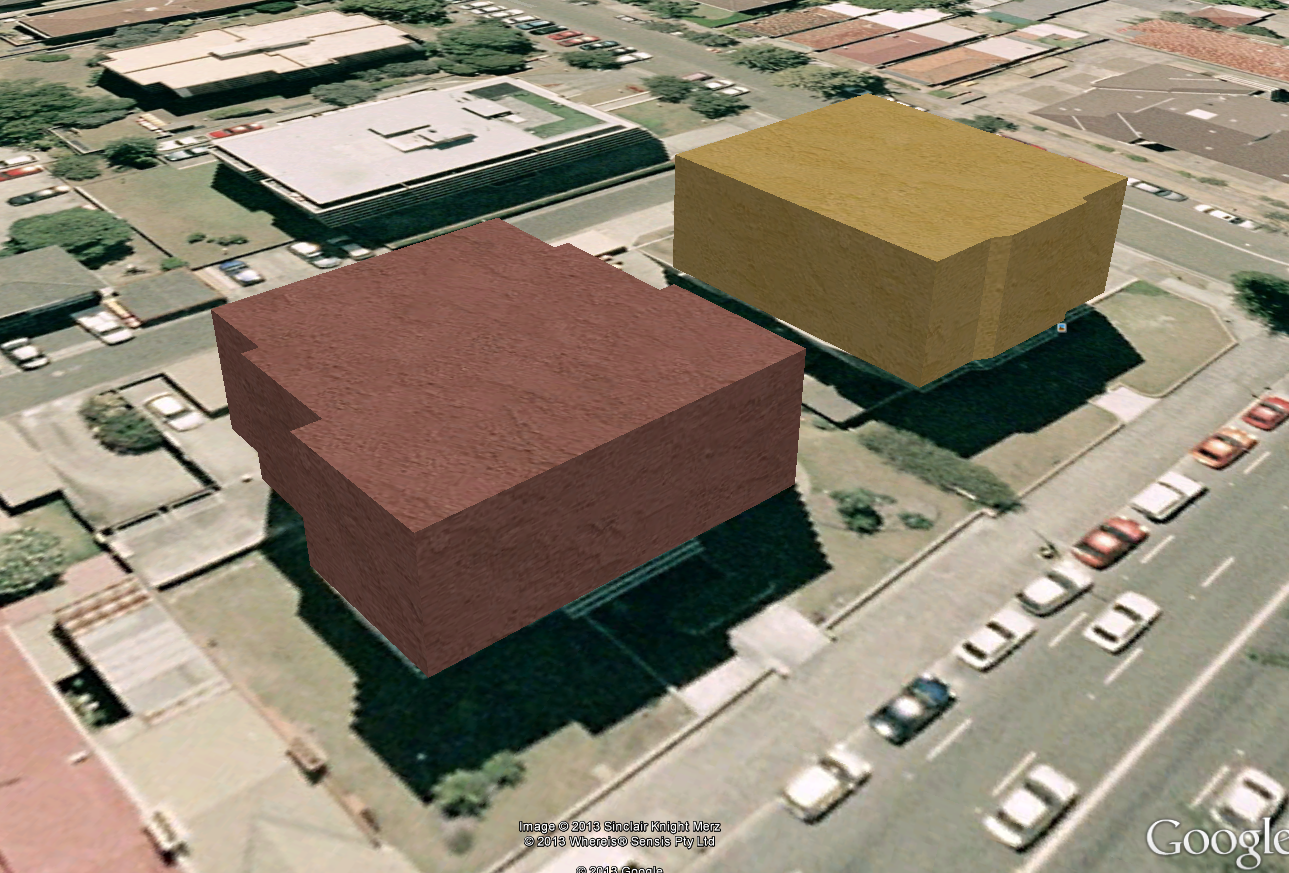
I wonder if there is some permissions issue with the folder where the preview file is stored.
-
Can you right click your Google Earth start shortcut or desktop icon and advise what the target value is please?
-
I get: "C:\Program Files (x86)\Google\Google Earth\client\googleearth.exe"
-
That's what I thought it should be.
-
This is my first try at previewing my model in G.E. G.E. opened but the model didn't show up. I'm guessing it's a permissions issue, but what folder, file do I need to have permission for?

Hello! It looks like you're interested in this conversation, but you don't have an account yet.
Getting fed up of having to scroll through the same posts each visit? When you register for an account, you'll always come back to exactly where you were before, and choose to be notified of new replies (either via email, or push notification). You'll also be able to save bookmarks and upvote posts to show your appreciation to other community members.
With your input, this post could be even better 💗
Register Login


Advertisement