sketchucation logo sketchucation
    • Login
    Oops, your profile's looking a bit empty! To help us tailor your experience, please fill in key details like your SketchUp version, skill level, operating system, and more. Update and save your info on your profile page today!
    ⚠️ Update | Sketchucation Tools 5.0.8 released with licensing improvements and bugfixes Download

    Hiding Lines

    Scheduled Pinned Locked Moved Newbie Forum
    sketchup
    14 Posts 4 Posters 857 Views 4 Watching
    Loading More Posts
    • Oldest to Newest
    • Newest to Oldest
    • Most Votes
    Reply
    • Reply as topic
    Log in to reply
    This topic has been deleted. Only users with topic management privileges can see it.
    • T
      TECHDAVE02
      last edited by

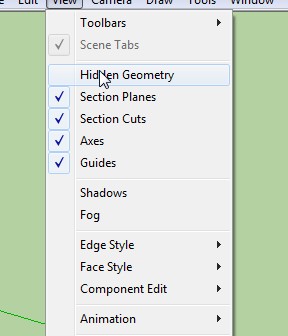
      view/hide geometry


      IMPORT TEXTURE76 Apr. 22 20.44.jpg


      hg.JPG

      1 Reply Last reply
      Reply Quote 0
      • G
        GraemeDunne
        last edited by

        Thanks TECH, but that does not work. Tried it every which way.

        1 Reply Last reply
        Reply Quote 0
        • pilouP
          pilou
          last edited by

          No it's not Hidden / Enable disable πŸ˜‰

          Maybe one method select all
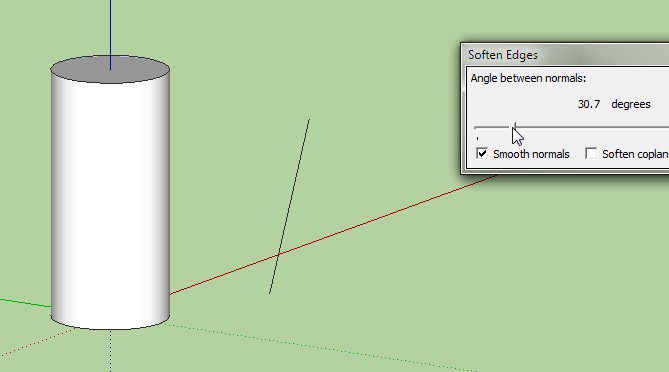
          Menu Window / Soften edges

          another one Menu View / Edge Style disable
          ...
          depending of what do you want

          Frenchy Pilou
          Is beautiful that please without concept!
          My Little site :)

          1 Reply Last reply
          Reply Quote 0
          • T
            TECHDAVE02
            last edited by

            erase tool + shift (hide) key or ctrl (smooth)

            1 Reply Last reply
            Reply Quote 0
            • G
              GraemeDunne
              last edited by

              Hmm. Menu View/ Edge Style works but it takes the edges away from other models as well. Have soften on.

              1 Reply Last reply
              Reply Quote 0
              • G
                GraemeDunne
                last edited by

                Erase shift works , but will take forever with that many lines. Was hoping for a fell swoop approach.

                1 Reply Last reply
                Reply Quote 0
                • T
                  TECHDAVE02
                  last edited by

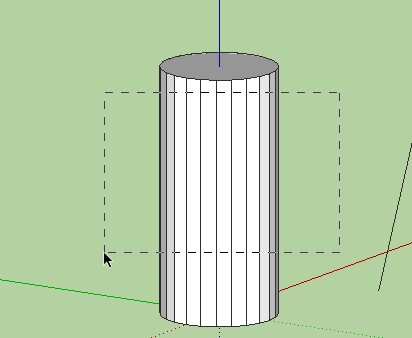
                  select LT to RT
                  left to right

                  a.JPG
                  smooth

                  1 Reply Last reply
                  Reply Quote 0
                  • Dave RD
                    Dave R
                    last edited by

                    I don't think you want to hide those edges. Instead you want to Soften/Smooth. You can Soften/Smooth in one swell foop by selecting all of the geometry, right clicking and choosing Soften/Smooth from the context menu. Very likely you won't need to do anything else.

                    If you really want to hide the edges instead of softening, you could switch to Wireframe mode, Drag a selection box around the lines, and either right click on a selected edge and choose Hide or go to Edit and choose Hide. The latter is probably easier because you don't have to be so precise about where you click to get the Edit menu open. After hiding the edges you can switch back to Monochrome or whichever face style you wish and you should see the faces but no edges.

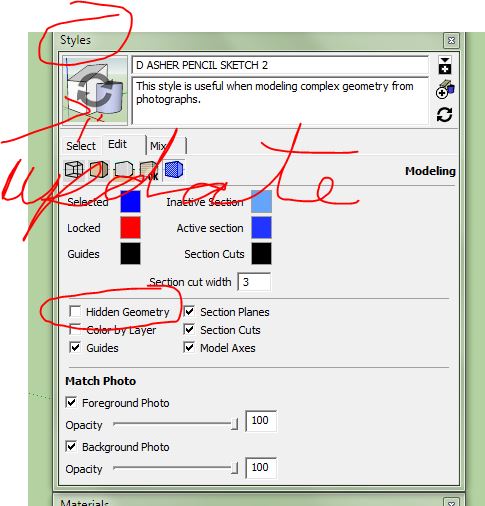
                    Neither hiding nor softening will require updating your Style as TECHDAVE indicates.
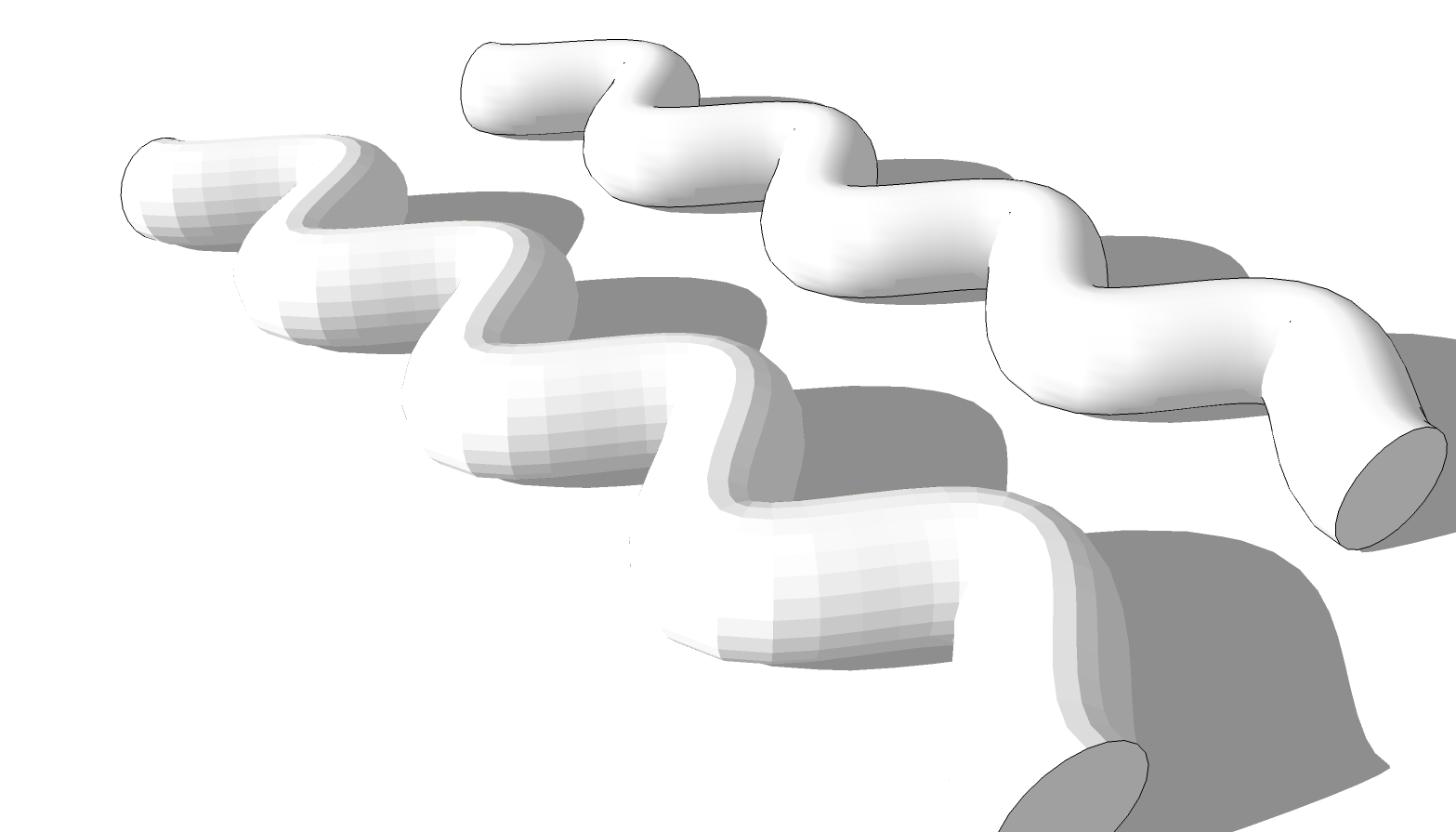
                    smooth hide.png

                    Here's a quick example of the difference between hiding edges and softening them. Hidden on the left, softened on the right

                    Etaoin Shrdlu

                    %

                    (THERE'S NO PLACE LIKE)

                    G28 X0.0 Y0.0 Z0.0

                    M30

                    %

                    1 Reply Last reply
                    Reply Quote 0
                    • G
                      GraemeDunne
                      last edited by

                      Dave. Softened them to the max and was still left with lines. Going to do the wireframe on the rest and see what happens.

                      1 Reply Last reply
                      Reply Quote 0
                      • Dave RD
                        Dave R
                        last edited by

                        Could you e-mail your SKP file to me? You shouldn't need any more than 20 or 30 degrees of softening to get those edges taken care of.

                        Etaoin Shrdlu

                        %

                        (THERE'S NO PLACE LIKE)

                        G28 X0.0 Y0.0 Z0.0

                        M30

                        %

                        1 Reply Last reply
                        Reply Quote 0
                        • G
                          GraemeDunne
                          last edited by

                          That was the ticket. Smoothing AND wireframe hiding. Complex geometry can be tricky. Thanks all.

                          1 Reply Last reply
                          Reply Quote 0
                          • Dave RD
                            Dave R
                            last edited by

                            You shouldn't need both for that shape.

                            Etaoin Shrdlu

                            %

                            (THERE'S NO PLACE LIKE)

                            G28 X0.0 Y0.0 Z0.0

                            M30

                            %

                            1 Reply Last reply
                            Reply Quote 0
                            • Dave RD
                              Dave R
                              last edited by

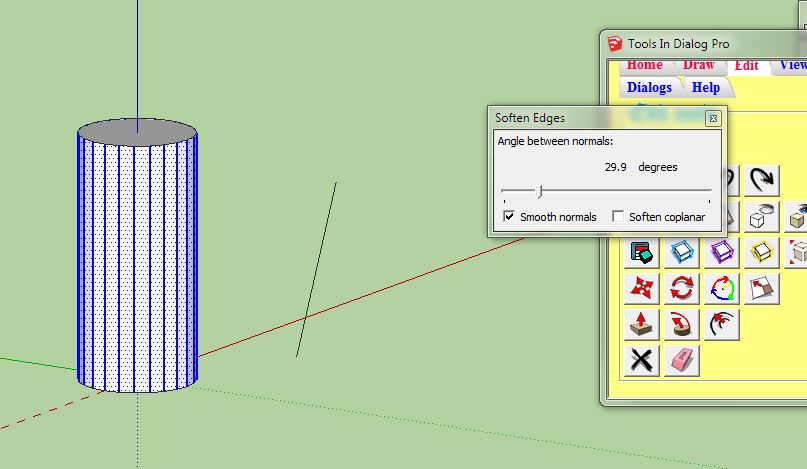
                              In case someone comes along and wonders why soften AND hide took care of it... The geometry had some coplanar edges which are what hiding got rid of. An option to hiding them would be to tick the box for "Soften coplanar" or better, simply delete those edges.
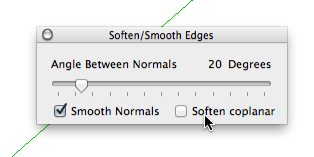
                              ss.png

                              Etaoin Shrdlu

                              %

                              (THERE'S NO PLACE LIKE)

                              G28 X0.0 Y0.0 Z0.0

                              M30

                              %

                              1 Reply Last reply
                              Reply Quote 0

                              Hello! It looks like you're interested in this conversation, but you don't have an account yet.

                              Getting fed up of having to scroll through the same posts each visit? When you register for an account, you'll always come back to exactly where you were before, and choose to be notified of new replies (either via email, or push notification). You'll also be able to save bookmarks and upvote posts to show your appreciation to other community members.

                              With your input, this post could be even better πŸ’—

                              Register Login
                              • 1 / 1
                              • First post
                                Last post
                              Buy SketchPlus
                              Buy SUbD
                              Buy WrapR
                              Buy eBook
                              Buy Modelur
                              Buy Vertex Tools
                              Buy SketchCuisine
                              Buy FormFonts

                              Advertisement