[REQ]Diagonalization
-
Anyone knows how to diagonalize a quad mesh in SketchUp like this?
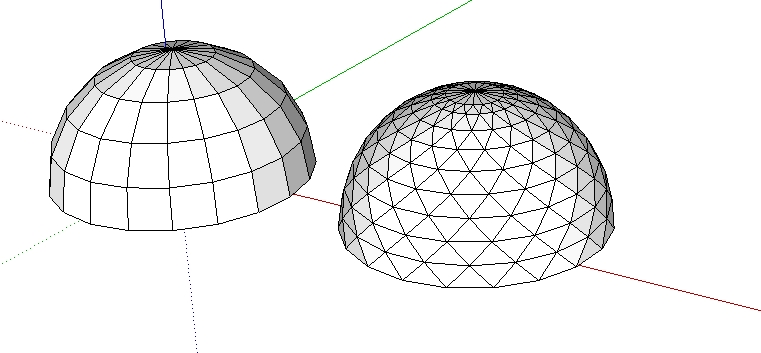
-
How about Triangular quad faces by Tig
http://sketchucation.com/forums/viewtopic.php?t=23638 -
@box said:
How about Triangular quad faces by Tig
http://sketchucation.com/forums/viewtopic.php?t=23638It's not diagonalization.You may find that its like this:
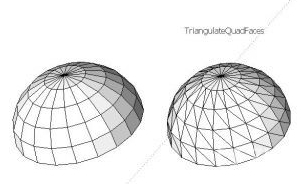
-
BUT... then you can select the facets [leaving the lowest ones unselected], Rotate tool locked flat with shift-key and snapped to top apex, rotate them by a suitable angle [depends on the number of segments in the original circle] - or snap rotate vertex to midpoint.
Then deselect the lowest selected facets etc, repeat the rotation step... repeat this until all of the facets are rotated and the facets' angles are all 'equilaterals'...
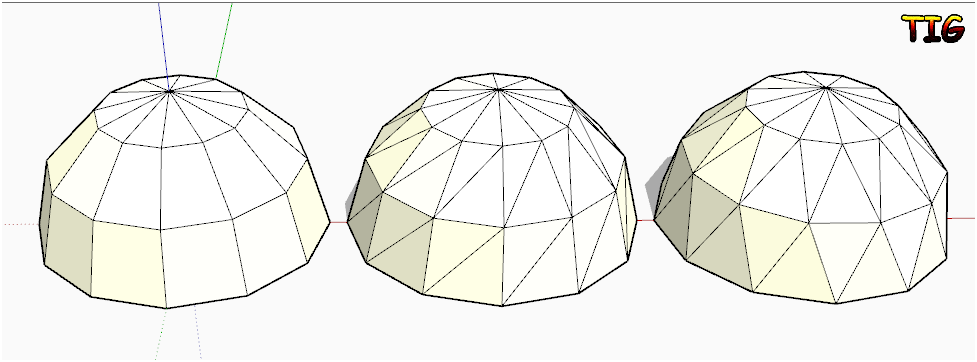
-
One subdivision with Artisan...
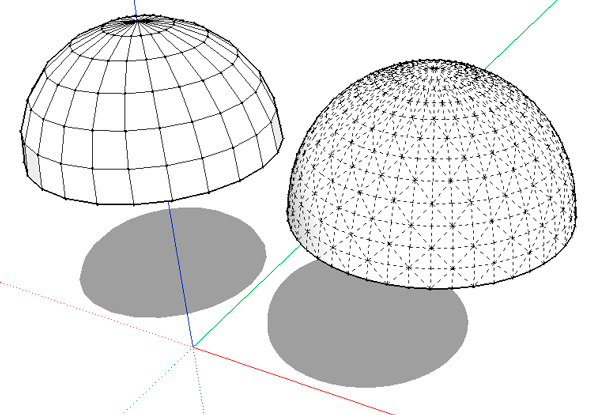
-
@tig said:
BUT... then you can select the facets [leaving the lowest ones unselected], Rotate tool locked flat with shift-key and snapped to top apex, rotate them by a suitable angle [depends on the number of segments in the original circle] - or snap rotate vertex to midpoint.
Then deselect the lowest selected facets etc, repeat the rotation step... repeat this until all of the facets are rotated and the facets' angles are all 'equilaterals'...hi,TIG,thanks for your reply. It could work for a regular shape like sphere or cylinder. If I have more complex geometry it's hard selecting specific edges one by one and rotate them. I think there must be a sort of algorithms to firstly divide mesh by hexagons or diamond pattern and then subdivide it in triangles.It could be convenient if there is ruby code, instead of using other program.



Hello! It looks like you're interested in this conversation, but you don't have an account yet.
Getting fed up of having to scroll through the same posts each visit? When you register for an account, you'll always come back to exactly where you were before, and choose to be notified of new replies (either via email, or push notification). You'll also be able to save bookmarks and upvote posts to show your appreciation to other community members.
With your input, this post could be even better 💗
Register Login


Advertisement