Text tool settings
-
Hi everyone,
I use the text tool to show the global coordonates of a point.
Is there a way to change this tool settings?
At the moment the default setting is 0,0cm, 0,0cm, 0,0cm
I would like for exemple the default presentation like:x:0.0m
y:0.0m
z:0.0mand with a frame arround it
Does anyone know if this is possible and how to do it?
thanks,
-
it is easy to change the position and content if you have the script, so post it and you may get an answer...
text size will always be your default setting...
john
-
John,
I do not have a script. I was looking for a ready made one.
If a base script does exist to modifiate this tool it would be great! I know very few thing about scripts, I am not able to make one myself unfortunatly, I can maybe adaptate one script to my problema.thanks
-
There is a SU Tool called 'TrackMouseTool', that lives in the 'Utilities' sub-menu, under the 'Tools' menu, where its called 'Query Tool'.
It show's the 'screen position' in the VCB, but is that the functions you need, but global co-ordinates as on screen text?
When you say...
@unknownuser said:
I use the text tool to show the global coordonates of a point.
I don't know what you mean, it sounds like you have something other than the SU 'Text Tool' or it has a feature I have never found/used...
If not have a look at 'Query Tool' and let us know.
john
-
Are you asking if there is a way to change the global coordinate display to a vertical column, rather than a comma delimited string? And do you mean only a momentary display, or generate permanent graphics/text in the modelspace?
-
Hi
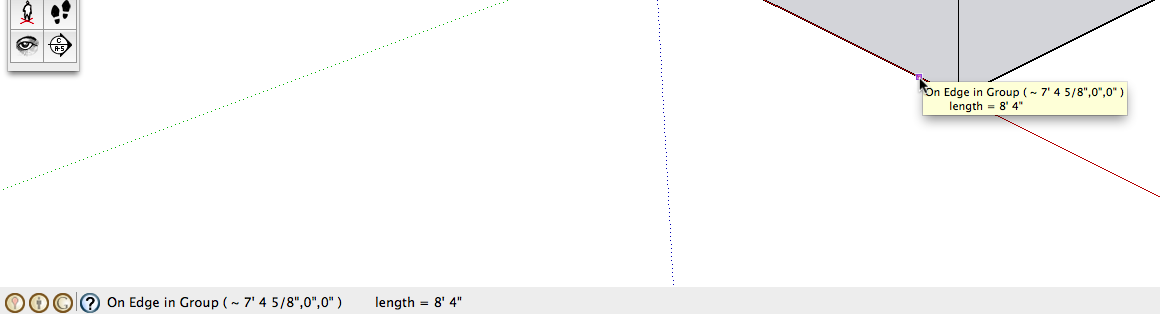
I had a look at both 'Text tool' and 'Query Tool' and they do the same thing, except the co-ords are on the status bar at the bottom in 'Query Tool' ,
I added a 'screen text' output to it , but it changes so often it become a mess...
I think, try the standard one and report from there... john
-
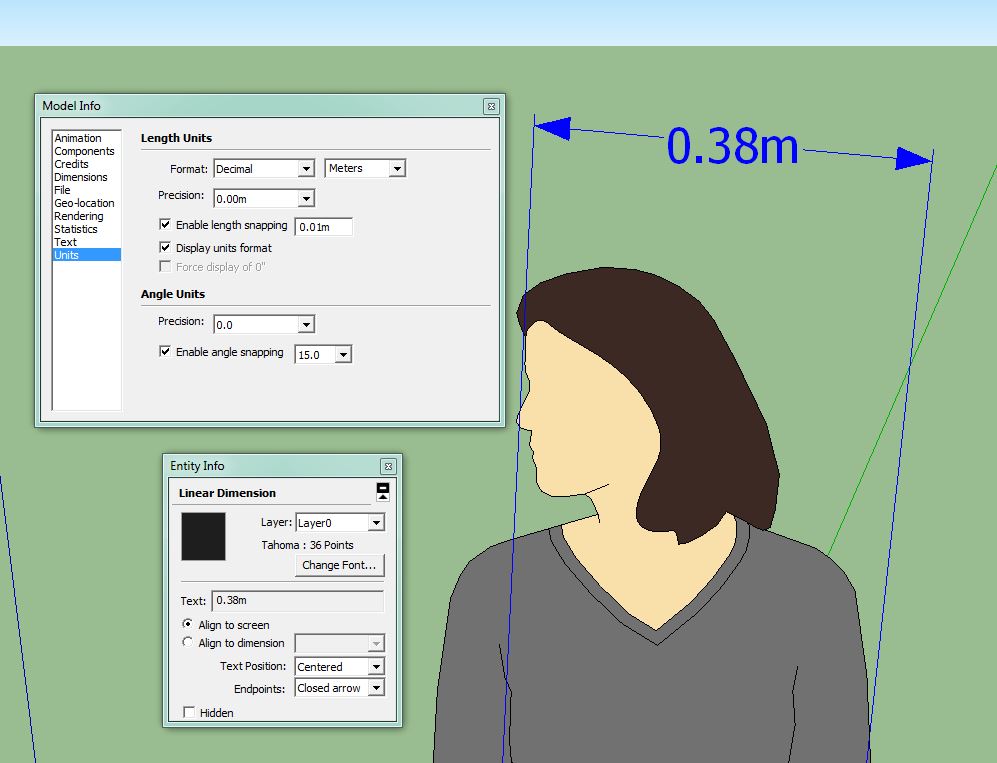
You can change it from 0.0cm to 0.0m by going Window/Model info/units and change the format to meters.
The "." and "," are part of your main settings of your PC. The european standard is comma while "english" is point.
I don't think you can have a box around it.
You can change font size and colour using edit from entity info.
-
-
There are several scripts to do this.
Coordinates [from Datum], Heights etc.
Several are by me...
Search the Plugins list...
You could process the xyz values you add to the text-object etc to be displayed in any units/dps/suffix desired, ignoring the model unit settings... -
Thank you !
I found the plugin that answer my question.
I used "Coords Text Tag from Datum v2.2" from TIG .
I can use only Z or XYZ coordinates.Unfortunatly the coordinate does not update itself when I move it...
-
http://sketchucation.com/forums/viewtopic.php?p=193238#p193238
adds a Z value above a datum.
That changes as the text is moved in the Z...



Hello! It looks like you're interested in this conversation, but you don't have an account yet.
Getting fed up of having to scroll through the same posts each visit? When you register for an account, you'll always come back to exactly where you were before, and choose to be notified of new replies (either via email, or push notification). You'll also be able to save bookmarks and upvote posts to show your appreciation to other community members.
With your input, this post could be even better 💗
Register Login


Advertisement