How to use emitters in Maxwell Standalone for Sketchup
-
Also, Emitters are only going to emit in the direction of the normals -- which means the "front" of the polygon.
So to recap, the short checklist for emitters working right is:
- Is the geometry to real-world scale?
- Is the camera exposure value realistic?
- Are the surface normals pointing in the direction you want light to emit?
In addition to that there are also some limits to emitters as far as their use in components -- However, there are a number of emitter related changes availible in the the latest pre-release preview (2.6.3) on the Maxwell forums and I do recommend you download that and see if that fixes the issue.
Best,
Jason. -
Thanks to all! I'll give it a try.....
-
are there MXM files with IES in the maxwell material gallery? this far i haven't figuered out how to create a spot light with the maxwell standalone sketchup plugin

-
@carloh said:
are there MXM files with IES in the maxwell material gallery? this far i haven't figuered out how to create a spot light with the maxwell standalone sketchup plugin
The newest version of the plugin supports creating IES materials directly within SketchUp (as an embedded character type material) -- I would re-download the plugin (from the Maxwell website) to get the new features. Also, I would check the Maxwell forum regularly for the latest pre-release version (which right now is 2.6.11) because often they will be newer than what is available from the Maxwell website: http://www.maxwellrender.com/forum/viewforum.php?f=107
Best,
Jason. -
thank you very much jason! wooohooo finally the possibility to put IES in my scenes!
and i was this close to buying the full render suite just for IES lights

-
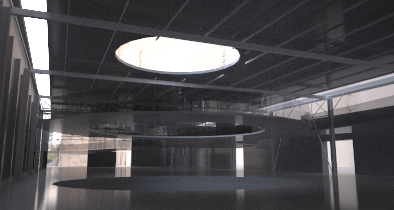
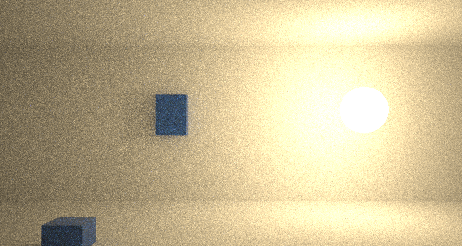
I'v been reading all the previous, but I'm still having problems with my lights. I'm using Sketchup pro 8 an the Maxwell plugin only. I added a test-render (attachment: test 7), in which I used no artificial light. Obviously, it needs some artificial light, but I've been trying emitters (on a rectangle) and an IES (on as spere) but it keeps on turning black. I've tried reversing the material, but nothing worked so far.
Stupid thing though: in a test-setup I made (attachment: test 2), the lighst do work (although I'm still struggling with the settings)
Please help!!!
-
intensity too low? Maybe try with multilight.
Did you try bouth face orientations? Some time ago a had the problem that emitter faces got reversed on export.
-
Hi, I am a newbie to Maxwell - I have the free Maxwell render plug-in for SU.
I have read all the above posts and I appear to have the same problem as many.
I am working in an outdoor scene.
I read the whole of the manual that is relevant to the above and followed the guidelines, but I'm not getting any light emission from geometrical objects created. I applied light emitters to each face of planar emitters and then made them a group but still no light. I tried various means: such as IES lights, customised emitters, daylight and 1000W lighting.
I have HDRI loaded as background and also in associated channels, reflectance, etc. Can this affect the light emitters? But I did disable the HDR at one point.
Many thanks in anticipation for help with this.
-
Sketchfield, check units and scale of the objects in your 3d model, make sure that you are working with real scale and the size of objects correspond with units used...
best
V -
Thanks for the prompt response novena - the objects scales certainly need to be reviewed and revised. I will give it a go ... here's hoping!
-
Interesting one - under materials texture I clicked 'Link to Application' instead of 'Texture' and hey presto! we have light. Link to application seems to give a more exact fit with the selected material, emitter, etc, but correct me if I'm wrong.
I also had to review a range of things like the exposure values, scale of objects and so on. Trial and error the order of the day! Thanks again.
-
good to hear that it's solved!!!

interesting the issue with 'link to application' and 'texture' will give it a try myself
best
V -
Just wondering is anyone knows how to hide Emitters from the camera so you get the light but not the geometry that it is coming from.
-
@skippy_28 said:
Just wondering is anyone knows how to hide Emitters from the camera so you get the light but not the geometry that it is coming from.
Hey, right click the component, you'll see a sub menu, go to Maxwell, another sub menu will appear, select 'from camera', there's a few other options in there too for invisibility, for example, if you want to illuminate an area and there are windows/mirrors and you don't want the actual source of light to be visible in the reflections, then you'd need to enable 'from reflections/refractions' too.
Anita




Hello! It looks like you're interested in this conversation, but you don't have an account yet.
Getting fed up of having to scroll through the same posts each visit? When you register for an account, you'll always come back to exactly where you were before, and choose to be notified of new replies (either via email, or push notification). You'll also be able to save bookmarks and upvote posts to show your appreciation to other community members.
With your input, this post could be even better 💗
Register Login


Advertisement