sketchucation logo sketchucation
    • Login
    Oops, your profile's looking a bit empty! To help us tailor your experience, please fill in key details like your SketchUp version, skill level, operating system, and more. Update and save your info on your profile page today!
    🚨 Skimp | 25% Off until March 30 Buy Now

    Stop SketchUp from asking to save file before closing?

    Scheduled Pinned Locked Moved Developers' Forum
    7 Posts 5 Posters 479 Views 5 Watching
    Loading More Posts
    • Oldest to Newest
    • Newest to Oldest
    • Most Votes
    Reply
    • Reply as topic
    Log in to reply
    This topic has been deleted. Only users with topic management privileges can see it.
    • renderizaR Offline
      renderiza
      last edited by

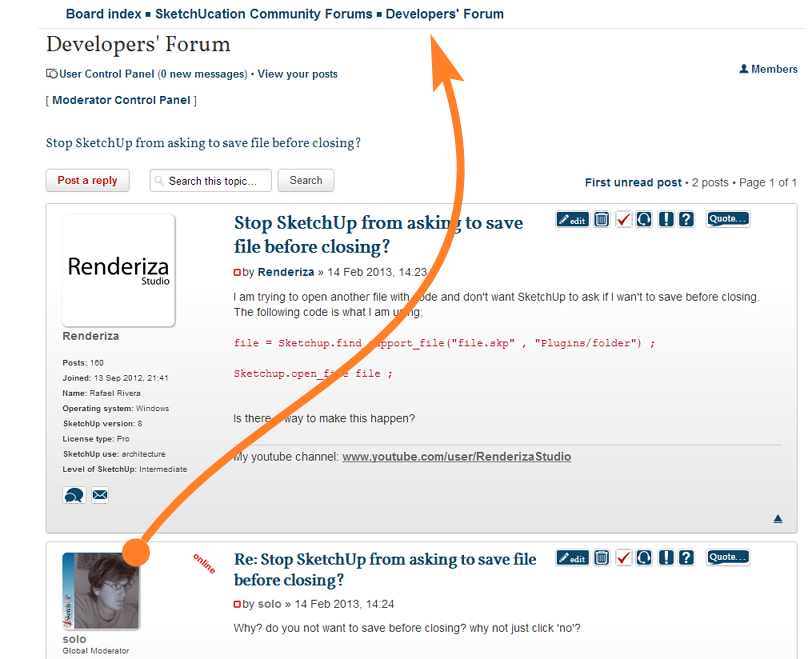
      I am trying to open another file with code and don't want SketchUp to ask if I wan't to save before closing. The following code is what I am using;

      ` file = Sketchup.find_support_file("file.skp" , "Plugins/folder") ;

      Sketchup.open_file file ;`

      Is there a way to make this happen?

      [url=https://www.sketchupcode.com/:z3kqsidd]My Extensions ...[/url:z3kqsidd]

      1 Reply Last reply Reply Quote 0
      • soloS Offline
        solo
        last edited by

        Why? do you not want to save before closing? why not just click 'no'?

        http://www.solos-art.com

        If you see a toilet in your dreams do not use it.

        1 Reply Last reply Reply Quote 0
        • Rich O BrienR Offline
          Rich O Brien Moderator
          last edited by

          Get out while you can Pete

          Image 1.png

          Download the free D'oh Book for SketchUp πŸ“–

          1 Reply Last reply Reply Quote 0
          • massimoM Offline
            massimo Moderator
            last edited by

            πŸ˜†

            1 Reply Last reply Reply Quote 0
            • renderizaR Offline
              renderiza
              last edited by

              Hi, currently working on a platformer type game and want to modify the 'KeyScene' plugin that I previously made to work as the menu interface for the game. Here is link to that plugin just in case; http://sketchucation.com/forums/viewtopic.php?t=49027

              Lets say I click start and then select a level I don't want SketchUp to disrupt the flow of the game to open the file that contains that level.

              [url=https://www.sketchupcode.com/:z3kqsidd]My Extensions ...[/url:z3kqsidd]

              1 Reply Last reply Reply Quote 0
              • Z Offline
                Zollus
                last edited by

                Based on what I found at http://sketchucation.com/forums/viewtopic.php?f=180&t=23321&start=0
                It looks like you could call a file revert via

                Sketchup.send_action(21485)
                

                But this only seems to work if you were working with an existing file instead of a new file.

                Alternatively, you could do something like performing a save-as to a junk location

                Sketchup.active_model.save("C;/DeleteMe.skp")
                

                But not ideal if you are working with a larger model that takes a while to save.

                Hope this helps!

                1 Reply Last reply Reply Quote 0
                • renderizaR Offline
                  renderiza
                  last edited by

                  Thank you so much...This solved my problem!

                  The one I am using is your second suggestion since the revert method didn't produce what I wanted. The time it takes to save is not much so I am happy.

                  Again thanks!

                  [url=https://www.sketchupcode.com/:z3kqsidd]My Extensions ...[/url:z3kqsidd]

                  1 Reply Last reply Reply Quote 0

                  Hello! It looks like you're interested in this conversation, but you don't have an account yet.

                  Getting fed up of having to scroll through the same posts each visit? When you register for an account, you'll always come back to exactly where you were before, and choose to be notified of new replies (either via email, or push notification). You'll also be able to save bookmarks and upvote posts to show your appreciation to other community members.

                  With your input, this post could be even better πŸ’—

                  Register Login
                  • 1 / 1
                  • First post
                    Last post
                  Buy SketchPlus
                  Buy SUbD
                  Buy WrapR
                  Buy eBook
                  Buy Modelur
                  Buy Vertex Tools
                  Buy SketchCuisine
                  Buy FormFonts

                  Advertisement