Project one surface on multiple groups projected
-
Hi!
i have a quick question.
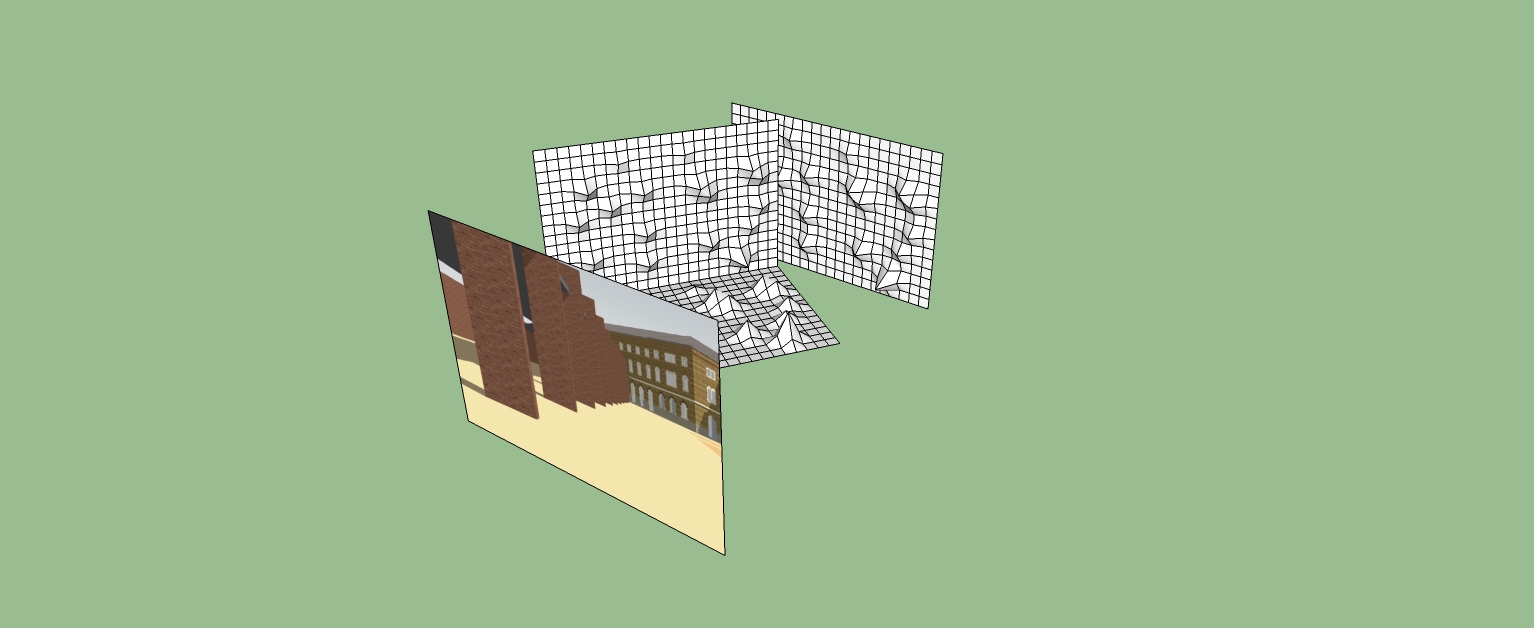
As you can see in the image i have a surface with a texture and behind i have 3 groups. Now i would like to project the texture on these surfaces in the back, but really project it normal. to make something like the artist felice varini (bit.ly/RYgrIt).
And since my real model exists of a lot of different groups and components...
If sketchup cant do it, which program can?

i need it to make a rendering, the workshop ends tomorrow.
thanks in advance! btw, skp8 pro is installed
-
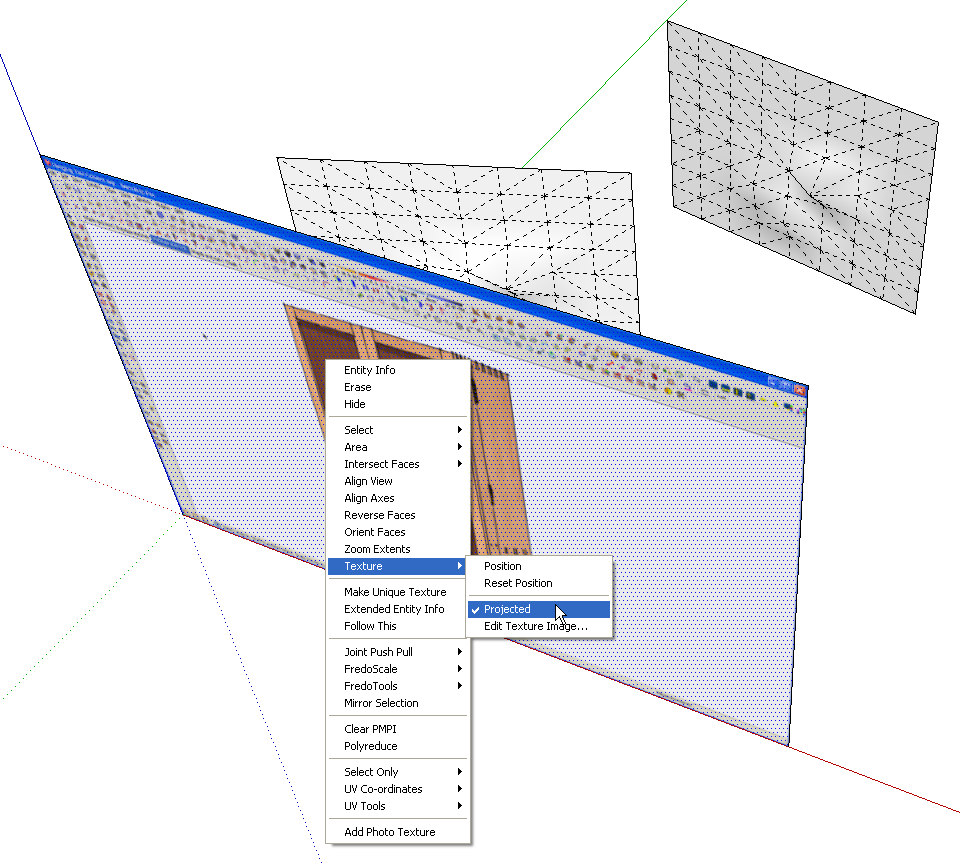
Right click on the face with the texture. Choose Projected.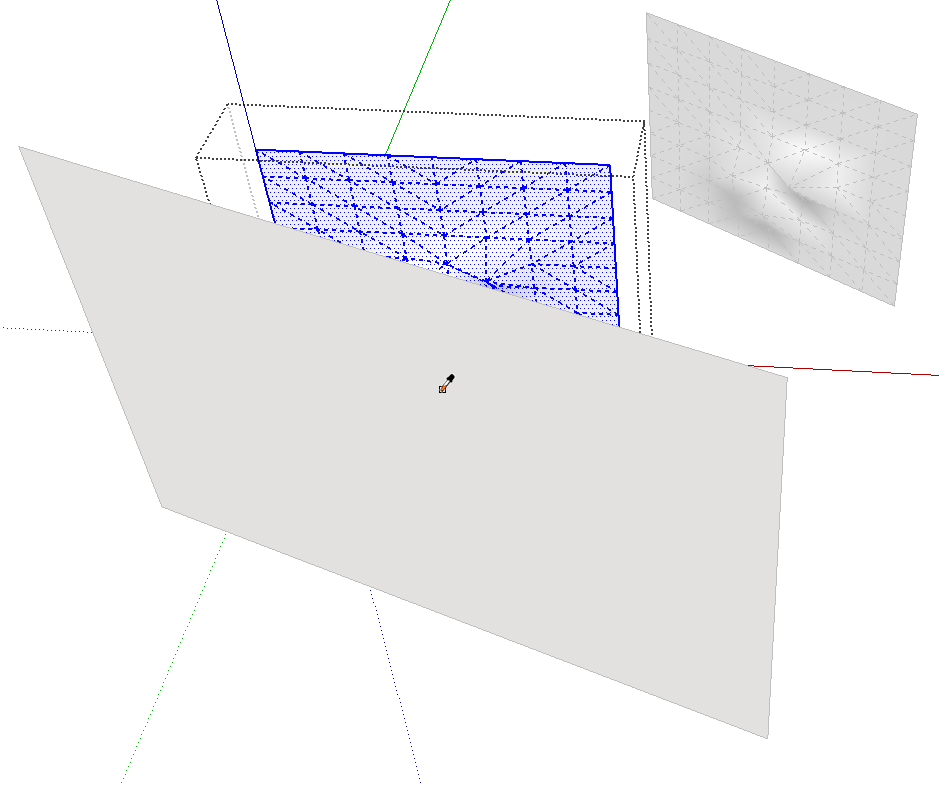
Open a group or component for editing. Triple click with Select when you do this to select all of the geometry. Get the eyedropper from the Materials browser or the Paint Bucket and hold Alt (Command on the Mac) and click on the face with the texture. You can't see the texture image but SketchUp can.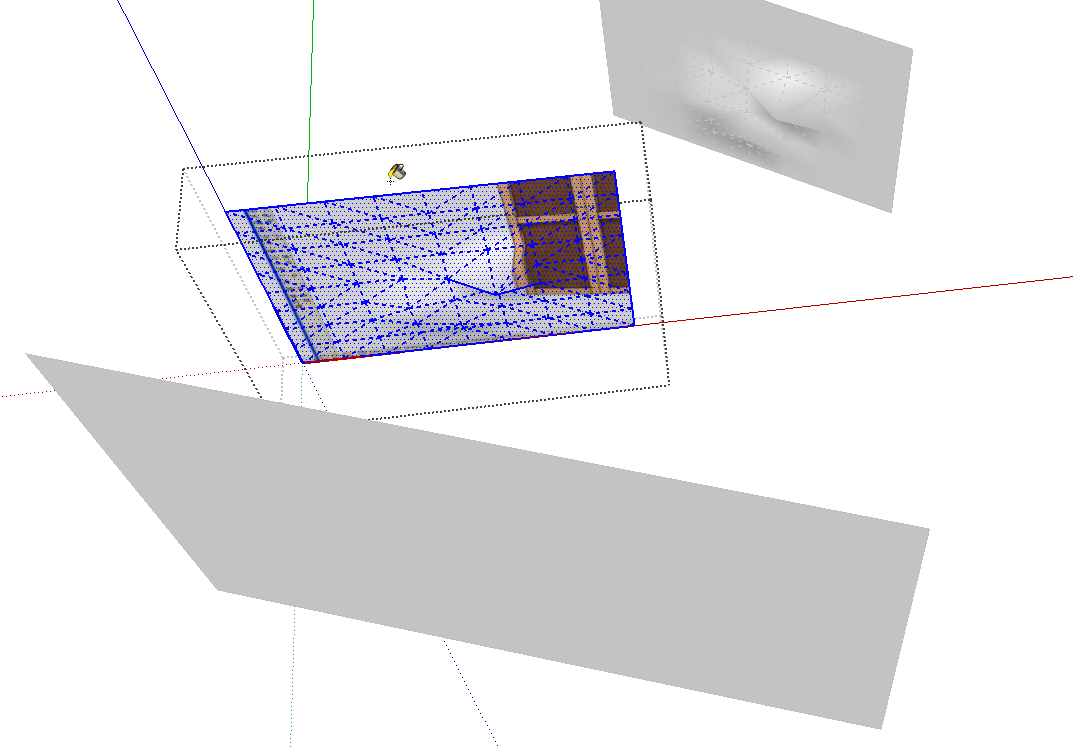
The tool will revert to the bucket. Click on the selected faces to apply the material.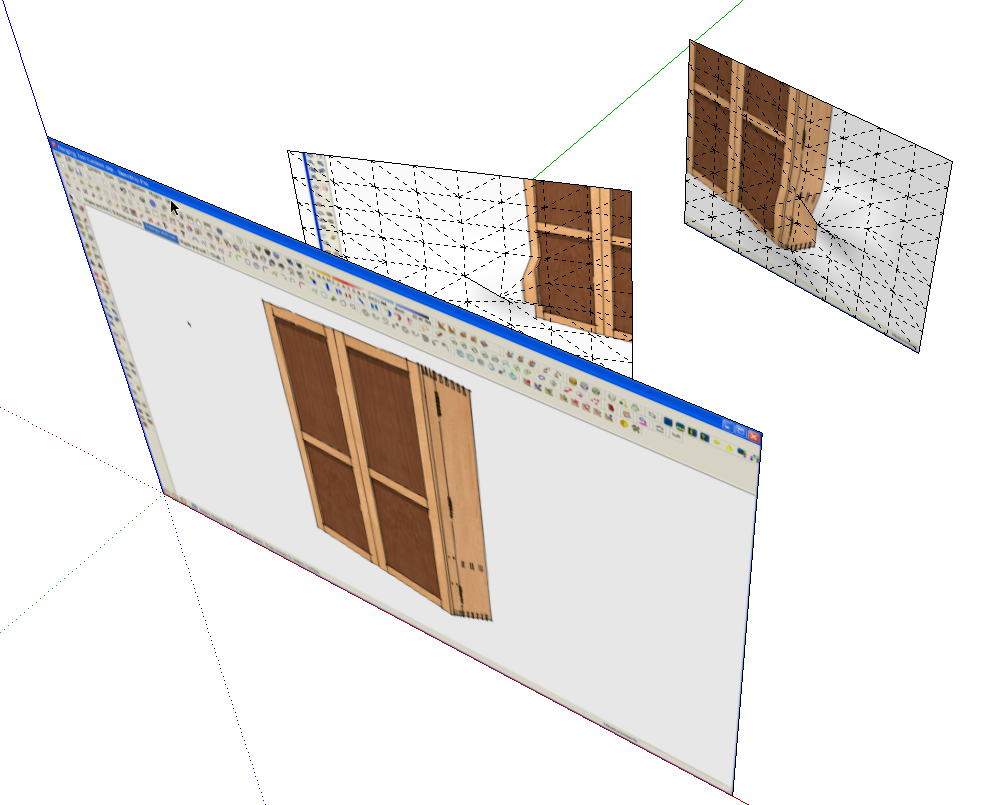
Rinse and repeat as needed for each group or component.Done.
-
really cool, thanks!

Hello! It looks like you're interested in this conversation, but you don't have an account yet.
Getting fed up of having to scroll through the same posts each visit? When you register for an account, you'll always come back to exactly where you were before, and choose to be notified of new replies (either via email, or push notification). You'll also be able to save bookmarks and upvote posts to show your appreciation to other community members.
With your input, this post could be even better 💗
Register Login


Advertisement