How to color model the same as on photo
-
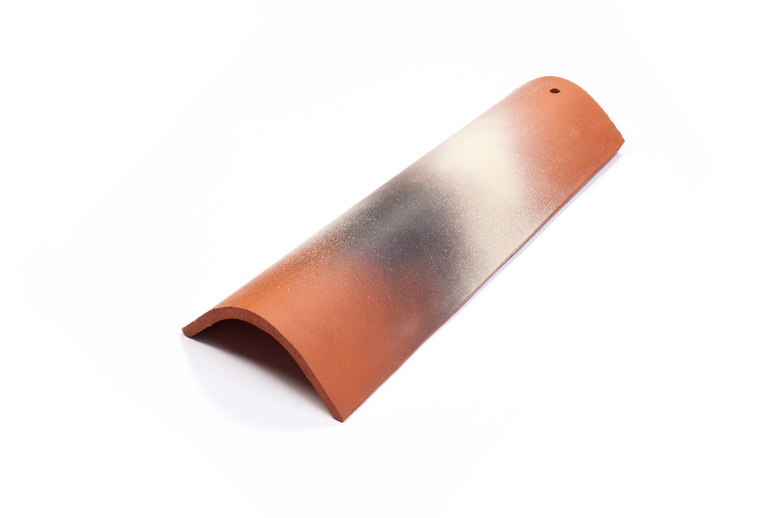
Is there anybody who can tell me how to color the model the same as it is on photo? I would like also to color maybe twenty of those models but I wish they look different one to another actually unique.
Thankskorec gladki_luknja ozki del.skp
-
-
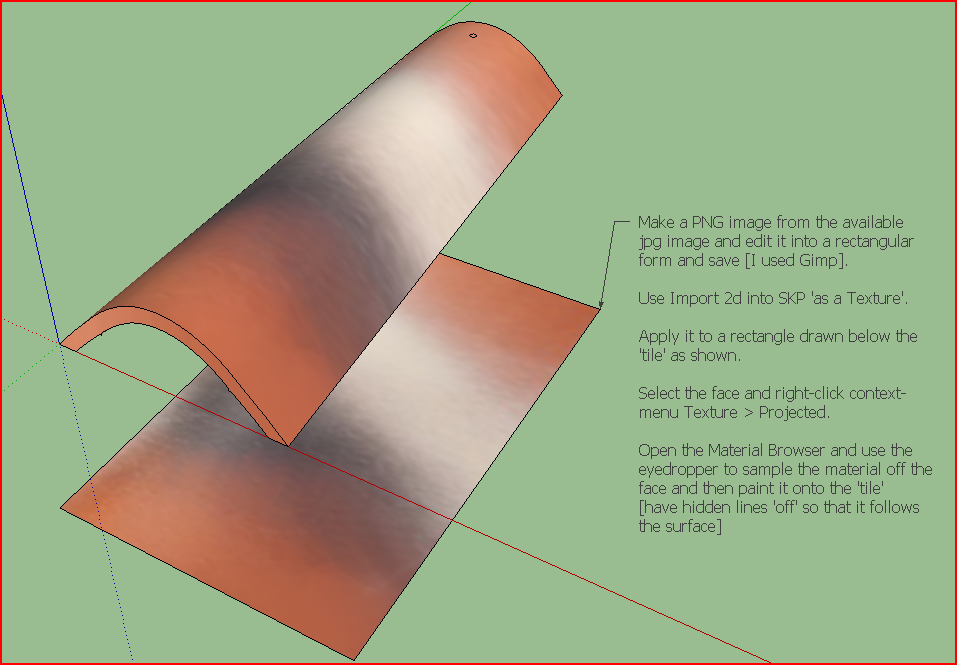
Seems just apply a projected texture will works
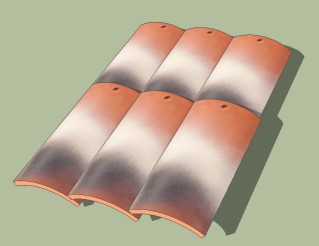
For have 20 different results you must make 20 different components
and apply this tricky pluging for make a roof I suppose
Replace randomly component by Sdmitch -
The normal way for paint something
[flash=420,315:2jy79htq]http://www.youtube.com/v/OvSP54o_KqY?version[/flash:2jy79htq]
[flash=420,315:2jy79htq]http://www.youtube.com/v/AVYYdWYRqrg[/flash:2jy79htq]
[flash=420,315:2jy79htq]http://www.youtube.com/v/KEg6tHWNXb4[/flash:2jy79htq]But
Use the new Thrupaint by Fredo6 for all Move, resize, rotate etc textures
Have fun!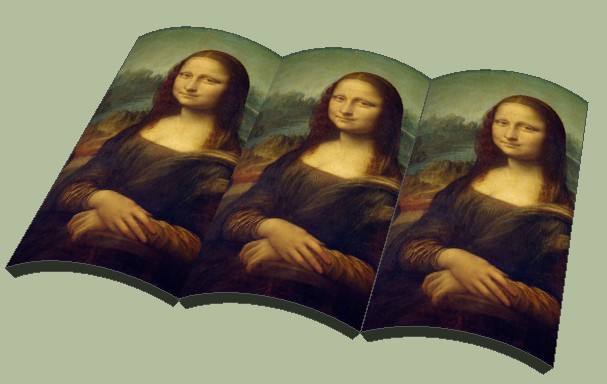
Of course this is not the good architectural superimposition




Hello! It looks like you're interested in this conversation, but you don't have an account yet.
Getting fed up of having to scroll through the same posts each visit? When you register for an account, you'll always come back to exactly where you were before, and choose to be notified of new replies (either via email, or push notification). You'll also be able to save bookmarks and upvote posts to show your appreciation to other community members.
With your input, this post could be even better 💗
Register Login


Advertisement