8 button mouse in Sketchup
-
Setting up an 8 button mouse in Sketchup (For Mac).
Anybody know how this is done? I dont have internet in my new house yet so cant blast the internet for an answer.
Cheers
Liam
-
Can't you just assign a seperate shortcut for each button? or assign a keyboard key for each button that corrosponds with your SU shortcut?
-

How much fingers have you in one hand?
-
@solo said:
Can't you just assign a seperate shortcut for each button? or assign a keyboard key for each button that corrosponds with your SU shortcut?
probably but I dont know how to do that lol, on a PC I know but not on the mac!
All I could find was an option to make a keyboard shortcut open SU!
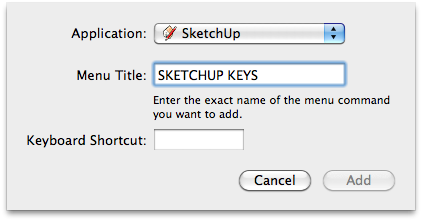
-
Ah...
Does the mouse not have a setup disk? there may be a way of setting it up using it's own software, something like this:

-
yeah it has an amazing set up screen for customizations, but only on the PC! On the mac I can change the tracking speed and thats about it.
Was just wondering if I could assign keys from within SU or by using a plugin?
-
Sorry mate, cannot help with Mac settings.
-
@liam887 said:
yeah it has an amazing set up screen for customizations, but only on the PC! On the mac I can change the tracking speed and thats about it.
Was just wondering if I could assign keys from within SU or by using a plugin?
Here is Logitech on Mac
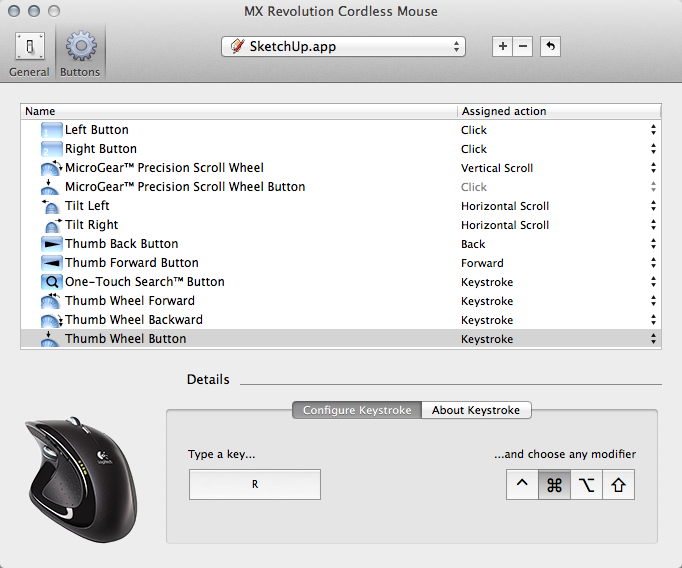
-
@wind-borne said:
@liam887 said:
yeah it has an amazing set up screen for customizations, but only on the PC! On the mac I can change the tracking speed and thats about it.
Was just wondering if I could assign keys from within SU or by using a plugin?
Here is Logitech on Mac
Yeah I got a mamba with me today http://1.bp.blogspot.com/-NsdngJeWTbE/Tywhcv7IYsI/AAAAAAAABZU/1DiZy543PL0/s400/Razer%2BMamba.jpg
the customization screen is really good but seems to be PC only
 http://www.bjorn3d.com/Material/revimages/Peripherals/Razer_Mamba4G/d_assign.JPG
 -
-
@unknownuser said:
you might have to use something like this:
.
Thanks Jeff, once I get the internet in my new place I will give it a try.
-
Yes, use Steermouse or USB Overdrive.
-
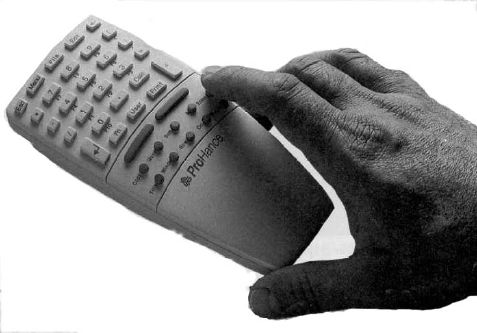
8 button mouse....HA





Hello! It looks like you're interested in this conversation, but you don't have an account yet.
Getting fed up of having to scroll through the same posts each visit? When you register for an account, you'll always come back to exactly where you were before, and choose to be notified of new replies (either via email, or push notification). You'll also be able to save bookmarks and upvote posts to show your appreciation to other community members.
With your input, this post could be even better 💗
Register Login


Advertisement