Frontside and backside colour
-
Hello,
if I import a COLLADA-File I can change the (frontside) colour with the following Code:
Sketchup.active_model.active_entities.each{|e|e.material="green"};I want to do the same with the backside of the areas, but this Code doesn't work:
Sketchup.active_model.active_entities.each{|e|e.back_material="green"};Can somebody help me why this Code doesn't work?
Thanks,
Chris -
You're getting errors, right?
Only faces have the
.back_materialmethod - so when you iterate a whole entity collection you're also iterating over edges, guides etc. You need to ensure you're applying back material to only faces.If that is not the case - then you need to provide more info on what you are doing and exactly what "isn't working". (Errors or unexpected results. Sample models help.)
-
Hy thomthom,
this is my COLLADA-File: COLLADAfile.zip
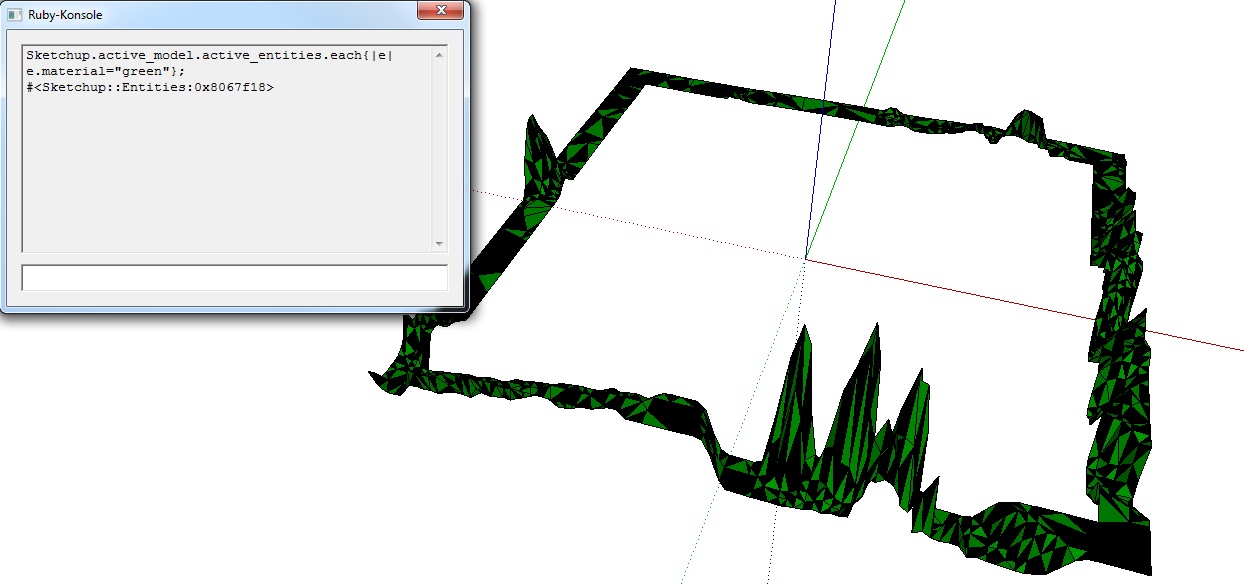
The frontside colour I can change. This you can see on the file "change_frontside_colour.jpg".
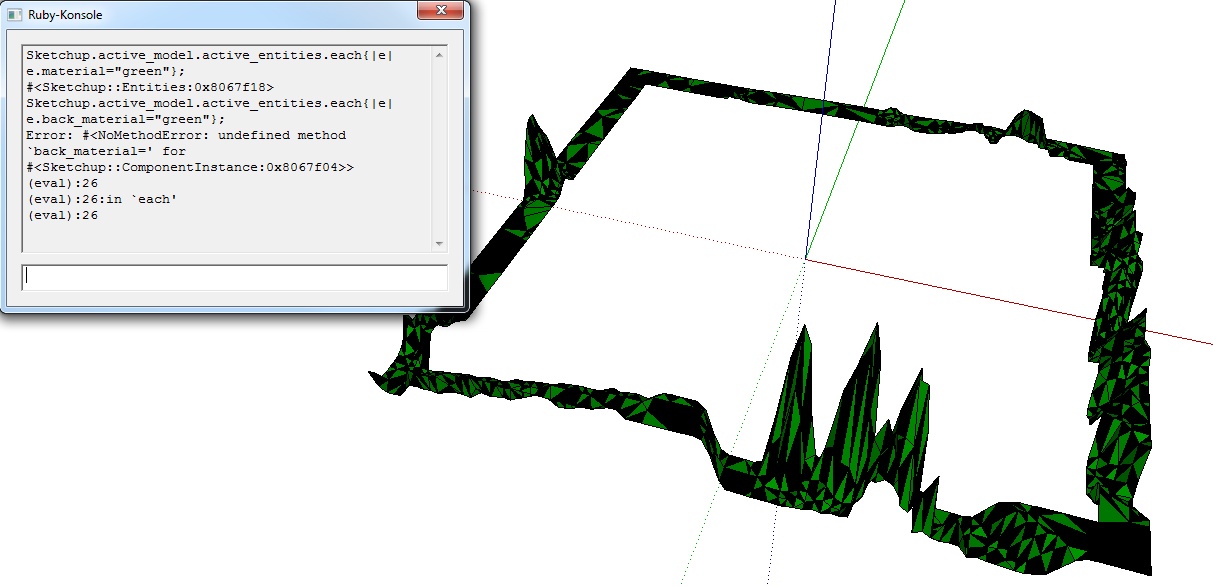
And now my problem is that I can't change the backside colour!
"change_backside_colour_ERROR.jpg"Thanks a lot for your help,
ChrisKa
-
That is it - you are trying to call
.back_materialon aComponentInstance.You need to ensure you got a Face.
Sketchup.active_model.active_entities.each{|e|e.back_material="green" if e.is_a?(SketchUp::Face)};But note that if the geometry of yours is inside a group or component your code won't dig into the nested groups/components. As you have the code now, the currently active context (open component) must be the one containing the faces.
-
Sorry, but I don't understand.
Do you mean that I have to explode the component for working this code.Is there a possibility that I can change the backside-colour inside the component like the frontside-colour?
-
For that simple example you provided you only need to open the component before you run the script.
But I don't know the bigger context where you use this.
Here is a snippet that process the entire model:
<span class="syntaxdefault"><br /></span><span class="syntaxcomment"># Process entities in the root model context<br /></span><span class="syntaxdefault">for e in Sketchup</span><span class="syntaxkeyword">.</span><span class="syntaxdefault">active_model</span><span class="syntaxkeyword">.</span><span class="syntaxdefault">entities<br /> next unless e</span><span class="syntaxkeyword">.</span><span class="syntaxdefault">is_a</span><span class="syntaxkeyword">?(</span><span class="syntaxdefault">SketchUp</span><span class="syntaxkeyword">;;</span><span class="syntaxdefault">Face</span><span class="syntaxkeyword">)<br /></span><span class="syntaxdefault"> e</span><span class="syntaxkeyword">.</span><span class="syntaxdefault">material</span><span class="syntaxkeyword">=</span><span class="syntaxstring">"green"<br /></span><span class="syntaxdefault"> e</span><span class="syntaxkeyword">.</span><span class="syntaxdefault">back_material</span><span class="syntaxkeyword">=</span><span class="syntaxstring">"green"<br /></span><span class="syntaxdefault">end<br /></span><span class="syntaxcomment"># Process all groups and components<br /></span><span class="syntaxdefault">for d in Sketchup</span><span class="syntaxkeyword">.</span><span class="syntaxdefault">active_model</span><span class="syntaxkeyword">.</span><span class="syntaxdefault">definitions<br /> next if d</span><span class="syntaxkeyword">.</span><span class="syntaxdefault">image</span><span class="syntaxkeyword">?<br /></span><span class="syntaxdefault"> for e in d</span><span class="syntaxkeyword">.</span><span class="syntaxdefault">entities<br /> next unless e</span><span class="syntaxkeyword">.</span><span class="syntaxdefault">is_a</span><span class="syntaxkeyword">?(</span><span class="syntaxdefault">SketchUp</span><span class="syntaxkeyword">;;</span><span class="syntaxdefault">Face</span><span class="syntaxkeyword">)<br /></span><span class="syntaxdefault"> e</span><span class="syntaxkeyword">.</span><span class="syntaxdefault">material</span><span class="syntaxkeyword">=</span><span class="syntaxstring">"green"<br /></span><span class="syntaxdefault"> e</span><span class="syntaxkeyword">.</span><span class="syntaxdefault">back_material</span><span class="syntaxkeyword">=</span><span class="syntaxstring">"green"<br /></span><span class="syntaxdefault"> end<br />end<br /></span> -
I would like to import the COLLADA-File with the "Ruby-Console".
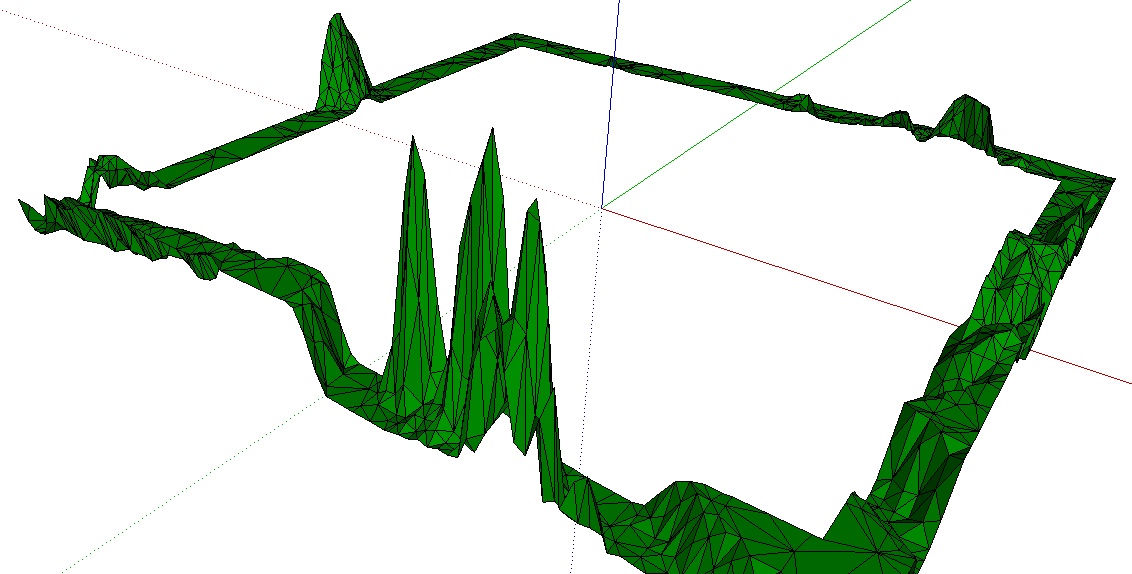
The code should be in one line.The result should look like this file result-OK.jpg
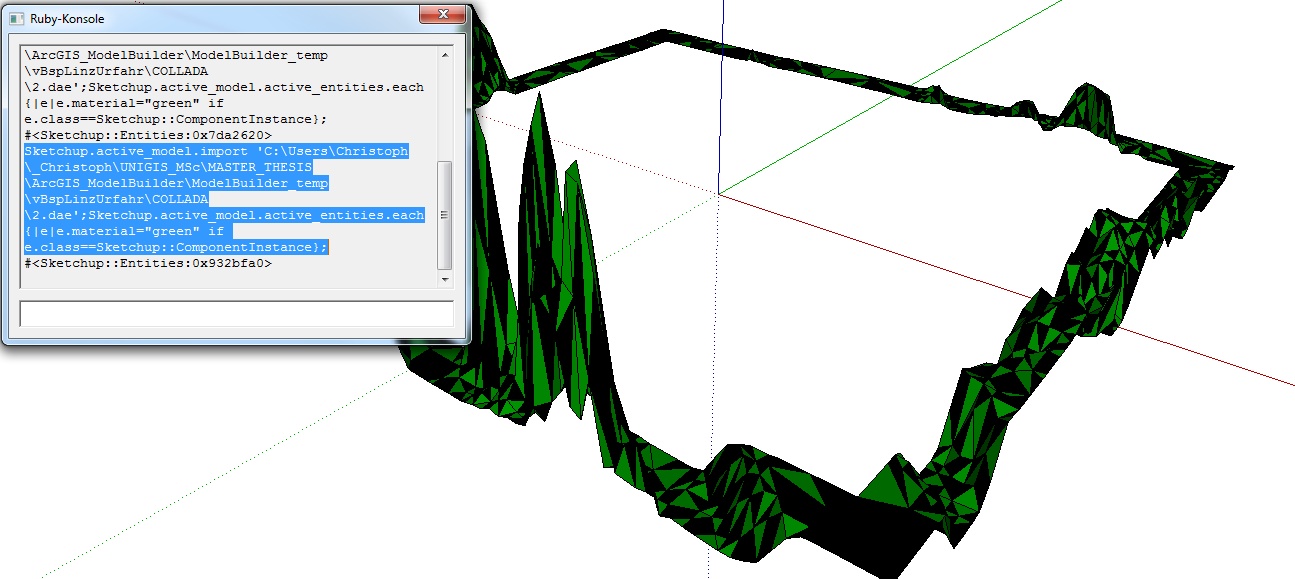
I still have the problem with the backside! See result-false.jpg
Do you have an idea?
Thanks,
Chris
-
Your code currently makes everything in the model.active_entities have the specified material.
Because the imported geometry arrives inside a component your code gives that material to the instance - NOT its contents.
Faces inside a component [or group] that have no material applied to them [front or back] will initially show in the default material.
Then if you give the 'container' a material then those faces will be displayed as if they had that material, BUT they are actually still in the default material.
If you want to give a material to the faces inside a component you need to use something like this.
Assuming that you want every face in the model to use that material...
Sketchup.active_model.definitions.each{|d|next if d.image?; d.entities.each{|e|next unless e.class==Sketchup::Face; e.material="green"; e.back_material="green"}}
To ALSO process any faces in the model's entities use this:
Sketchup.active_model.entities.each{|e|next unless e.class==Sketchup::Face; e.material="green"; e.back_material="green"}
You can obviously mess around with materials and so on...
You could even limit the change to the imported component [its component name ISN'T the same as the dae file so we must get all components before we start and then find which one was [or ones were] added by the import]...
ds=Sketchup.active_model.definitions.to_a; ###add your importer code here...; ds=Sketchup.active_model.definitions.to_a-ds;###ds is an array of just the imported component[s]; ds.each{|d|d.entities.each{|e|next unless e.class==Sketchup::Face; e.material="green"; e.back_material="green"}}

-
Thanks a lot for your help.
Now this code is very helpful for me!ChrisKa


Hello! It looks like you're interested in this conversation, but you don't have an account yet.
Getting fed up of having to scroll through the same posts each visit? When you register for an account, you'll always come back to exactly where you were before, and choose to be notified of new replies (either via email, or push notification). You'll also be able to save bookmarks and upvote posts to show your appreciation to other community members.
With your input, this post could be even better 💗
Register Login


Advertisement