Weird stuff happening
-
hi guys
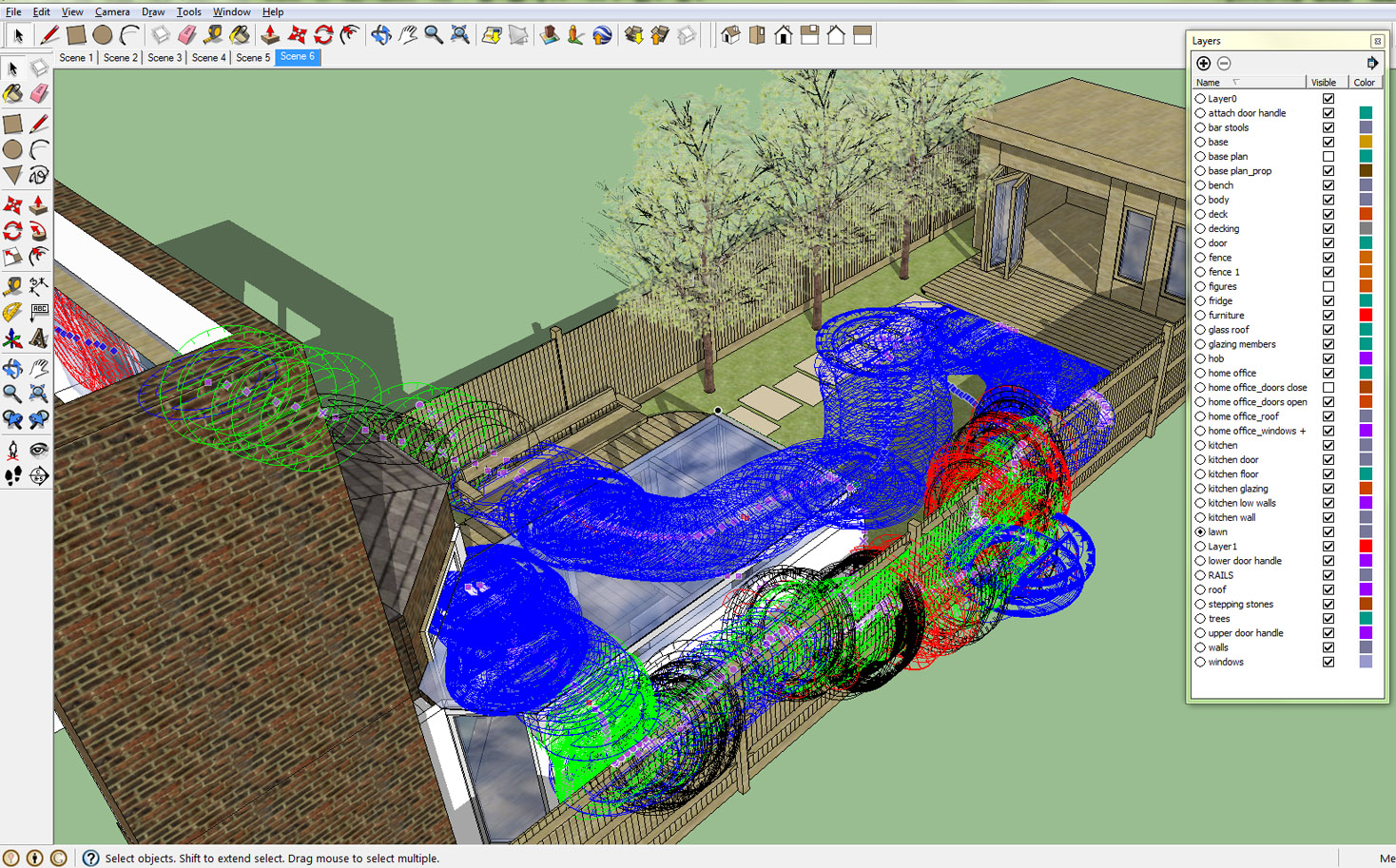
has anyone had this issue as per attachment? - as soon as any tool (line, tape measure, protractor etc.) cursor touches any part of the model it leaves behind a mark where and this then renders the programme unusable. to resolve this I have to close the programme and re-open
FYI, I'm using SketchUp Pro 7 but it also happens in SketchUp 8 which I downloaded to see if there was some issue with my version of Pro.
also this has only recently started happening, i've gone back and opened files I created before this started and some do not have this issue whereas others do
can anyone help, I'm completely befuddled
thanks
nidge
-
Do you happen to have a graphics tablet, I had a similar problem in another program and eventually found it was the drivers for the tablet.
I updated the tablet driver and the problem went away. -
no graphics tablet no but thanks for the suggestion
-
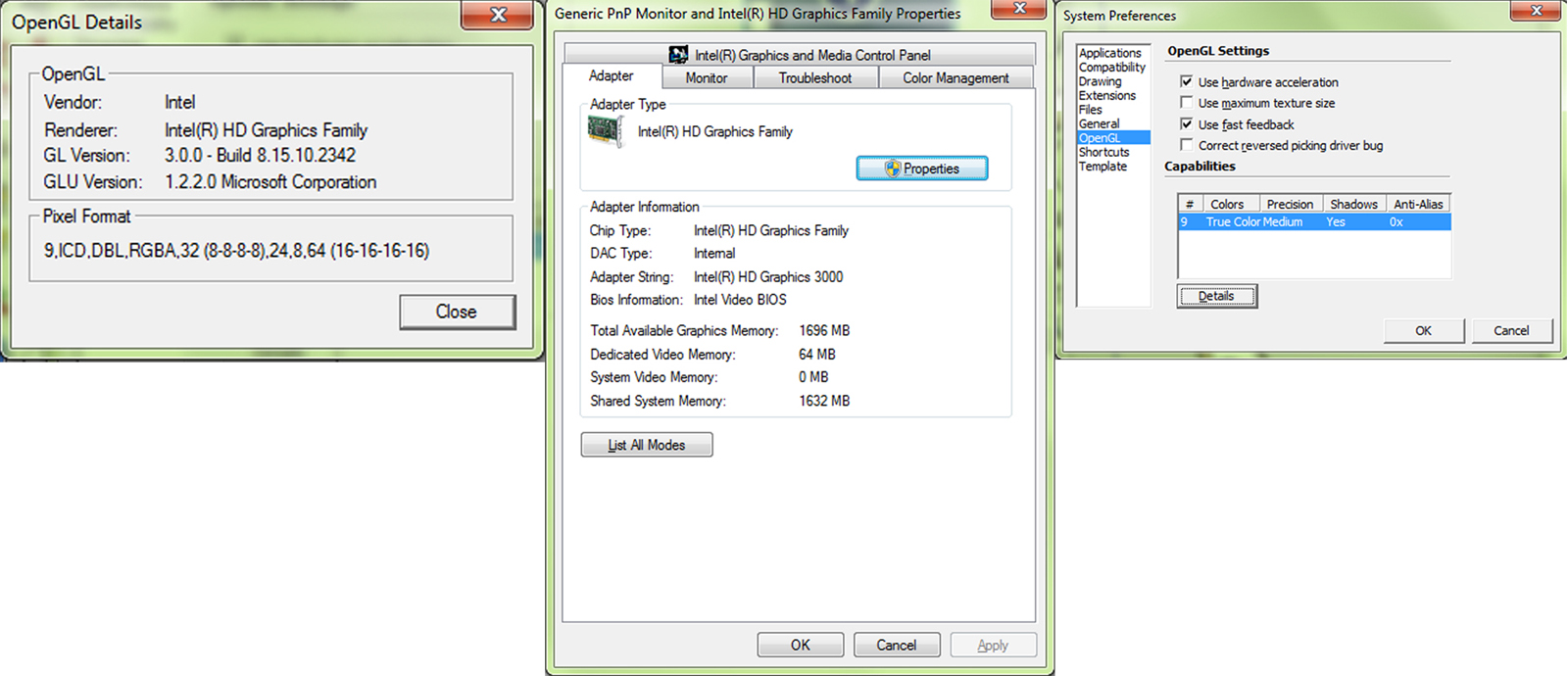
It is definitely a graphics card/driver issue. Updating drivers would be first on the list. After that, investigate OpenGL settings under SketchUp>Window>Preferences. Also look at the OpenGL support for your graphics card under Start>Settings>Display.
What graphics card do you have and how does it compare to what is recommended in the System Requirements for SketchUp?
-
hi dave
thanks for your input, much appreciated
does the attached provide you with the information that you require? reading left to right; 1 + 2 are system info, 3 is SketchUp info - do I need to make changes to the latter?
have checked drivers + all up-to-date
I'm afraid I can't find anything about OpenGL support in Start > Settings > Display...


Hello! It looks like you're interested in this conversation, but you don't have an account yet.
Getting fed up of having to scroll through the same posts each visit? When you register for an account, you'll always come back to exactly where you were before, and choose to be notified of new replies (either via email, or push notification). You'll also be able to save bookmarks and upvote posts to show your appreciation to other community members.
With your input, this post could be even better 💗
Register Login


Advertisement