How to make this, using Subdivide and smooth?
-
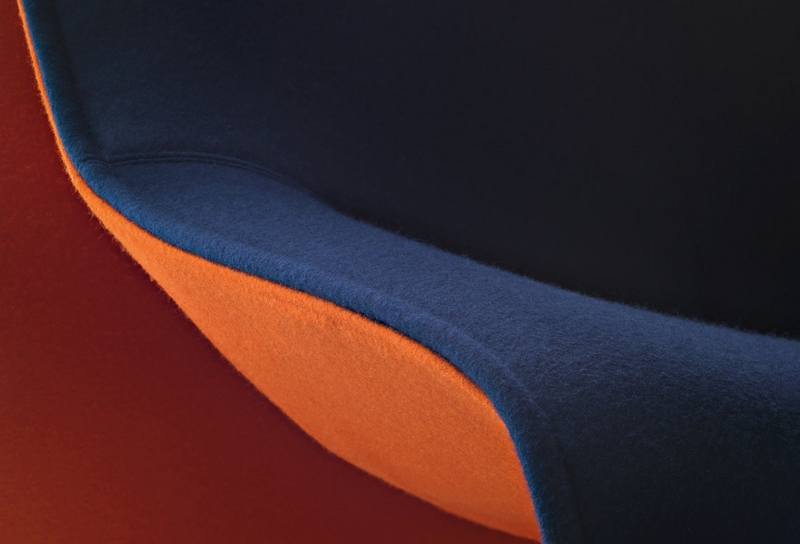
Hello, I've seen some nice models around here that had some upholstery with "sewing edge" similar to this and I'm wondering how to do i myself usin subdivide and smooth plugin.
Thank you very much.
-
Use PipeAlongPath on the boundary edges of your mesh.
-
@unknownuser said:
Use PipeAlongPath on the boundary edges of your mesh.
Pipe along path will make this effect: http://interiorconceptsfurniture.com/blog/wp-content/uploads/2009/10/Italsofa_Natuzzi_i276.jpg
I don't want that pipe, but to turn inside the upholstery... maybe the picture was not the most intuitive. -
Something like this?
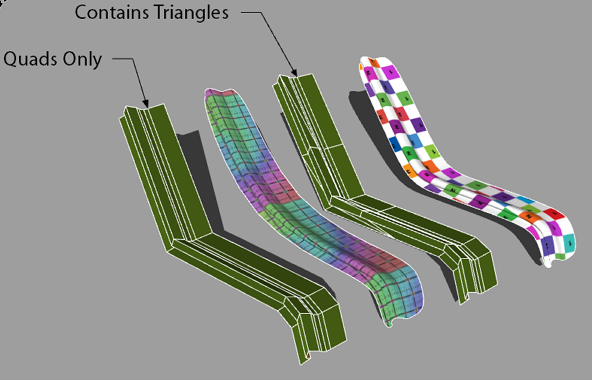
Piping_Example.skp -
I'm saying rather about this effect: http://twilightrender.com/phpBB3/viewtopic.php?p=20593#p20593
-


Hello! It looks like you're interested in this conversation, but you don't have an account yet.
Getting fed up of having to scroll through the same posts each visit? When you register for an account, you'll always come back to exactly where you were before, and choose to be notified of new replies (either via email, or push notification). You'll also be able to save bookmarks and upvote posts to show your appreciation to other community members.
With your input, this post could be even better 💗
Register Login


Advertisement