Transparency
-
Hello everyone,
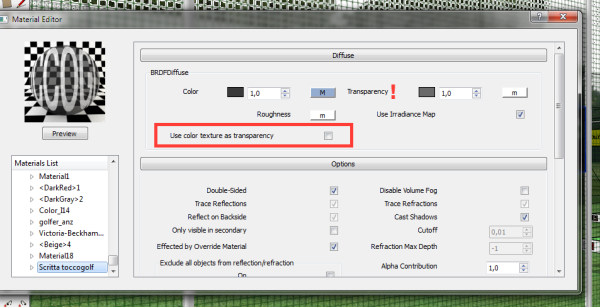
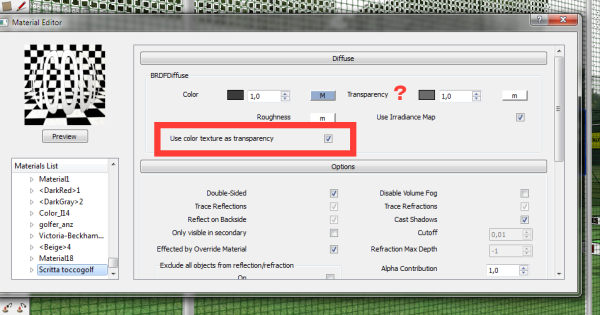
I tried to do a panel with a clear written letters, but
transparency only works if it is unchecked the overall transparency:
see attach.
Is there a different way to achieve this?
Thanks
David
-
If you have an alpha map (black/white) you can use it as a mask for transparency instead of having to check the box.
-
Same as rspierenburg wrote, but more specific: Create a copy of the texture map you have. It looks like it is white text on a black background, right? Then edit the image so that it is gray text on a black background. Use this copy as the transparency map. The black background will be completely transparent like you have now and whatever shade of gray you use will determine how transparent the text is.
-
Hi ledisnomad,
innaznzitutto thanks to you and to rspierenburg
I'm afraid I have not understood well because I tried to do as you say it does not work.
Thanks
David -
Try this: http://www.vray.com/vray_for_sketchup/manual/transparency_mapping_in_vray_for_sketchup.shtml
It's not exactly what you need, but it takes you through the steps.
Hello! It looks like you're interested in this conversation, but you don't have an account yet.
Getting fed up of having to scroll through the same posts each visit? When you register for an account, you'll always come back to exactly where you were before, and choose to be notified of new replies (either via email, or push notification). You'll also be able to save bookmarks and upvote posts to show your appreciation to other community members.
With your input, this post could be even better 💗
Register Login


Advertisement