Match Color - Mac
-
Where can i find the Match color comand in a Mac ?
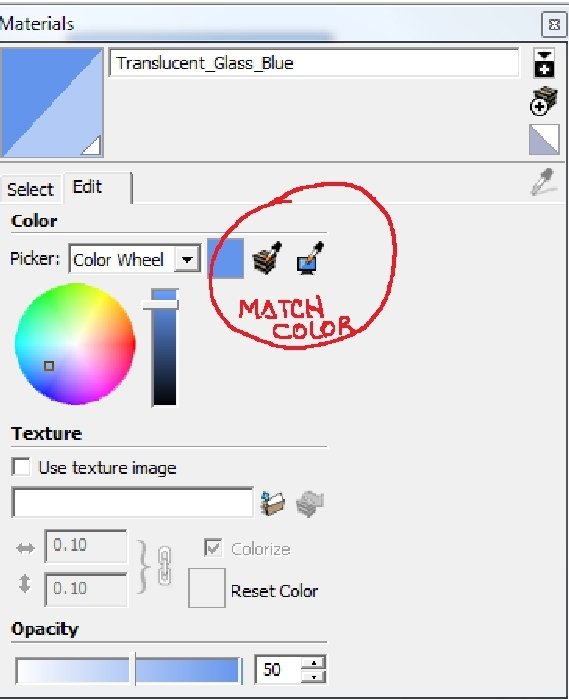
-
Hi Agrazdi,
I don't know but choose the paint bucket tool and hold down the command (apple) key to get the eyedropper. This picks up textures and colors. You can use the magnifying glass to pick up colors on the screen, but I don't trust this for a match of solid colors. Don't understand that part.
Peter
-
-
@pbacot said:
Hi Agrazdi,
I don't know but choose the paint bucket tool and hold down the command (apple) key to get the eyedropper. This picks up textures and colors. You can use the magnifying glass to pick up colors on the screen, but I don't trust this for a match of solid colors. Don't understand that part.
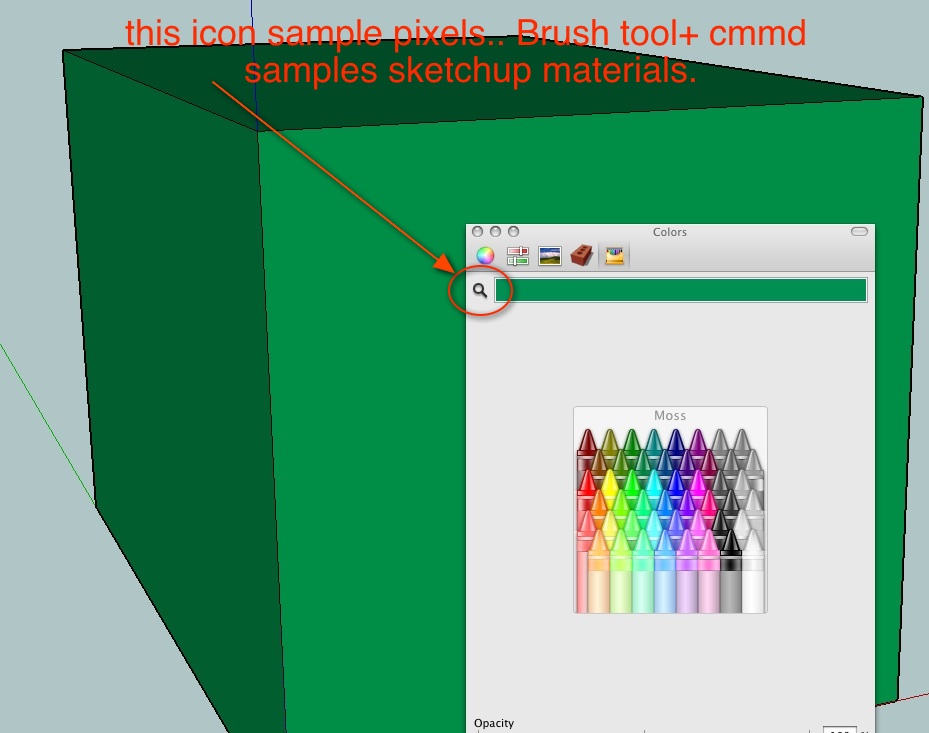
hey peter.. the magnifying glass is part of OS X and it's available systemwide and in all of the color picker palettes.. it's used to sample the color of a pixel anywhere on the monitor exactly as it appears..
notice in the screenshot, the one green material has three different tones due to sketchup's shading.. the mag.glass doesn't consider the shading and will give the color as is.. using the magnifying glass on the cube will give me 3 different colors.
if i use the su eyedropper (brush tool + cmmd) then it will sample the material as it appears Prior To having shading applied..



Hello! It looks like you're interested in this conversation, but you don't have an account yet.
Getting fed up of having to scroll through the same posts each visit? When you register for an account, you'll always come back to exactly where you were before, and choose to be notified of new replies (either via email, or push notification). You'll also be able to save bookmarks and upvote posts to show your appreciation to other community members.
With your input, this post could be even better 💗
Register Login


Advertisement