Loop select? (a plugin maybe?)
-
Is there a way to select a loop in SU 8 (edge or face loop) ? I heard something about "select tools" which while useful, can't do this. Something like the "Alt-Select" in Blender.
-
Check again on ThomThom's collection of scripts. I thought he had done this in one of his latest tools. Find any posting by him and click on a link under his dialogue, or look in the Plugins Index by the red quicklink at top of Board Index page.
-
It only handles the most basic of loops, ie with no intersections.
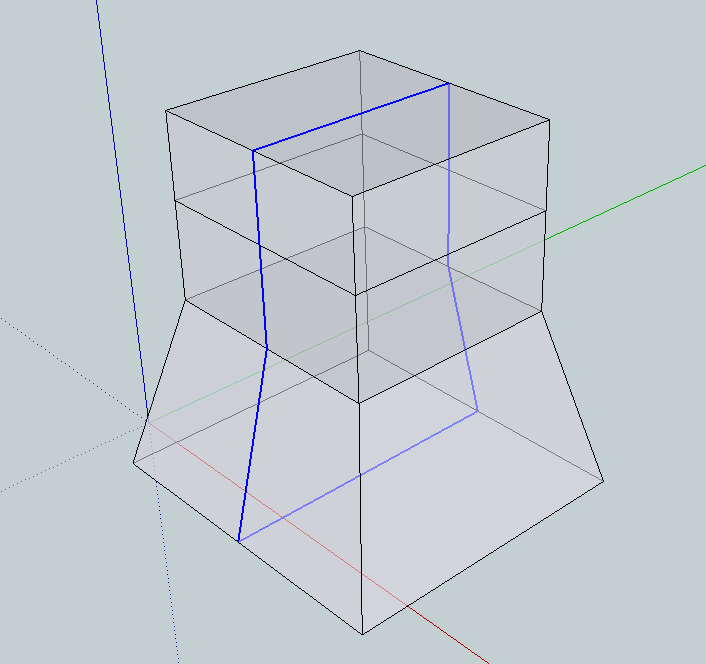
If I wanted to select the loop in the image below in some other modelling packages I would alt-click any of the selected edges in this image and it would select the loop. In this simple example, sure I could drag select but in more complex ones I would be selecting all sorts of irrelevent stuff in the middle too. Also, they loop is not necessarily co-planar so a drag select can be difficult from that too
Any thoughts?
-
-
Wow,
Time to go buy a ruby book, I can see a chance to make some real money here

-
What I do is:
Make a group of a logical portion of the model. This will help isolate.
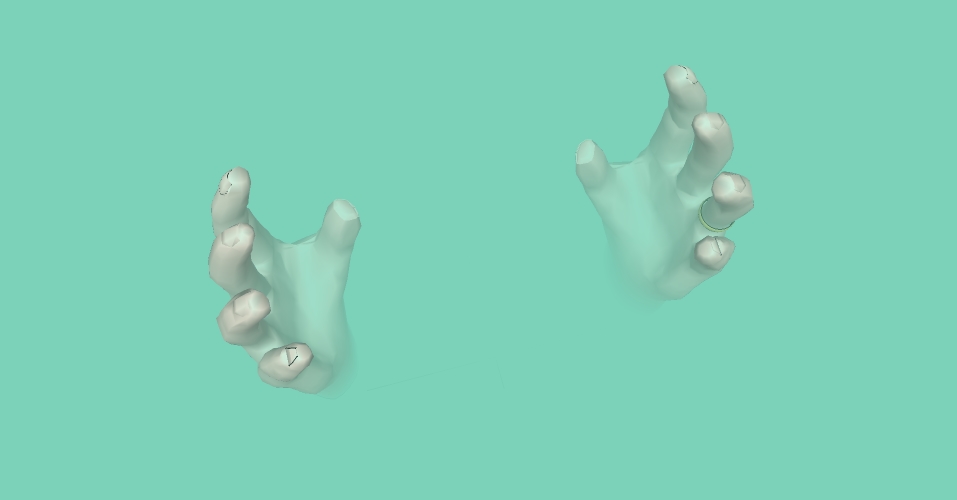
Navigate/orbit around the intended target such that the horizon is directly behind. Do a left to right box select of the loop. Shift+Arrow(remove items from selection set)click on unwanted selections. Orbit about to verify if you have a clean selection, then do your thing.By the way, if you use Control+Orbit you can tilt the horizon(actually pitching the camera)to align the target for closer selection precision.
I have attached an image in which I used this technique to grab loops on the fingers.
-
Thanks you for the ctrl-orbit tip! I didn't know that and I had been looking for this. It doesn't quite solve this loop select thing but it solves a different problem I've been wondering about!!!
THANKS !!!

-
Blender and SU are different animals. The loop select/create feature in Blender is definitely a great option but in SU it would create a lot of geometry. SU isn't something geared around topology and quads. If you trial the tgi plugin you'll see the impact these cross cut sections have when you adopt a Blender like workflow. Models file size grow rapidly as you increase the vertices.
A small price to pay when you consider how intuitive SU is. Blender is truly an amazing app but it's got a big learning curve. There is a member here who absolutely rocks at Blender and his output has encouraged me to learn it. Currently dissecting the 'For Dummies' book and tutorials. But I wouldn't wish for SU to change anyway!



Hello! It looks like you're interested in this conversation, but you don't have an account yet.
Getting fed up of having to scroll through the same posts each visit? When you register for an account, you'll always come back to exactly where you were before, and choose to be notified of new replies (either via email, or push notification). You'll also be able to save bookmarks and upvote posts to show your appreciation to other community members.
With your input, this post could be even better 💗
Register Login


Advertisement