How to combine lines and curves?
-
Hi,
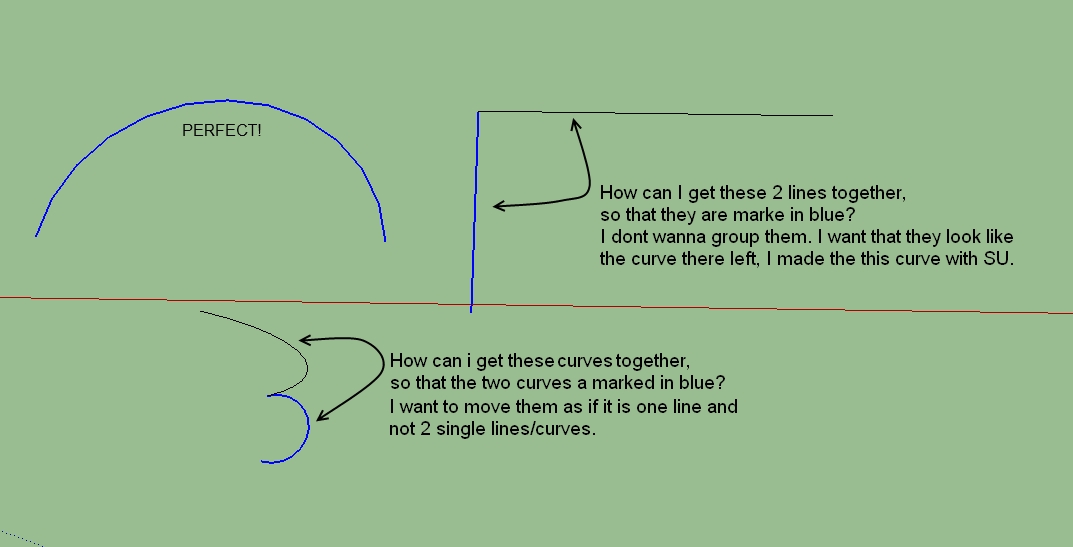
I think my picture will say what i mean. I drew a lot of lines in SU. And i want to bring some of them together,
so that i can move them. I know I can hold Strg and mark them. But thats not what I want.If I klick right on a line, then I can choose that SU show me all connected lines. Thats fine. But if i klick outside again, the mark is gone.
But if I draw an arc composed of many individual lines with the SU tools, then they are all marked together!
Is there any way to get this with my lines? Thank you

-
Hello Pilou,
thank you again
-
Plugin Weld at Smustard by Rick Wilson

(it's free)
One of the most important plug for any other plugs!
-
OK, one last Question about lines:

Thx the Plugin "Weld" I can mark my lines very easy. But now they are still in 2D.
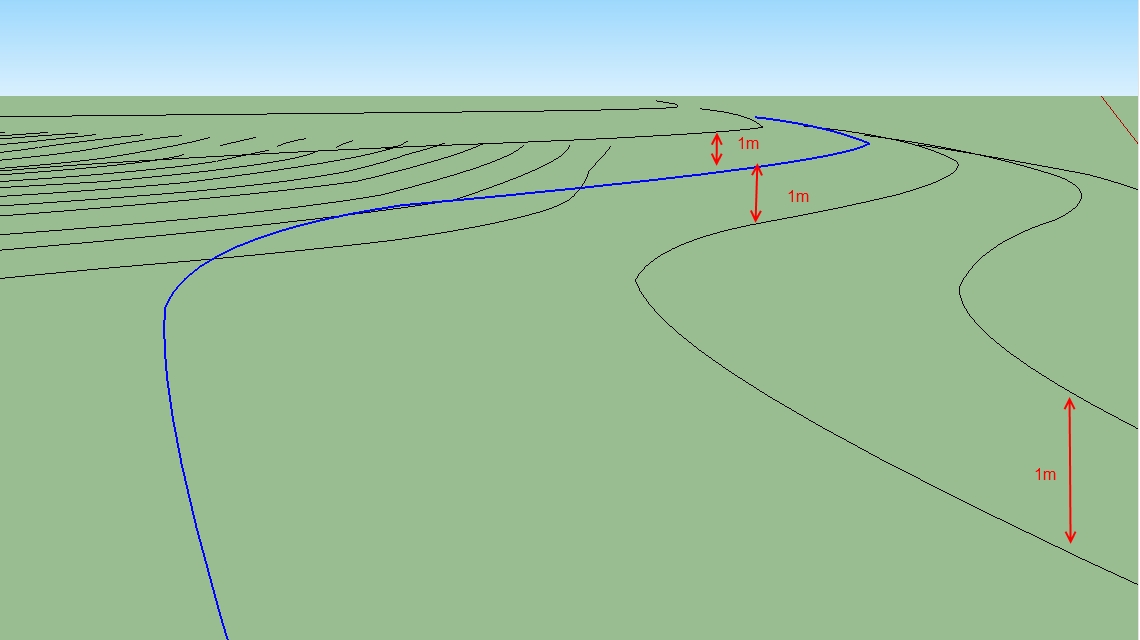
My lines are "Contour lines" or "Isohypses".I want to bring them in 3D. What I need to do is to mark one Start-Line and then push her up to 1m.
Then I mark the next an push her also up. And the next again. All Lines I will push up exactly 1 meter.At the end, I use the sandbox to project areas.
But this are soooooooooo many lines I need to push up by hand. Is there not any qay to do this a little faster?
It would also help if I could mark the lines by key and not by mouse. One after the over with simple klicks.
Then I coukd use my "Mouse- Recorder-Tool".I know it will probably not perfect but I think there shoukd be a way to make this work faster.
Any ideas?Thank you very much
-
Form flat faces between the 'flat' contours - perhaps simply draw some lines across their open ends until they 'face'. If they don't form a face then there's a gap - if you line Style has a distinctive line end-marker these are easier to spot and heal - you might have already noticed that some contours don't weld if there are small gaps in them...
Now you have a series of faces each representing a 'plateau' in the contours - but at the moment they are all at z=0!
PushPull a face up 1m.
The last used PushPull value is remembered, so the next PushPull can be done with a double-click on another face.
Now simply go round double-clicking the face or top face a recently PushPulled face until they are all at the desired heights.
Now tidy up by using the Eraser tool to remove the lower version[s] of each extruded contour.
You now have your contours at the correct z-heights without having to try and move them vertically by a set amount etc...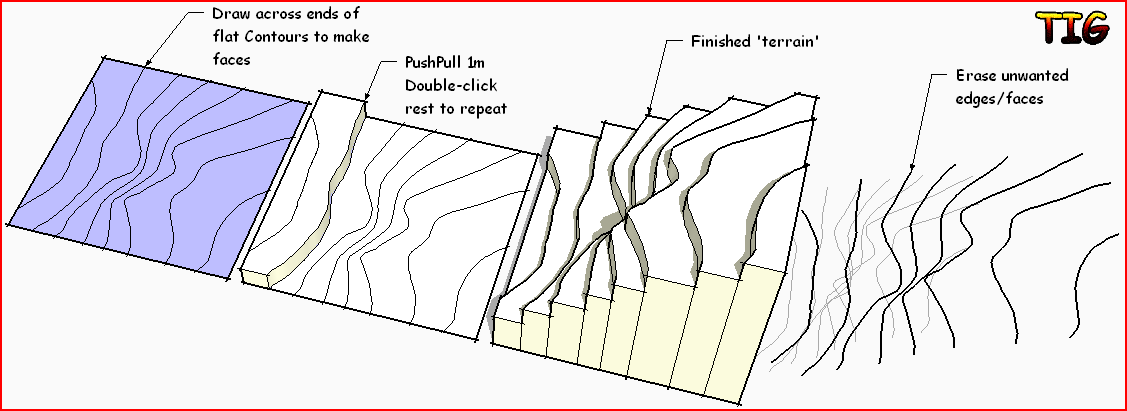
-
Hey TIG,
thats good, it work fine. I will use this. One question to the push/pull tool.
You wrote I must doubleklick on the next face. If I oush upt the first face 1 m, then I need to push uo the second face 2m, then 3 ,4,5 and so on. The push pull tool always push 1 m. So is must doubleklick anywhen very very often.
It is so far the best and perfect way,
 may perhaps the push pull tool can count with anyhow?
Thank you
-
If it's 3m you must double-click 3 times - but it's not too onerous...
-
and what not just click one time and type on the numeric keyboard length wished?
Very easy if it's integer meters


Hello! It looks like you're interested in this conversation, but you don't have an account yet.
Getting fed up of having to scroll through the same posts each visit? When you register for an account, you'll always come back to exactly where you were before, and choose to be notified of new replies (either via email, or push notification). You'll also be able to save bookmarks and upvote posts to show your appreciation to other community members.
With your input, this post could be even better 💗
Register Login


Advertisement