Solar North and green axes Sketchu 8
-
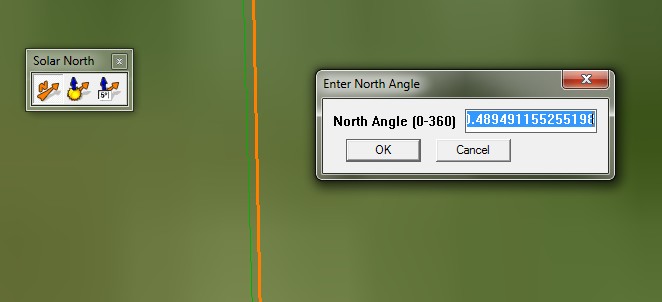
Why does in Sketchup 8 when I geo-located a model with "add more imagery" green axes never fit to solar north? In Sketchup 7 always were the same.
-
I suspect that your geo-referenced site has green/Y to 'true-north' [the long/lat north-pole 'north' not 'magnetic'] and this is not quite the same as the 'solar-north' as the sun's path doesn't match exactly...
http://www.illustratingshadows.com/www-wall-declination-calculation.pdf
http://www.wsanford.com/~wsanford/sundials/temp/JohnCarm_Finding-True-North.pdf
http://www.ehow.com/how-does_4587494_magnetic-north-differ-true-north.html
http://www.google.com/support/forum/p/earth/thread?tid=441036465f5ce4d7&hl=en -
I refer to this:
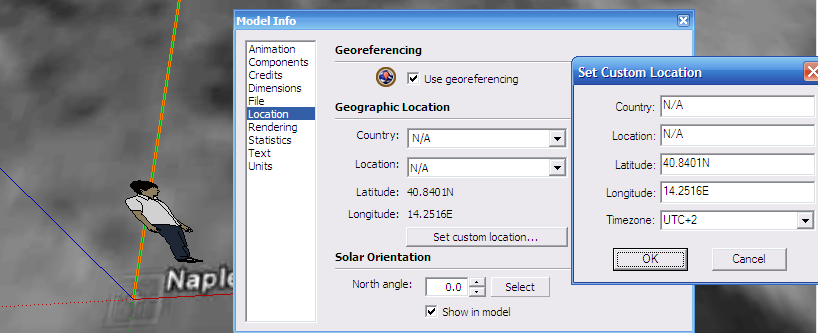
In SU7, when you geo-locate with "Use current view" you obtain an image perpendicular to green Y axes. (True North and Green axes are the same).
But in SU8 the image is not perpendicular to Y. (Is rotated near a grade).Why isn't Green Axes set to True North like in SU7?
-
In this link I found people worried for the same.
http://www.google.com/support/forum/p/sketchup/thread?tid=589b0d27a1c59111&hl=en
I've attached a simple plugin to rotate to green +Y default and set solar north to 0. (I need it for my skelion plugin)
After rotate the model, you can restore the model if you want export to Google Earth.
The plugin only works in SU8


Hello! It looks like you're interested in this conversation, but you don't have an account yet.
Getting fed up of having to scroll through the same posts each visit? When you register for an account, you'll always come back to exactly where you were before, and choose to be notified of new replies (either via email, or push notification). You'll also be able to save bookmarks and upvote posts to show your appreciation to other community members.
With your input, this post could be even better 💗
Register Login


Advertisement