Better Quality of Exporting Images
-
Hi,
I am tring to get a portfilo together and when I export my images from sketchup them dont look so nice. Any suggestions on how I could increase the quality of exported images?

-
Export as large as possible and reduce to your correct size in Photoshop.
-
and that usually takes care of the quality?
Mucho Gracias
-
Yes, that's normally what i do when I need an SU image, I export around 7000x7000 and reduce to 1000x1000 and it's crisp.
-
Hi,
an alternative could be the Snipping Tool.
Charly
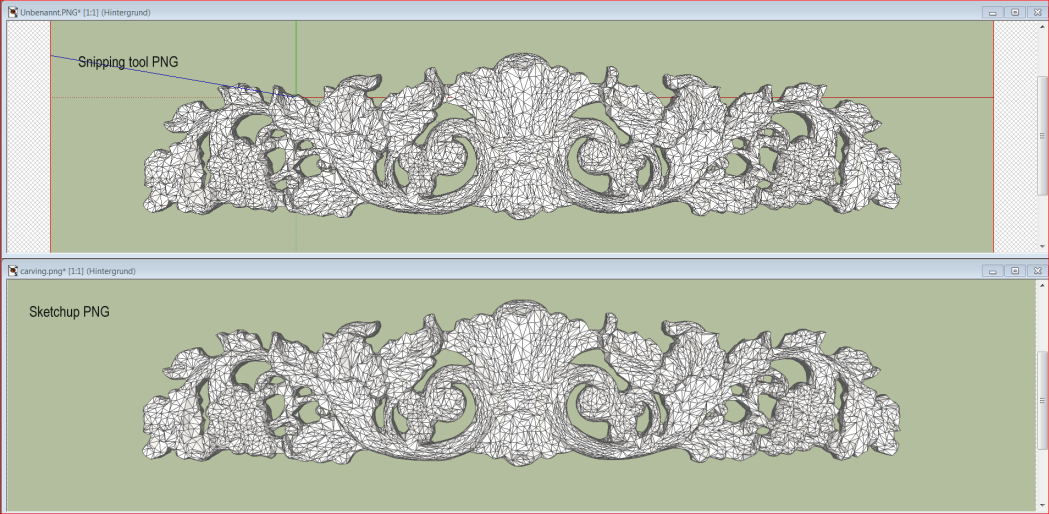
-
That's a good tip.
A snipping tool (or alternatively Print Screen) is the only option when it comes to large models that cause SU to crash when you try to export large 2D images.
-
You could also use Layout to get much better exports.
Best,
Jason. -
is the snipping tool alrdy in sketchup or is it a plugin?
-
It's a Windows 7 tool
-
Snipping tool is in Vista as well under All Programs > Accessories
-
thanks much all
-
What is the advantage of the snipping tool? Quality looks the same as the sketchup export to me.
-
@solo said:
Yes, that's normally what i do when I need an SU image, I export around 7000x7000 and reduce to 1000x1000 and it's crisp.
What if we don't have PhotoShop?

-
You can use GiMP which is free. Even Picasa would probably do a good enough job just down sizing the image.
-
For simple resizing and editing, Irfanview is pretty effective.
For example, it offers a number of algorithms for resizing.
And it's free. http://www.irfanview.com/ -
@solo said:
Yes, that's normally what i do when I need an SU image, I export around 7000x7000 and reduce to 1000x1000 and it's crisp.
Do you export with antialiasing at 7000 pixels or without?
I've never could export antialiased more than some 4500 pixels.
-
I guess it's withOUT as when you resample the image, you can set antialiasing anyway.
-
I export oversize images like Solo suggested also, and I always do no antialising. I feel Photoshop (or the others) do a better job with the anti-aliasing than SU does anyhow.
Chris
-
Andfaster andless memory sensitive...
-
Hmmm... I might have to try without AA again.
In the past when I have exported without AA, sometimes lines were skipped and it looked really ugly even when reduced in size.







Hello! It looks like you're interested in this conversation, but you don't have an account yet.
Getting fed up of having to scroll through the same posts each visit? When you register for an account, you'll always come back to exactly where you were before, and choose to be notified of new replies (either via email, or push notification). You'll also be able to save bookmarks and upvote posts to show your appreciation to other community members.
With your input, this post could be even better 💗
Register Login


Advertisement