WHERE COMPONENT FOLDER IN MAC OS X?
-
**WHERE COMPONENT FOLDER IN MAC OS X?
I'm newbies for new mac book pro 13".
I come from THAILAND weak in english language.In WINDOWS Xp the folder component on the C:programfiles/google/sketchup pro8component
but mac os x does'nt have? where are?please give me the way, I want to add the windows .skp component to the MAC OS component libraly.**
AND THE ONE QUESTION
WHERE the color picker and edit material just like eye droper and shade adjustment???

-
Macintosh HD/ Library/ Application Support/ Google Sketchup 8/ SketchUp/ Components
the color picker is the same as windows.. the B key or Tools->Paint Bucket
eyedropper is the command key while the paint bucket is active.. or, click the magnifying glass to sample any color on the screen at a single pixel level.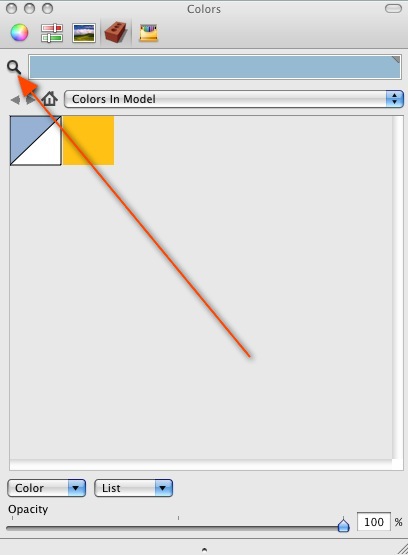
-
YES THANKOYU IT"S HELPFUL.
NOW I CAN ADD COMPONENT LIBRALY!
AND EDIT MATERIAL IN MODEL EASY WAY.THANKS JEFF.


Hello! It looks like you're interested in this conversation, but you don't have an account yet.
Getting fed up of having to scroll through the same posts each visit? When you register for an account, you'll always come back to exactly where you were before, and choose to be notified of new replies (either via email, or push notification). You'll also be able to save bookmarks and upvote posts to show your appreciation to other community members.
With your input, this post could be even better 💗
Register Login


Advertisement